Best Grey Mechanical Keyboards in 2026: 15 Picks Ranked by Specs
As an Amazon Associate we earn from qualifying purchases. Links on this page are affiliate links.
Finding the right grey mechanical keyboard means balancing form factor, switch flexibility, and connectivity for your setup. We compared 15 models strictly using the specifications published on their official product listings.
The Redragon 60% Hot-Swap Mechanical Keyboard leads our list because its compact wired build combines hot-swappable switches with customizable RGB lighting in a lightweight 0.6-pound frame. This buying guide helps you decide which layout size, mounting style, and connection type best match your everyday typing needs.
Quick picks
The best fit for you
- You need a compact wired board with hot-swappable switches Redragon 60% Hot-Swap Mechanical Keyboard Its compact 60 percent form factor and hot-swappable sockets let you customize switches while saving desk space.
- You want a low-profile wireless board for travel NuPhy Air60 V2 60% Wireless Keyboard Its 0.53-inch height and Bluetooth support make it easy to pack and type across Mac and Windows setups.
- You want an ergonomic layout with a number pad ProtoArc Full-Size Ergonomic Wireless Keyboard It features an ergonomic split design and full-size layout with Bluetooth wireless connectivity.
- You need dedicated audio control on a wired keyboard RK Royal Kludge TKL Wired Keyboard with Knob It features a built-in volume knob, tenkeyless footprint, and a direct wired connection.
Our 15 picks

Redragon 60% Hot-Swap Mechanical Keyboard
Best for: compact desk setups and switch customization
- Color
- Grey (what this guide is about)
- Switch Type
- Red linear
- Form Factor
- 60%
- Connectivity
- Wired
- Backlighting
- RGB
- Hot-Swap Support
- Hot-Swappable
This wired mechanical keyboard features a white and grey 60% layout with hot-swappable linear Red switches. It supports 3-pin and 5-pin switches, letting you swap hardware without soldering. Built-in RGB backlighting includes 20 preset modes, and companion software provides macro programming. At 0.6 pounds and 12.2 inches long, it gives you extra room for wide mouse movements.
Pros
- Hot-swappable socket supports 3-pin and 5-pin switches
- Stock linear Red switches rated for 50 million keypresses
- RGB backlighting with 20 preset modes
- Compact footprint weighing 0.6 pounds
Cons
- Wired-only connection with no wireless option
- No dedicated arrow keys or numeric keypad
Good fit if
- You want hot-swappable sockets for 3-pin or 5-pin switches.
- You prefer a compact 60% form factor to free up desk space.
- You use linear Red switches for gaming.
Skip if
- You need wireless connectivity via Bluetooth or 2.4 GHz.
- You require a dedicated number pad or arrow cluster.
Verdict: Redragon 60% Hot-Swap Mechanical Keyboard delivers a space-saving grey design with hot-swappable switches and customizable RGB lighting. It suits gamers seeking linear action and broad switch compatibility on a wired setup.

YUNZII 75% Wireless Mechanical Keyboard
Best for: wireless 75% typing with switch customization
- Color
- Grey (what this guide is about)
- Switch Type
- Pre-lubed linear (Milk Switch)
- Form Factor
- 75%
- Connectivity
- Bluetooth, 2.4GHz wireless, wired
- Backlighting
- RGB
- Keycap Material
- Double-shot
This grey mechanical keyboard features a 75% layout with 82 keys and a dedicated control knob. It offers tri-mode connectivity via 2.4GHz wireless, Bluetooth, and wired USB. Inside, a gasket mount structure pairs with five-layer sound padding and pre-lubed linear switches. Powered by a 4000mAh battery, it suits you if you want a compact desk footprint with dedicated arrows, hot-swappable switches, and flexible wireless connectivity.
Pros
- Tri-mode connectivity with Bluetooth, 2.4GHz, and USB-C
- Gasket-mounted build with 5-layer internal dampening
- Hot-swappable PCB supports 3-pin and 5-pin switches
- High-capacity 4000mAh rechargeable battery
Cons
- Software programming and macro remapping work on Windows only
- Compact 82-key layout lacks a dedicated numeric keypad
Good fit if
- You want a compact grey mechanical board with Bluetooth and 2.4GHz wireless.
- You prefer hot-swappable switch sockets and gasket-mounted acoustic padding.
- You use a physical rotary knob to handle audio levels and RGB effects.
Skip if
- You need a dedicated tenkey number pad for calculations.
- You require macro and key-remapping software on macOS.
Verdict: YUNZII 75% Wireless Mechanical Keyboard combines tri-mode wireless flexibility, gasket-mounted typing, and hot-swap sockets in a compact grey chassis. It provides balanced desk utility without the bulk of a full-size board.

EPOMAKER Ajazz AK820 Pro 75% Keyboard
Best for: compact desk setups requiring onboard status displays
- Color
- Grey (what this guide is about)
- Switch Type
- Ajazz Gift
- Form Factor
- 75%
- Connectivity
- Bluetooth 5.1, 2.4GHz, USB-C
- Backlighting
- RGB
- Media Controls
- Volume Knob
The EPOMAKER Ajazz AK820 Pro is a 75-percent wireless mechanical keyboard finished in grey. It pairs triple-mode connectivity—Bluetooth 5.1, 2.4GHz wireless, and USB-C wired—with a 4,000mAh internal battery. Key hardware specs include a gasket-mounted build with flex-cut polycarbonate plates, south-facing RGB lighting, a volume knob, and an integrated TFT display for real-time status tracking. It suits you if you need a compact desk footprint with direct hardware readouts.
Pros
- TFT display shows battery level, connection mode, date, and time
- Triple-mode connectivity via Bluetooth 5.1, 2.4GHz, and USB-C
- Gasket-mounted build with flex-cut PC plate and PCB
- Large 4000mAh rechargeable battery
Cons
- Compact 75% layout omits a dedicated numeric keypad
- Does not include an integrated wrist rest
Good fit if
- You want an onboard screen to monitor battery life and active device connections.
- You need tri-mode wireless flexibility across both Windows and macOS systems.
- You prefer a gasket-mounted board with a built-in volume knob.
Skip if
- You require a full numeric tenkey pad for regular number input.
- You prefer a low-profile keyboard case over a standard mechanical height.
Verdict: EPOMAKER Ajazz AK820 Pro 75% Wireless Keyboard delivers flexible triple-mode connectivity and gasket-mounted cushioning in a space-saving footprint. The integrated TFT display and rotary knob provide instant status feedback and media control directly from the board.

NuPhy Air60 V2 60% Wireless Keyboard
Best for: portable multi-device typing with custom key mapping
- Color
- Grey (what this guide is about)
- Switch Type
- Gateron Brown
- Form Factor
- 60%
- Connectivity
- Bluetooth 5.1, 2.4GHz, USB-C wired
- Backlighting
- RGB
- Case Material
- Aluminum frame
The NuPhy Air60 V2 is a compact 60% low-profile mechanical keyboard in grey. It features a 64-key layout without a dedicated function row, measuring 0.53 inches in height and weighing 1.02 pounds. You can connect up to four devices using Bluetooth 5.1, 2.4GHz wireless, or USB-C. It suits you if you want a slim, portable keyboard with customizable QMK/VIA key mapping and a 1000Hz wireless return rate.
Pros
- Supports Bluetooth 5.1, 2.4GHz wireless, and wired USB-C connections
- Connects to up to 4 devices simultaneously
- Low-profile dimensions measuring 0.53 inches thick and 1.02 pounds
- Supports QMK/VIA mapping on Windows, macOS, and Linux
- 1000Hz return rate in wireless mode
Cons
- Lacks a dedicated function row and numeric keypad
- Battery life decreases from 150 hours to 30–90 hours with lights on
Good fit if
- You need a compact low-profile keyboard for travel and multi-device setups.
- You want to customize key layouts using QMK/VIA firmware.
- You require both 2.4GHz and Bluetooth wireless options.
Skip if
- You need dedicated function keys or a number pad.
- You prefer full-height mechanical switches over low-profile switches.
Verdict: NuPhy Air60 V2 60% Wireless Keyboard provides triple-mode connectivity and full QMK/VIA remapping in a low-profile 0.53-inch build.

COSTOM Retro 75% Wireless Mechanical Keyboard
Best for: tri-mode setups needing an OLED status screen
- Color
- Grey (what this guide is about)
- Form Factor
- 75%
- Connectivity
- USB-C wired, Bluetooth 5.1, 2.4GHz
- Backlighting
- RGB
- Hot-Swap Support
- Hot-Swappable
- Media Controls
- Volume Knob
View on Amazon: COSTOM Retro 75% Wireless Mechanical Keyboard
This grey mechanical keyboard gives you three connection options: 2.4GHz wireless, Bluetooth 5.1, and wired USB-C. It features a built-in color OLED display for status information and custom GIFs, alongside a physical control knob for audio and lighting adjustments. Triple-layer internal sound-dampening foam reduces case resonance, while hot-swappable 3-pin and 5-pin switch sockets allow hardware changes without soldering. It suits you if you want visual hardware feedback and deep switch flexibility.
Pros
- Tri-mode connectivity supporting USB-C wired, Bluetooth 5.1, and 2.4GHz wireless
- Built-in color OLED display for battery level, connection mode, and custom GIF playback
- Hot-swappable PCB compatible with both 3-pin and 5-pin mechanical switches
- Multi-function hardware knob controls volume, lighting, connection mode, and system settings
- Triple-layer acoustic dampening with EVA foam, IXPE switch pad, and sponge base foam
Cons
- Lacks an integrated tenkey numeric pad
- Macro programming and GIF image customization require dedicated software driver
Good fit if
- You want onboard hardware status and GIF playback visible on a color OLED screen.
- You plan to swap between 3-pin and 5-pin mechanical switches without soldering.
- You need tri-mode wireless switching between Bluetooth 5.1, 2.4GHz, and USB-C.
Skip if
- You require a dedicated numeric keypad for data entry.
- You prefer a low-profile board rather than a standard full-height mechanical design.
Verdict: COSTOM Wireless Mechanical Keyboard with OLED Screen delivers versatile tri-mode wireless connections, quick knob controls, and broad switch compatibility for your setup. It provides informative onboard display diagnostics and cushioned typing acoustics in a grey finish.

RK Royal Kludge M75 Wireless Gasket Keyboard
Best for: desktop setups needing wireless multi-device switching
- Color
- Grey (what this guide is about)
- Switch Type
- Linear Light Switch
- Form Factor
- 75%
- Backlighting
- RGB
- Keycap Material
- Double-shot PBT
- Connectivity
- Wireless
View on Amazon: RK Royal Kludge M75 Wireless Gasket Keyboard
The RK Royal Kludge M75 Wireless Gasket Keyboard is a 75-percent grey mechanical keyboard with an 81-key layout. It features a gasket-mounted design, hot-swappable linear switches with a 40gf actuation force, and triple-mode connectivity across USB-C, 2.4GHz wireless, and Bluetooth 5.1. A built-in OLED display and rotary knob provide visible battery readouts and direct volume control. It suits you if you need a compact desk footprint with dedicated multi-device switching.
Pros
- Triple-mode connectivity with USB-C wired, 2.4GHz wireless, and Bluetooth 5.1
- Built-in OLED smart screen and multi-function rotary control knob
- Hot-swappable linear switches with south-facing RGB backlighting
- Durable double-shot PBT keycaps
Cons
- Lacks a dedicated tenkey numeric pad
- Case height of 1.65 inches may require a separate wrist rest
Good fit if
- You want an onboard OLED screen to monitor battery status and connection modes.
- You switch frequently between up to three Bluetooth devices and a wired setup.
- You prefer light linear switches with a 40gf operating force.
Skip if
- You need a full-size layout with a dedicated number pad.
- You prefer low-profile mechanical switches over standard-height keys.
Verdict: RK Royal Kludge M75 Wireless Gasket Keyboard delivers flexible triple-mode connectivity, cushioned gasket mounting, and an integrated status screen in a compact grey chassis.
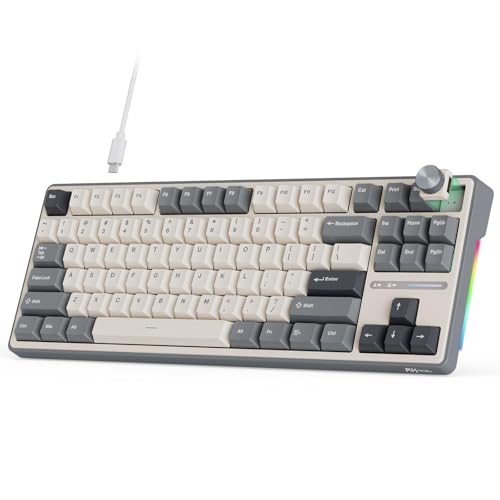
RK Royal Kludge TKL Wired Keyboard with Knob
Best for: wired desks wanting customizable knob controls
- Color
- Grey (what this guide is about)
- Form Factor
- 75%
- Connectivity
- Wired
- Backlighting
- RGB
- Media Controls
- Volume Knob
- Dimensions
- 14.4 × 5.47 × 1.57 inches
View on Amazon: RK Royal Kludge TKL Wired Keyboard with Knob
The RK Royal Kludge TKL Wired Keyboard with Knob is an 88-key grey mechanical keyboard designed for desktop setups. It combines a 5-layer gasket-mounted design with hot-swappable sockets compatible with 3-pin and 5-pin switches. You also get a programmable CNC metal knob for volume control and over 15 built-in RGB lighting effects. It suits you if you prioritize physical controls, switch customizability, and a stable wired connection over wireless portability.
Pros
- Hot-swappable base compatible with 3-pin and 5-pin switches
- 5-layer gasket design reduces noise and vibration
- Programmable CNC metal rotary knob for volume and mute
- Over 15 adjustable RGB lighting modes
Cons
- Wired connectivity only with no wireless options
- 88-key TKL layout lacks a dedicated numeric keypad
- Heavy footprint weighing approximately 3.57 pounds
Good fit if
- You want a wired grey keyboard with a programmable CNC metal knob.
- You swap 3-pin or 5-pin mechanical switches without soldering.
- You prefer a 5-layer gasket structure for typing dampening.
Skip if
- You need Bluetooth or 2.4GHz wireless connectivity.
- You rely on a dedicated number pad for daily work.
Verdict: RK Royal Kludge TKL Wired Keyboard with Knob delivers solid gasket dampening, broad switch compatibility, and rotary audio controls. It is a capable wired option if you do not need wireless modes or a numpad.

RisoPhy 104-Key Wireless Mechanical Keyboard
Best for: full-size typing with multi-device wireless connectivity
- Color
- Grey (what this guide is about)
- Switch Type
- Mechanical Red
- Form Factor
- 104 Keys
- Connectivity
- 2.4G, Bluetooth, USB-C
- Backlighting
- RGB
- Keycap Material
- Dye-sublimated PBT
View on Amazon: RisoPhy 104-Key Wireless Mechanical Keyboard
The RisoPhy 104-Key Wireless Mechanical Keyboard delivers a full-size layout featuring grey and white dye-sublimated PBT keycaps. You get triple-mode connectivity spanning 2.4GHz wireless, Bluetooth across multiple devices, and wired USB-C. Linear mechanical red switches provide smooth keystrokes with minimal noise. It suits you if you need a dedicated number pad, fully programmable keys with N-key rollover, and customizable per-key RGB backlighting for desktop work or gaming.
Pros
- Triple-mode connectivity (2.4GHz wireless, Bluetooth, and detachable USB-C)
- Full-size 104-key layout with N-key rollover
- Bicolor grey and white dye-sublimated PBT keycaps
- Linear mechanical red switches
- RGB backlighting with 20 preset modes and per-key customization
Cons
- Large 16.9-inch length requires substantial desk space
- Only available with linear red switches
- No physical volume knob or dedicated media wheel listed
Good fit if
- You need a full-size 104-key layout with a dedicated number pad.
- You switch between multiple devices across Bluetooth, 2.4GHz, and USB-C.
- You prefer smooth, linear red switches paired with durable PBT keycaps.
Skip if
- You need a compact layout like a 60% or 75% board to save space.
- You prefer tactile bumps or audible clicky switches.
- You want built-in physical media controls or display screens.
Verdict: RisoPhy 104-Key Wireless Mechanical Keyboard combines full-size 104-key utility, flexible triple-mode connectivity, and durable PBT keycaps into an everyday grey setup. It delivers smooth linear switches and custom per-key backlighting without sacrificing numpad functionality.

Logitech K750 Solar Wireless Mac Keyboard
Best for: Mac users wanting solar-powered wireless typing
- Color
- Grey (what this guide is about)
- Connectivity
- 2.4 GHz
- Operating System
- Mac
- Dimensions
- 19.1 × 1.4 × 7.9 inches
- Weight
- 1.68 pounds
The Logitech K750 is a grey wireless keyboard designed for Mac setups. Measuring 19.1 inches in length and weighing 1.68 pounds, it powers itself with a built-in solar rechargeable system. You get wireless connectivity over a 2.4 GHz Logitech Unifying connection with a range exceeding 33 feet. Built with dedicated Mac hotkeys and switches rated for up to 5 million keystrokes, it suits Mac users seeking solar-powered wireless typing.
Pros
- Built-in solar rechargeable power supply
- 2.4 GHz Logitech Unifying wireless protocol
- Wireless range exceeding 33 feet
- Hotkeys for home, search, back, and app switching
- Key lifespan rated for up to 5 million keystrokes
Cons
- Compatibility listed only for Mac operating systems
- Large footprint measuring 19.1 inches long
- No Bluetooth connectivity specified
Good fit if
- You use a Mac and want dedicated macOS hotkeys
- You want solar recharging rather than disposable batteries
- You need long-range 2.4 GHz wireless operation up to 33 feet
Skip if
- You type on Windows or other non-Mac operating systems
- You need a compact keyboard for tight desk setups
- You require standard Bluetooth connectivity
Verdict: Logitech K750 Solar Wireless Keyboard delivers solar-powered typing with dedicated Mac controls and an extended 33-foot wireless range. Its 19.1-inch grey frame is built for dedicated Mac workstations that need cord-free power.

Keychron 65% Aluminum Barebone Keyboard
Best for: custom barebone desktop typing builds
- Color
- Grey (what this guide is about)
- Form Factor
- 65%
- Connectivity
- Wired
- Backlighting
- RGB
- Case Material
- Aluminum
- Hot-Swap Support
- Hot-Swappable
This grey mechanical keyboard base features a compact 65% layout with a solid aluminum frame and a double-gasket mount. Because it is a wired barebone kit, you supply your own 3-pin or 5-pin MX-style switches and keycaps. Fully programmable firmware with QMK and VIA compatibility lets you remap every key on Windows, macOS, or Linux. It suits you if you want a custom, sturdy desktop typing build.
Pros
- Full aluminum frame with double-gasket mount and internal foams
- Hot-swappable PCB compatible with 3-pin and 5-pin MX-style switches
- Open-source remapping and macro support through QMK and VIA
- South-facing RGB backlighting for improved visibility
Cons
- Barebone design includes no switches or keycaps
- Wired-only connection with no wireless support
Good fit if
- You want to pick your own mechanical switches and keycaps.
- You require key remapping on macOS, Windows, or Linux via VIA.
- You prefer a dense aluminum 65% form factor.
Skip if
- You want a ready-to-use keyboard straight from the box.
- You need Bluetooth or 2.4 GHz wireless operation.
Verdict: Keychron 65% Aluminum Barebone Keyboard delivers a sturdy metal chassis with deep QMK and VIA programmability for custom mechanical setups. It is ideal if you want full control over switch and keycap selection over a wired connection.

TECKNET Mini Wireless Keyboard
Best for: compact desks and portable travel setups
- Color
- Grey (what this guide is about)
- Connectivity
- 2.4G wireless
- Form Factor
- Mini
- Dimensions
- 11.5 × 4.9 × 0.79 inches
The TECKNET Mini Wireless Keyboard is an ultra-compact grey peripheral designed for portability and clutter-free setups. It features a lightweight 10.4-ounce frame measuring 11.5 by 4.9 inches, making it easy to carry between workspaces. With 2.4 GHz wireless connectivity offering up to 49 feet of range and low-profile chocolate keycaps, you get quiet typing across multiple operating systems. It suits you if you need a travel-ready mini board.
Pros
- Lightweight 10.4-ounce build measuring 11.5 by 4.9 inches
- 2.4 GHz wireless connection with up to 49-foot range
- Up to 12-month battery life with auto-sleep mode
- Quiet chocolate keycaps with reduced key travel
Cons
- Requires two AAA batteries that are not included
- Uses a USB-A receiver with no Bluetooth connectivity listed
Good fit if
- You need a compact, lightweight grey keyboard for portable use.
- You want long battery life powered by replaceable AAA cells.
- You prefer quiet, low-travel chocolate keycaps.
Skip if
- You need Bluetooth pairing without using a USB receiver.
- You prefer an internal rechargeable battery.
Verdict: TECKNET Mini Wireless Keyboard delivers an ultra-portable, 10.4-ounce grey typing solution with reliable 2.4 GHz wireless range for space-limited setups.

ProtoArc Full-Size Ergonomic Wireless Keyboard
Best for: ergonomic typing across multiple wireless devices
- Color
- Grey (what this guide is about)
- Form Factor
- Full size
- Connectivity
- Bluetooth, 2.4GHz wireless
- Backlighting
- White LED
- Design
- Ergonomic
View on Amazon: ProtoArc Full-Size Ergonomic Wireless Keyboard
This grey full-size keyboard features a curved split-frame layout, an integrated cushioned wrist rest, and scooped keys designed for natural typing posture. You get multi-device connectivity across three devices via Bluetooth and 2.4G wireless, backed by an internal 2000mAh rechargeable battery. It includes white backlighting with three brightness levels. It suits you if you type for extended hours and need dedicated wrist support across multiple desktop operating systems.
Pros
- Split-frame ergonomic layout with integrated cushioned wrist rest
- Pairs with up to three devices via Bluetooth and 2.4G USB
- Rechargeable 2000mAh battery lasts up to 100 days with backlights off
- Four tilt feet provide three adjustable typing angles
Cons
- Cannot be connected or operated via a wired connection
- Full-size footprint occupies significant desk space
- High backlight brightness reduces battery life to 12-13 hours
Good fit if
- You want a split-zone ergonomic layout with an attached wrist rest.
- You need to toggle between up to three wireless devices.
- You type in low-light environments requiring adjustable white backlighting.
Skip if
- You require a direct wired connection to your computer.
- You have limited desk space for a full-size frame.
Verdict: ProtoArc Full-Size Ergonomic Wireless Keyboard provides a curved split layout and multi-device wireless pairing for long typing sessions. Its built-in wrist rest and adjustable tilt angles support posture, though it lacks a wired operating mode.
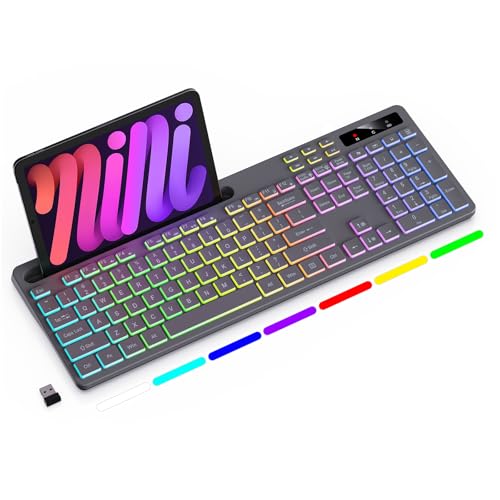
Soueto Wireless Keyboard with Device Holder
Best for: phone or tablet multitasking at your desk
- Color
- Grey (what this guide is about)
- Switch Type
- Tactile
- Connectivity
- 2.4G wireless
- Backlighting
- RGB
- Operating System
- Mac
This grey wireless keyboard pairs via a 2.4 GHz USB receiver and includes an integrated 8.7-inch slot to prop up your phone or tablet. It features RGB backlighting with seven colors and four lighting modes, powered by a built-in 1500mAh rechargeable battery. If you want a desktop setup with dedicated multimedia shortcut keys and an integrated device stand without running cables across your desk, this keyboard gives you those tools.
Pros
- Built-in 8.7-inch cradle holds a phone or tablet
- Internal 1500mAh rechargeable battery
- RGB backlighting with 7 colors and 4 selectable modes
- 2.4 GHz wireless connection via included USB receiver
Cons
- No Bluetooth connectivity listed for dongle-free pairing
- No wired operation mode specified
Good fit if
- You want an integrated stand to hold a mobile device on your desk.
- You prefer a rechargeable internal battery over disposable cells.
- You need 2.4 GHz wireless connectivity with dedicated shortcut keys.
Skip if
- You need direct Bluetooth support for devices without full-size USB ports.
- You require a physical wired connection for zero wireless latency.
Verdict: Soueto Wireless Keyboard with Device Holder combines 2.4 GHz wireless operation with a built-in tablet cradle and multi-color backlighting. It provides a functional, rechargeable setup for everyday desktop typing.

Lenovo 800 Self-Charging Bluetooth Keyboard
Best for: battery-free multi-device office setups
- Color
- Grey (what this guide is about)
- Switch Type
- Plunger
- Connectivity
- Bluetooth 5.1
- Dimensions
- 16.5 × 5.94 × 0.47 inches
- Weight
- 1.95 pounds
The Lenovo 800 Self-Charging Bluetooth Keyboard is a full-size grey desk keyboard powered entirely by ambient light. Instead of standard mechanical switches, it features spill-resistant plunger switches with 2.0 mm key travel. It connects to up to three devices via Bluetooth 5.1 and stores energy in an internal supercapacitor. You get up to one month of use in complete darkness, making it suitable if you prioritize low maintenance over mechanical key switches.
Pros
- Harvests energy from ambient light using an internal supercapacitor
- Pairs with up to 3 devices over Bluetooth 5.1
- Spill-resistant plunger switches rated for 10 million clicks
- Runs up to 1 month in complete darkness on a full charge
Cons
- Uses plunger switches instead of mechanical switches
- No wired or 2.4GHz wireless connection options listed
Good fit if
- You want a self-charging keyboard powered by ambient light.
- You need to switch between up to three Bluetooth devices.
Skip if
- You require genuine mechanical switches instead of plunger mechanisms.
- You prefer a wired USB or dedicated 2.4GHz wireless connection.
Verdict: Lenovo 800 Self-Charging Bluetooth Keyboard trades traditional mechanical switches for spill-resistant plunger switches and battery-free solar harvesting. It delivers low-maintenance multi-device pairing for quiet office environments.

iClever Full-Size Solar Bluetooth Keyboard
Best for: solar-powered typing across multiple Bluetooth devices
- Color
- Grey (what this guide is about)
- Switch Type
- Scissor
- Form Factor
- Full-size
- Connectivity
- Bluetooth 5.0
- Operating System
- Mac, Windows
- Dimensions
- 16.8 × 5.55 × 0.74 inches
The iClever Full-Size Solar Bluetooth Keyboard features a grey finish, a full 111-key layout with a numeric keypad, and an integrated solar panel that charges via sunlight or ambient indoor light. It uses low-profile scissor switches rather than mechanical switches, delivering quiet keystrokes. With Bluetooth 5.0 pairing for up to three devices, it suits you if you need a silent, low-maintenance grey desktop board for spreadsheets and typing across platforms.
Pros
- Charges continuously via outdoor sunlight or ambient indoor light
- Pairs with up to 3 devices via Bluetooth 5.0 with one-tap switching
- Full-size 111-key layout includes a dedicated numeric keypad
- Low-profile scissor switches deliver quiet typing
Cons
- Uses scissor switches instead of traditional mechanical switches
- No wired connection mode or 2.4 GHz wireless adapter provided
Good fit if
- You want a full-size grey layout that powers itself under normal room lighting.
- You switch frequently between up to three paired Bluetooth devices.
- You work in shared spaces where quiet scissor switches are preferable to loud key clicks.
Skip if
- You specifically want traditional mechanical switches with tactile or linear switch action.
- You need a dedicated wired USB connection.
Verdict: iClever Full-Size Solar Bluetooth Keyboard provides light-powered wireless operation and silent scissor switches in an extended 111-key grey chassis. It serves as a maintenance-free desk option if you do not require traditional mechanical switches.
Specifications side by side
| Spec | Redragon 60% Hot-Swap Mechanical Keyboard | YUNZII 75% Wireless Mechanical Keyboard | EPOMAKER Ajazz AK820 Pro 75% Keyboard | NuPhy Air60 V2 60% Wireless Keyboard | COSTOM Retro 75% Wireless Mechanical Keyboard | RK Royal Kludge M75 Wireless Gasket Keyboard | RK Royal Kludge TKL Wired Keyboard with Knob | RisoPhy 104-Key Wireless Mechanical Keyboard | Logitech K750 Solar Wireless Mac Keyboard | Keychron 65% Aluminum Barebone Keyboard | TECKNET Mini Wireless Keyboard | ProtoArc Full-Size Ergonomic Wireless Keyboard | Soueto Wireless Keyboard with Device Holder | Lenovo 800 Self-Charging Bluetooth Keyboard | iClever Full-Size Solar Bluetooth Keyboard |
|---|---|---|---|---|---|---|---|---|---|---|---|---|---|---|---|
| Switch Type | Red linear | Pre-lubed linear (Milk Switch) | Ajazz Gift | Gateron Brown | not specified | Linear Light Switch | not specified | Mechanical Red | not specified | not specified | not specified | not specified | Tactile | Plunger | Scissor |
| Form Factor | 60% | 75% | 75% | 60% | 75% | 75% | 75% | 104 Keys | not specified | 65% | not specified | Full size | not specified | not specified | Full-size |
| Connectivity | Wired | Bluetooth, 2.4GHz wireless, wired | Bluetooth 5.1, 2.4GHz, USB-C | Bluetooth 5.1, 2.4GHz, USB-C wired | USB-C wired, Bluetooth 5.1, 2.4GHz | not specified | Wired | 2.4G, Bluetooth, USB-C | 2.4 GHz | Wired | 2.4G wireless | Bluetooth, 2.4GHz wireless | 2.4G wireless | Bluetooth 5.1 | Bluetooth 5.0 |
| Backlighting | RGB | RGB | RGB | RGB | RGB | RGB | RGB | RGB | not specified | RGB | not specified | White LED | RGB | not specified | not specified |
| Keycap Material | not specified | Double-shot | not specified | not specified | not specified | Double-shot PBT | not specified | Dye-sublimated PBT | not specified | not specified | not specified | not specified | not specified | not specified | not specified |
| Case Material | not specified | not specified | not specified | Aluminum frame | not specified | not specified | not specified | not specified | not specified | Aluminum | not specified | not specified | not specified | not specified | not specified |
| Hot-Swap Support | Hot-Swappable | not specified | not specified | not specified | Hot-Swappable | Hot-Swappable | not specified | not specified | not specified | Hot-Swappable | not specified | not specified | not specified | not specified | not specified |
| Mounting Style | not specified | not specified | not specified | not specified | not specified | Gasket Mount | not specified | not specified | not specified | Gasket Mount | not specified | not specified | not specified | not specified | not specified |
| Media Controls | not specified | not specified | Volume Knob | not specified | Volume Knob | Volume Knob | Volume Knob | not specified | not specified | not specified | not specified | not specified | not specified | not specified | not specified |
| Use | Gaming | not specified | not specified | not specified | Gaming | Gaming | not specified | Gaming | not specified | not specified | not specified | not specified | not specified | not specified | not specified |
| Design | not specified | not specified | not specified | not specified | not specified | not specified | not specified | not specified | not specified | not specified | not specified | Ergonomic | not specified | not specified | not specified |
| Color | Grey | Grey | Grey | Grey | Grey | Grey | Grey | Grey | Grey | Grey | Grey | Grey | Grey | Grey | Grey |
| Operating System | not specified | not specified | not specified | Mac, Windows | not specified | not specified | not specified | not specified | Mac | Mac, Windows | not specified | not specified | Mac | not specified | Mac, Windows |
| Power Source | not specified | not specified | not specified | not specified | not specified | not specified | not specified | Rechargeable | not specified | not specified | not specified | not specified | not specified | not specified | not specified |
| Dimensions | 12.2 × 5.31 × 1.57 inches | 13 × 5.6 × 1.65 inches | 5.35 × 1.57 × 12.9 inches | 11.7 × 4.22 × 0.53 inches | 16.7 × 7.68 × 1.97 inches | 12.9 × 5.4 × 1.65 inches | 14.4 × 5.47 × 1.57 inches | 16.9 × 4.72 × 0.98 inches | 19.1 × 1.4 × 7.9 inches | 12.8 × 4.7 × 1.2 inches | 11.5 × 4.9 × 0.79 inches | not specified | not specified | 16.5 × 5.94 × 0.47 inches | 16.8 × 5.55 × 0.74 inches |
| Weight | 9.6 ounces | 1.98 pounds | not specified | 1.02 pounds | not specified | not specified | 3.57 pounds | not specified | 1.68 pounds | not specified | not specified | not specified | not specified | 1.95 pounds | not specified |
| Model | K617 | B75 PRO | EPAK820PRO20250522 | Air60 V2 | M87 Pro | M75-13-08 | R87P-01-01 | 5d44d6c0-fc4a-4a15-ad79-ecaf2cad55a5 | 920-003472 | Q2 | X315 | EK01 Plus | WK713 | 4Y41R69489 | not specified |
| Size | not specified | Milk Switch | Ajazz Gift Switch | Gateron Brown Switch | not specified | Light Switch | Cherry Profile | not specified | not specified | not specified | not specified | not specified | not specified | 1.20 | not specified |
Is a grey keyboard worth it?
Choosing a grey keyboard provides a neutral chassis finish across your workspace without affecting hardware specs. The grey colorway is available across compact 60% frames, 75% layouts, and full-size boards. It pairs with illuminated RGB backlighting on models like the Redragon K617, as well as aluminum frames and PBT keycaps. Selecting grey gives you an understated look that fits Mac and Windows workstations alike. However, the color is purely aesthetic and does not alter switch type, physical height, battery function, or wireless connectivity.
Worth it if
- You want a neutral, understated case color that blends into Mac or Windows desktop equipment.
- You plan to combine a muted grey frame with RGB backlighting or custom PBT keycaps.
Skip it if
- You prioritize hardware features like solar panels, rotary knobs, or hot-swap sockets over aesthetic finish.
- You prefer vibrant case tones or high-contrast white hardware for your desk theme.
If you need matching bedding for your desk setup, the best grey comforters guide breaks down fabric weights and fill power specifications.
How We Picked Grey Keyboards
To find the 15 best grey mechanical keyboards for 2026, you start with published catalog data. A keyboard qualifies only when the official listing states a grey colorway in its specifications or title. Each product family appears only once to avoid duplicate variants. You see factory dimensions, switch types, and interface options taken strictly from published technical sheets without physical handling.
This guide sorts models with products in stock first, then by Amazon sales rank, showing better-selling products first. Published hardware specifications then help you compare form factors, from compact layouts to full-size frames, alongside wireless connectivity and hot-swappable sockets.
How to Choose the Right Grey Keyboard
-
Select Your Connectivity Mode
Check the connectivity specification to see if a model runs over wired USB, 2.4 GHz wireless, or Bluetooth. A dedicated wired connection delivers consistent signal transfer without requiring battery management. Wireless and Bluetooth models allow you to keep your workspace free of cables and link with portable devices. If you plan to leave your board permanently at a gaming desk, pick a wired model like the Redragon 60% Hot-Swap Mechanical Keyboard. If you switch between several workstations, choose Bluetooth instead.
-
Check for Hot-Swap Support
Look at the hot-swap support attribute before making a selection. Hot-swappable sockets let you pull out switches and press in replacements using a simple puller tool. This feature helps you test different mechanical switch brands or swap damaged switches without desoldering electrical joints on the circuit board. Solder-down boards keep original components fixed permanently in place. If you want the freedom to tailor switch feel or assemble your own custom configuration, prioritize a hot-swappable base such as the Keychron 65% Aluminum Barebone Keyboard.
-
Evaluate the Switch Type
Check the switch type listed in the specifications to match your typing feedback preferences. Linear options like Red switches offer direct downward key movement with no tactile bump, which suits fast keystrokes during gaming. Tactile switches like Brown switches produce a physical bump at actuation to signal registered keystrokes. Alternate mechanisms like scissor or plunger designs provide shallow or quiet keystrokes for shared offices. If you need uninterrupted, smooth travel for gaming, pick a linear option like the RisoPhy 104-Key Wireless Mechanical Keyboard.
-
Verify Operating System Compatibility
Review the operating system specification to ensure the keyboard matches your computer hardware. Certain grey models support both Windows and Mac systems, offering switchable layout modes to remap command and alt positions accurately. Other keyboards are configured exclusively for Mac platforms, featuring dedicated function shortcuts and Mac-specific legend markings out of the box. If you work on an Apple ecosystem and need native system controls without remapping keys manually, choose a dedicated model like the Logitech K750 Solar Wireless Mac Keyboard.
-
Compare Power Source Options
Check the power source specifications if you select a wireless model. Standard wireless units rely on built-in rechargeable batteries that require periodic connection to a charging cable. Self-charging and solar models draw energy from ambient indoor or outdoor lighting, which eliminates the need to plug in a power cable. If you want a setup that runs without routine charging cycles or cable interruptions, look for an ambient-powered build like the Lenovo 800 Self-Charging Bluetooth Keyboard.
Frequently asked questions
Which grey mechanical keyboards include dedicated volume knobs?
Several grey keyboards provide built-in rotary knobs for audio management. The EPOMAKER Ajazz AK820 Pro and COSTOM Retro 75% feature dedicated knobs alongside integrated status screens. If you prefer a wired tenkeyless layout, the RK Royal Kludge TKL Wired Keyboard includes a rotary control in a 3.57-pound chassis. These physical dials let you adjust sound output without relying on software commands or operating system shortcuts.
Are there grey mechanical keyboards designed for Mac systems?
Yes, specific grey keyboards feature native Mac compatibility in their hardware specifications. The NuPhy Air60 V2 and Keychron Q2 barebone board both list support for Mac and Windows operating systems. Dedicated Mac options also include the Logitech K750 Solar Wireless Keyboard, which features an extended 19.1-inch frame. These keyboards ensure key mapping and system functions align with macOS without requiring third-party configuration tools.
What switch types are available on grey mechanical keyboards?
Listed grey keyboards feature varied mechanical switches out of the box. The NuPhy Air60 V2 ships with low-profile Gateron Brown tactile switches, while the RisoPhy 104-Key uses linear Red switches. The YUNZII B75 PRO lists Milk switches, and the RK Royal Kludge M75 uses Light switches. If you prefer building your own combination, barebone options like the Keychron Q2 let you install your own switches.
Can you find a full-size grey keyboard with a numeric keypad?
You can choose full-size grey keyboards if your workflow demands a dedicated numeric pad. The RisoPhy 104-Key Wireless Mechanical Keyboard offers a complete 104-key setup with durable PBT keycaps and RGB lighting. For non-mechanical alternatives, the ProtoArc EK01 Plus provides a full-size ergonomic split design, while the iClever solar model uses an extended 111-key layout. Both maintain dedicated number pads for data entry tasks.
What is the thinnest grey keyboard available?
The NuPhy Air60 V2 is the thinnest mechanical option on the list, measuring just 0.53 inches in height. Its low-profile design pairs with a compact 1.02-pound weight for enhanced portability. Non-mechanical grey models also feature slim profiles, such as the Lenovo 800 Self-Charging Keyboard at 0.47 inches and the TECKNET Mini Wireless at 0.79 inches. These low heights reduce wrist incline during extended desktop use.
Which grey keyboards feature built-in display screens?
Multiple 75% grey keyboards integrate onboard display screens directly into their top casing. The EPOMAKER Ajazz AK820 Pro includes a built-in TFT display for monitoring keyboard parameters, while the COSTOM Retro 75% features an integrated OLED status screen. The RK Royal Kludge M75 also incorporates a digital readout. These screens give you immediate diagnostic information, such as battery status or connection mode, without opening desktop utility software.
How do hot-swappable sockets work on grey mechanical keyboards?
Hot-swappable sockets allow you to pull out and replace mechanical switches without soldering pins to the circuit board. Models like the Redragon K617, COSTOM M87 Pro, and Keychron Q2 support hot-swapping directly from the top plate. This lets you experiment with different switch styles or replace broken individual switches quickly. It also extends keyboard longevity by making component maintenance a simple plug-and-pull physical process.