15 Best Silent Mechanical Keyboards, Compared
As an Amazon Associate we earn from qualifying purchases. Links on this page are affiliate links.
Workspaces and gaming setups often require quiet typing to prevent switch clatter from distracting others nearby. The AULA 75% Silent Mechanical Keyboard leads our list because its compact 80-key layout combines pre-lubed switches with a hot-swappable PCB and a volume knob. Multi-layer acoustic dampening ensures cushioned keystrokes across long typing sessions.
We compared 15 models based strictly on the specifications published on their official listings. This guide helps you evaluate switch dampening, physical form factors, and wireless connectivity to choose the right quiet board for your desk.
Quick picks
The best fit for you
- You need a compact wireless board for shared spaces AULA 75% Silent Mechanical Keyboard The 75% form factor, wireless connectivity, and pre-lubed silent switches deliver quiet typing in smaller setups.
- You want quiet wireless typing with a wrist rest Redragon Wireless RGB Gaming Keyboard It includes an integrated wrist rest, wireless connectivity, and dedicated physical media controls.
- You need a full-size layout with Bluetooth pairing Keychron V6 Max Full-Size Silent Keyboard It provides Bluetooth connectivity, silent Red switches, and a complete full-size layout with a number pad.
- You want a tenkeyless gaming board with spill resistance SteelSeries Apex 3 TKL Silent Gaming Keyboard The tenkeyless form factor includes certified IP32 spill protection and quiet gaming switches.
Our 15 picks

AULA 75% Silent Mechanical Keyboard
Best for: quiet multi-device typing in compact spaces
- Noise Level
- Silent (what this guide is about)
- Switch Type
- Leobog Feather Silent
- Form Factor
- 75%
- Connectivity
- Bluetooth 5.0, 2.4GHz, USB wired
- Backlighting
- RGB
- Keycap Material
- Side-printed PBT
The AULA 75% Silent Mechanical Keyboard is a compact 80-key board designed for quiet environments. It features pre-lubricated Leobog feather silent switches paired with five internal sound-dampening layers and a gasket-mounted structure to minimize typing noise. Tri-mode connectivity lets you pair up to five devices via Bluetooth 5.0, 2.4GHz wireless, or USB wired. It suits you if you need quiet typing in a shared workspace without losing dedicated arrow keys.
Pros
- Five sound-dampening filling layers with a gasket mount
- Pre-lubricated Leobog feather silent switches
- Hot-swappable PCB compatible with 3-pin and 5-pin switches
- Tri-mode connection supporting 2.4GHz, Bluetooth 5.0, and USB
- Multi-function knob for volume and lighting control
Cons
- Lacks a dedicated numeric keypad
- Weighs over 2.2 pounds, limiting portable travel use
Good fit if
- You want factory-installed silent switches with multi-layer acoustic dampening.
- You switch between multiple devices across Bluetooth, 2.4GHz, and USB connections.
- You prefer a compact 75% layout with physical arrow keys and a volume knob.
Skip if
- You require a full number pad for numerical data entry.
- You need an ultra-lightweight travel keyboard under two pounds.
Verdict: AULA 75% Silent Mechanical Keyboard balances acoustic dampening with versatile tri-mode wireless connectivity in a compact 80-key layout. Its pre-lubed silent switches and hot-swappable PCB make it an adaptable choice for shared spaces.

Redragon Wireless RGB Gaming Keyboard
Best for: quiet wireless gaming with dedicated media keys
- Noise Level
- Silent (what this guide is about)
- Switch Type
- Silent Membrane
- Connectivity
- 2.4GHz wireless, Bluetooth, USB wired
- Backlighting
- RGB LED
- Use
- Gaming
- Operating System
- Windows
The Redragon Wireless Silent Keyboard with Wrist Rest delivers quiet operation with tri-mode connectivity covering 2.4 GHz wireless, Bluetooth, and wired USB-C. You get a built-in wrist rest across its 17.5-inch footprint, paired with a 4,000 mAh battery providing up to 300 hours with the RGB backlighting off. It suits you if you need quiet gaming controls alongside dedicated media keys and programmable macros across multiple wireless devices.
Pros
- Tri-mode connectivity supporting Bluetooth, 2.4 GHz wireless, and detachable USB-C
- 4,000 mAh rechargeable battery lasting up to 300 hours with backlighting off
- 10 dedicated independent multimedia keys plus 12 combination shortcuts
- Integrated ergonomic wrist rest and splash-resistant construction
Cons
- Anti-ghosting is limited to 25 keys rather than complete rollover
- Wide desk footprint measuring 17.5 inches long and 7.9 inches wide
Good fit if
- You want silent keys paired with a built-in wrist rest and dedicated media buttons.
- You need to toggle between Bluetooth, 2.4 GHz wireless, and wired setups.
- You prioritize long battery life with up to 300 hours of unlit wireless use.
Skip if
- You need full anti-ghosting across every single key simultaneously.
- You have tight desk space that cannot fit a 17.5-inch wide keyboard frame.
Verdict: Redragon Wireless Silent Keyboard with Wrist Rest combines quiet typing, versatile tri-mode connectivity, and dedicated physical media controls in an integrated wrist rest layout.

RK Royal Kludge Wireless Silent Keyboard with Screen
Best for: quiet typing with onboard screen monitoring
- Noise Level
- Silent (what this guide is about)
- Switch Type
- Linear Silent
- Connectivity
- BT 5.0, 2.4GHz, USB-C
- Keycap Material
- Double-shot PBT
- Media Controls
- Volume Knob
- Dimensions
- 17.3 × 7.48 × 1.97 inches
View on Amazon: RK Royal Kludge Wireless Silent Keyboard with Screen
This mechanical keyboard pairs factory Linear Silent switches with extensive sound dampening, including two foam layers, an IXPE pad, and a silicone dampener. You get three connection options: 2.4 GHz wireless, Bluetooth 5.0, and USB-C wired. A built-in smart screen monitors battery and connection status, while the rotary knob handles adjustments directly. It suits you if you want quiet typing, hot-swap flexibility, and visual system feedback at your desk.
Pros
- Internal sound dampening with IXPE switch pad, silicone pad, and two foam layers
- Tri-mode connectivity via Bluetooth 5.0, 2.4 GHz wireless, and USB-C wired
- Hot-swappable PCB supports both 3-pin and 5-pin mechanical switches
- Multifunction rotary knob and display screen for settings and battery status
Cons
- Weighs 3 pounds, making it heavy for portable use
- Height of 1.97 inches has no included wrist rest listed
Good fit if
- You want multi-layer acoustic dampening paired with silent linear switches.
- You need to switch connections between Bluetooth 5.0, 2.4 GHz, and USB-C.
- You prefer checking battery life and keyboard settings on a built-in display.
Skip if
- You need a compact layout that measures under 17.3 inches in length.
- You want a lightweight board rather than a 3-pound desktop unit.
Verdict: RK Royal Kludge Wireless Silent Keyboard with Screen delivers multi-layer sound dampening and flexible tri-mode connectivity for quiet typing setups. The integrated display and physical knob let you manage device status and controls right on the board.
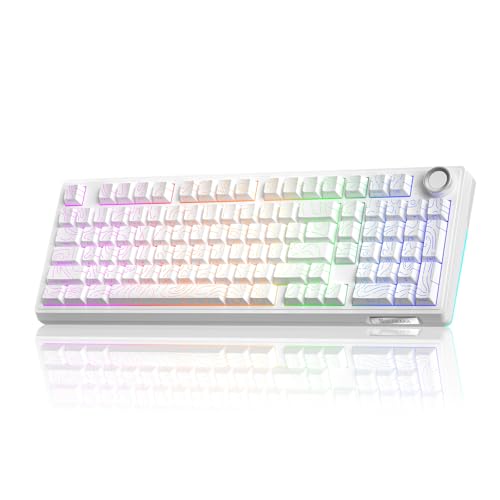
SOLAKAKA 96% Wireless Gasket Mechanical Keyboard
Best for: Quiet typing with long wireless battery life
- Noise Level
- Silent (what this guide is about)
- Form Factor
- 96%
- Connectivity
- Bluetooth 5.0, 2.4GHz, USB-C wired
- Backlighting
- RGB
- Keycap Material
- Double-shot PBT
- Hot-Swap Support
- Hot-Swappable
View on Amazon: SOLAKAKA 96% Wireless Gasket Mechanical Keyboard
This 96% wireless keyboard combines desk-saving dimensions with a dedicated number pad and multifunctional control knob. It features a gasket-mounted design with five layers of sound-dampening material to minimize typing vibration and noise. You get triple-mode connectivity across Bluetooth 5.0, 2.4GHz wireless, and USB-C, powered by a 10,000mAh battery. The 1.2mm flex-cut PCB supports hot-swapping 3-pin and 5-pin switches without soldering, making it suitable if you want a quiet, customizable setup.
Pros
- 10,000mAh rechargeable battery
- Gasket mount with five layers of noise-dampening material
- Hot-swappable 1.2mm flex-cut PCB supporting 3-pin and 5-pin switches
- Triple-mode connectivity via 2.4GHz, Bluetooth 5.0, and USB-C
- Multifunction hardware knob for volume, media, and RGB control
Cons
- Requires selecting the Silent Switch variation rather than the Non-Silent Version
- 96% layout places the arrow keys directly against the number pad without spacing
Good fit if
- You need a compact layout that still preserves the numeric keypad.
- You want extended wireless runtimes supported by a large 10,000mAh battery.
- You plan to swap mechanical switches later without desoldering.
Skip if
- You prefer a standard full-size layout with separated navigation clusters.
- You want an ultra-compact tenkeyless or 75% board that eliminates the number pad entirely.
Verdict: SOLAKAKA 96% Wireless Mechanical Keyboard combines a high-capacity 10,000mAh battery with a gasket-mounted, sound-damped 96% layout. It is a practical option if you need quiet office typing, a numeric keypad, and hot-swap switch flexibility.

EPOMAKER Full-Size White Silent Mechanical Keyboard
Best for: Full-size white silent desktop setups
- Noise Level
- Silent (what this guide is about)
- Switch Type
- Sea Salt Silent
- Form Factor
- Full-size
- Connectivity
- Tri-mode wireless
- Backlighting
- RGB
- Keycap Material
- Double-shot PBT
View on Amazon: EPOMAKER Full-Size White Silent Mechanical Keyboard
The EPOMAKER Full-Size White Silent Mechanical Keyboard gives you a 104-key layout equipped with factory-lubed Sea Salt Silent switches and gasket mounting. Its five-layer acoustic dampening stack uses sandwich foam, IXPE switch pads, and silicone to mute typing noise. With a 10,000mAh battery, tri-mode wireless connectivity, and an onboard smart display with a control knob, it suits you if you need a quiet full-size board for shared workspaces.
Pros
- Factory-lubed Sea Salt Silent switches paired with a 5-layer acoustic dampening gasket structure
- Massive 10,000mAh battery rated for up to 200 hours of wireless run time
- Tri-mode connectivity supporting cable, 2.4GHz, and Bluetooth across up to 5 devices
- Built-in smart display and volume knob for real-time battery tracking and media control
Cons
- Substantial weight at over 1.1kg makes it poor for portable use
- Large 17.5-inch full-size footprint requires significant desk space
Good fit if
- You want a full-size 104-key white layout with pre-silenced switches and a numeric keypad.
- You need extended wireless battery life and connectivity across multiple paired devices.
- You prefer an integrated screen and physical knob to manage settings and media.
Skip if
- You have a small workspace that cannot fit a 17.5-inch long board.
- You travel often and need a lightweight, compact keyboard.
Verdict: EPOMAKER Full-Size White Silent Mechanical Keyboard combines pre-lubed silent switches and multi-layer internal dampening with a massive 10,000mAh battery. It delivers an ultra-quiet, fully equipped setup for desks needing a standard 104-key layout.

Razer BlackWidow V4 Pro Silent Keyboard
Best for: gamers wanting silent switches and hardware macros
- Noise Level
- Silent (what this guide is about)
- Switch Type
- Yellow mechanical
- Connectivity
- Wired
- Backlighting
- Per-key Razer Chroma RGB
- Keycap Material
- Doubleshot ABS
- Use
- Gaming
The Razer BlackWidow V4 Pro is a full-size wired gaming keyboard built with Yellow mechanical switches. These switches use internal sound dampeners for quiet, linear keystrokes. You get eight dedicated macro keys, a programmable command dial, and doubleshot ABS keycaps. It includes a magnetic plush leatherette wrist rest with integrated underglow lighting. This board suits you if you need silent mechanical keys with extensive macro controls.
Pros
- Yellow linear switches with integrated sound dampeners
- Programmable command dial and 8 dedicated macro keys
- Magnetic plush leatherette wrist rest with underglow
- Doubleshot ABS keycaps with thick walls
Cons
- Wired connectivity with no wireless option
- Large 18.36-inch footprint weighing 3.61 pounds
Good fit if
- You want silent linear switches with internal dampening.
- You need dedicated hardware macros and an assignable dial.
- You prefer an included magnetic cushioned wrist rest.
Skip if
- You need wireless connectivity for your setup.
- You have limited desk space for a full-size frame.
Verdict: Razer BlackWidow V4 Pro Silent Keyboard pairs sound-dampened linear switches with a programmable command dial and comprehensive macro controls. It gives you an expansive, quiet wired layout for high-input gaming.

KEEBMONKEY Rainy 75 CNC Aluminum Silent Keyboard
Best for: Stationary, low-latency quiet typing setups
- Noise Level
- Silent (what this guide is about)
- Switch Type
- Silent SHHH
- Form Factor
- 75%
- Connectivity
- Wired, BT 5.0, 2.4G Wireless
- Backlighting
- RGB
- Keycap Material
- double shot PBT
View on Amazon: KEEBMONKEY Rainy 75 CNC Aluminum Silent Keyboard
The KEEBMONKEY Rainy 75 is a compact 75% mechanical keyboard housed in a 6063 aluminum alloy body. For quiet typing, it uses Silent SHHH switches paired with five-layer foam and 14 dampening buds. You get triple-mode connectivity across wired, Bluetooth 5.0, and 2.4G wireless with 2ms to 7ms latency. Weighing 4.41 pounds, it suits you if you want a dense, stable board for shared workspaces.
Pros
- Sturdy 6063 aluminum alloy build weighing 4.41 pounds
- Triple-mode connectivity via wired, Bluetooth 5.0, and 2.4G wireless
- Five-layer foam and 14 dampening buds for sound absorption
- FR4 plates with flex cuts
Cons
- Substantial 4.41-pound weight restricts portability
- No smart display screen or control knob listed
Good fit if
- You want a heavy CNC aluminum board that stays planted on your desk.
- You need low-latency wireless connections down to 3ms alongside Bluetooth.
- You want internal dampening with five layers of foam.
Skip if
- You plan to pack your keyboard into a bag for daily travel.
- You need dedicated hardware screens or volume knobs.
Verdict: KEEBMONKEY Rainy 75 CNC Aluminum Silent Keyboard pairs heavy-duty aluminum construction with multi-layer acoustic dampening. It gives you stable triple-mode typing suited for noise-sensitive desks.

EPOMAKER Full-Size Pink Mechanical Keyboard
Best for: quiet full-size setups needing long battery life
- Noise Level
- Silent (what this guide is about)
- Switch Type
- Sea Salt Silent
- Form Factor
- Full-size
- Connectivity
- Tri-mode
- Backlighting
- RGB
- Media Controls
- Volume Knob
The EPOMAKER Full-Size Silent Mechanical Keyboard gives you a complete 104-key layout equipped with Sea Salt Silent switches and multi-layer dampening foam. Its 10,000 mAh battery supports up to 200 hours of continuous wireless use across three connected devices. A built-in display screen and customizable rotary knob handle media controls and board settings. It suits you if you need a quiet number pad setup for office work or shared spaces.
Pros
- 10,000 mAh battery rated for up to 200 hours of continuous wireless use
- Gasket-mounted structure dampened with PORON, latex, IXPE, and silicone
- Integrated display screen and customizable rotary knob
- Full 104-key layout with dedicated number pad
- Tri-mode wireless connectivity pairing with up to three devices
Cons
- Large desk footprint measuring nearly 17.6 inches wide
- Heavy chassis weighing over 1 kilogram
Good fit if
- You require a full 104-key layout with a dedicated number pad for data entry.
- You want extended wireless battery life between charges.
- You share a room and need sound-dampened silent switches.
Skip if
- You have limited desk space and prefer a compact form factor.
- You need a lightweight keyboard designed for travel.
Verdict: EPOMAKER Full-Size Silent Mechanical Keyboard delivers quiet, cushioned typing in a traditional 104-key format with massive battery life and customizable hardware controls.

EPOMAKER TH99 96% Wireless Keyboard
Best for: quiet office work requiring a number pad
- Noise Level
- Silent (what this guide is about)
- Switch Type
- Sea Salt Silent
- Form Factor
- 96%
- Connectivity
- Tri-mode
- Backlighting
- RGB
- Keycap Material
- PBT
The EPOMAKER 96% Silent Keyboard with Screen pairs Sea Salt Silent switches with a multi-layer sound-damped gasket structure to cut down typing noise. You get a 98-key compact layout with a dedicated number pad, a built-in glass status screen, and a physical volume knob. Its massive 10,000mAh battery provides up to 200 hours of wireless use with RGB off, making it ideal for quiet productivity in shared workspaces.
Pros
- Sea Salt Silent switches with multi-layer acoustic dampening
- Massive 10,000mAh battery with up to 200 hours runtime with RGB off
- Integrated glass screen displays battery, time, and custom GIFs
- Compact 96% layout retains 98 keys including a full number pad
Cons
- Weighs over 1.2kg, limiting portability
- Tall 1.85-inch case profile may require a wrist rest
- Battery runtime falls to around 40 hours with screen and RGB on
Good fit if
- You need quiet keystrokes alongside a dedicated number pad.
- You prioritize extended wireless battery life between charges.
- You want direct hardware controls like an onboard screen and volume knob.
Skip if
- You need a lightweight board for regular travel.
- You prefer a low-profile case height.
Verdict: EPOMAKER 96% Silent Keyboard with Screen delivers cushioned, low-noise typing alongside dense productivity controls and exceptional battery endurance.

Keychron V6 Max Full-Size Silent Keyboard
Best for: multi-device Bluetooth typing on a full-size layout
- Noise Level
- Silent (what this guide is about)
- Switch Type
- Keychron K Pro Silent Red
- Form Factor
- 100% full-size
- Connectivity
- 2.4 GHz, Bluetooth 5.1, Type-C wired
- Backlighting
- RGB
- Keycap Material
- Double-shot PBT
The Keychron V6 Max combines a 100% full-size layout with factory-installed K Pro Silent Red switches and internal sound-absorbing acoustic foam. You can connect across three separate devices via Bluetooth 5.1, switch to 2.4 GHz wireless, or use a wired USB Type-C connection. It includes a gasket-mounted interior, hot-swappable switch sockets, and double-shot PBT keycaps. It suits users who need a quiet, fully programmable desktop keyboard with dedicated number pad keys.
Pros
- Connects to up to three devices via Bluetooth 5.1
- Pre-lubed Keychron K Pro Silent Red switches rated for 80 million keystrokes
- Gasket mount structure with sound-absorbing acoustic foam
- Open-source QMK firmware with Keychron Launcher web-based mapping
Cons
- Large 17.63-inch length occupies considerable desk space
- Lacks an integrated display screen or dedicated rotary control knob
Good fit if
- You switch between multiple Bluetooth devices regularly.
- You want a full 100% layout with a dedicated number pad.
- You prefer QMK open-source firmware customization without local software installations.
Skip if
- You need a compact layout to preserve mouse movement area.
- You prefer a keyboard with an integrated screen or physical control knob.
Verdict: Keychron V6 Max Full-Size Silent Keyboard provides reliable multi-device Bluetooth pairing, open-source QMK programmability, and quiet linear switches in a complete 100% layout. It is an ideal pick if you require silent typing alongside full number pad functionality.
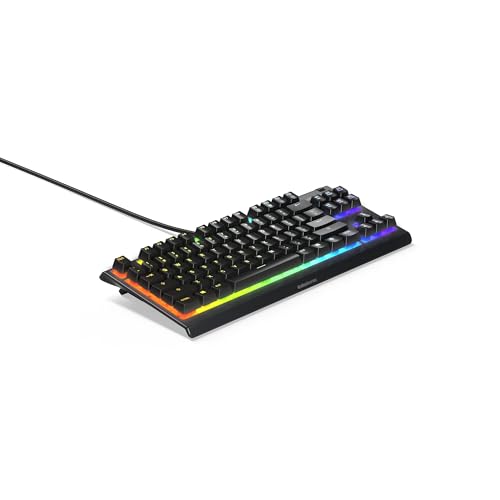
SteelSeries Apex 3 TKL Silent Gaming Keyboard
Best for: quiet gaming on compact desk setups
- Noise Level
- Silent (what this guide is about)
- Switch Type
- Whisper Quiet
- Form Factor
- TKL
- Backlighting
- 8-Zone RGB
- Use
- Gaming
- Color
- Black
View on Amazon: SteelSeries Apex 3 TKL Silent Gaming Keyboard
The SteelSeries Apex 3 TKL Silent Keyboard gives you a compact tenkeyless footprint built for quiet gaming. Its whisper quiet switches use low-friction material rated for 20 million keypresses to keep keystroke noise down. You also get IP32 dust and water resistance, dedicated media keys with a clickable volume roller, and 8-zone RGB illumination. It suits you if you need a spill-resistant, space-saving board with near-silent switches.
Pros
- Whisper quiet switches rated for 20 million keypresses
- IP32 dust and water resistance rating
- Dedicated media controls with a clickable volume roller
- Compact tenkeyless form factor with anti-ghosting support
Cons
- Uses 8-zone lighting rather than per-key RGB
- No wireless connectivity listed
- No integrated number pad
Good fit if
- You want whisper quiet switches rated for 20 million keypresses.
- You need IP32 protection against dust and liquid spills.
- You prefer a compact tenkeyless form factor with dedicated volume controls.
Skip if
- You require per-key RGB illumination instead of 8-zone lighting.
- You need wireless connectivity modes.
- You work with numeric data and need a full-size number pad.
Verdict: SteelSeries Apex 3 TKL Silent Keyboard delivers near-silent typing in a compact tenkeyless build with certified IP32 spill protection. It provides essential media hardware controls and durable switches without taking up extra desk space.

LexonElec 90% Wireless Membrane Keyboard
Best for: silent Mac and multi-device wireless setups
- Noise Level
- Silent (what this guide is about)
- Switch Type
- Membrane
- Form Factor
- 90%
- Connectivity
- Bluetooth 5.0/3.0, 2.4GHz wireless
- Backlighting
- RGB
- Keycap Material
- PBT
The LexonElec 90% Wireless Membrane Keyboard is a quiet 94-key board featuring dual-mode wireless connectivity via Bluetooth and 2.4 GHz. It pairs with up to three devices across Mac, Windows, and Linux platforms. You get a built-in smart display, a multi-function volume knob, PBT keycaps, and a 3,000 mAh rechargeable battery that runs up to 200 hours without backlighting. It suits you if you want silent typing with dedicated Mac support.
Pros
- Dual-mode wireless via 2.4 GHz and Bluetooth with three-device pairing
- Smart display tracks battery levels alongside a control knob
- 3,000 mAh battery lasts up to 200 hours with backlight off
- Equipped with three-color PBT keycaps
Cons
- Membrane construction with no mechanical switches
- Anti-ghosting is limited to 26 keys
- No wired connection mode listed
Good fit if
- You need a silent wireless layout with native Mac compatibility.
- You want an on-board screen to monitor battery life directly.
- You balance work across up to three Bluetooth and 2.4 GHz devices.
Skip if
- You require authentic mechanical switches rather than a membrane feel.
- You need full N-key rollover for complex inputs.
- You prefer a direct wired USB connection.
Verdict: LexonElec 90% Wireless Membrane Keyboard delivers silent typing and multi-device Mac compatibility alongside a smart display, though it uses membrane sheets rather than mechanical switches.

EPOMAKER Aula Full-Size Wireless Silent Keyboard
Best for: full-size quiet typing with screen controls
- Noise Level
- Silent (what this guide is about)
- Switch Type
- Reaper Linear
- Form Factor
- Full-size (104 keys)
- Connectivity
- Bluetooth, 2.4GHz wireless
- Backlighting
- RGB
- Keycap Material
- PBT
View on Amazon: EPOMAKER Aula Full-Size Wireless Silent Keyboard
The EPOMAKER Aula Full-Size Wireless Silent Keyboard is a 104-key mechanical keyboard built for quiet productivity and gaming. It pairs Silent Cotton Candy switches with a five-layer dampening structure made of foam, PET pads, and silicone to mute typing noise. With tri-mode connectivity, an 8000mAh battery, and a 1.14-inch LCD screen with a volume knob, you get complete desktop control without disturbing shared spaces.
Pros
- Five-layer sound dampening with PO foam, PET pad, and silicone
- Tri-mode connectivity via 2.4GHz wireless, Bluetooth, or USB cable
- Hot-swappable PCB compatible with 3-pin and 5-pin switches
- Integrated 1.14-inch customizable LCD screen and volume knob
Cons
- Substantial 17.5-inch width requires significant desk area
- Total weight of 1.2 kg limits portability
Good fit if
- You need a full 104-key layout with a dedicated number pad.
- You want multi-layer foam and silicone acoustic dampening.
- You want customizable status monitoring through an LCD screen.
Skip if
- You have limited desk space and require a compact form factor.
- You prefer a lightweight keyboard designed for travel.
Verdict: EPOMAKER Aula Full-Size Wireless Silent Keyboard delivers quiet performance using five internal dampening layers alongside a full 104-key layout. Its built-in screen, volume knob, and large 8000mAh battery provide comprehensive controls for multi-device desktop setups.

Razer BlackWidow V4 X Silent Linear Keyboard
Best for: gamers wanting silent switches with macro controls
- Noise Level
- Silent (what this guide is about)
- Switch Type
- Yellow mechanical linear
- Backlighting
- Chroma RGB per-key
- Keycap Material
- Doubleshot ABS
- Use
- Gaming
- Dimensions
- 18.4 × 6.01 × 1.71 inches
View on Amazon: Razer BlackWidow V4 X Silent Linear Keyboard
The Razer BlackWidow V4 X Silent Linear Keyboard pairs quiet linear Yellow switches with internal sound dampeners for low-noise typing. You get a rapid 1.2mm actuation point with 45 grams of force, backed by a PCB foam layer and lubricated stabilizers. Six dedicated macro keys and a multi-function roller give you direct physical control. This layout fits you if you want quiet gaming performance across a full-size desk footprint.
Pros
- Yellow linear switches with 1.2mm actuation, 45g force, and sound dampeners
- Internal PCB foam layer and factory-lubricated stabilizers
- Six dedicated programmable macro keys and multi-function roller
- Per-key customizable Chroma RGB backlighting
Cons
- Large 18.36-inch length requires substantial desk space
- Keycaps are doubleshot ABS rather than PBT
- Weighs 2.51 pounds with no wireless modes listed
Good fit if
- You want silent linear switches with built-in dampeners and quick 1.2mm actuation.
- You need dedicated macro keys and a volume roller directly on the keyboard.
- You prefer sound-dampening foam and lubricated stabilizers to minimize typing noise.
Skip if
- You have limited desk space for an 18.36-inch wide keyboard frame.
- You prefer textured PBT keycaps over doubleshot ABS plastic.
- You want tactile feedback or clicky switches instead of smooth linear travel.
Verdict: Razer BlackWidow V4 X Silent Linear Keyboard combines fast-actuating silent switches, sound-dampening foam, and dedicated hardware controls into a full-size setup. It provides quiet, responsive keypresses for both gaming and daily typing.

Corsair Skiff 100 Quiet Wired Keyboard
Best for: wired setups needing spill protection
- Noise Level
- Silent (what this guide is about)
- Connectivity
- wired
- Backlighting
- 10-zone RGB
- Use
- Gaming
- Color
- Black
- Dimensions
- 18 × 5.59 × 0.79 inches
This full-size wired keyboard prioritizes quiet operation for office or home use. It features low-noise keys and an IP53 rating for dust and water protection. You get a detachable palm rest for comfort and a media dial for volume control. The 10-zone RGB lighting adds visual customization. It connects via a single cable, making it a stable choice for stationary setups.
Pros
- IP53 dust and water protection rating
- Detachable full-size palm rest included
- Dedicated media dial for volume control
- 10-zone RGB backlighting
- Low-noise key design
Cons
- Wired connection only
- No wireless or Bluetooth capability
- Lacks programmable macro keys
Good fit if
- You need a wired keyboard with water resistance
- You want a full-size layout with a palm rest
- You prefer physical media controls over software
Skip if
- You require wireless connectivity
- You need a compact or tenkeyless form factor
- You want programmable macros
Verdict: Corsair Skiff 100 Wired Silent Keyboard is a durable, full-size option for users who prioritize physical media controls and spill protection in a stationary wired setup.
Specifications side by side
| Spec | AULA 75% Silent Mechanical Keyboard | Redragon Wireless RGB Gaming Keyboard | RK Royal Kludge Wireless Silent Keyboard with Screen | SOLAKAKA 96% Wireless Gasket Mechanical Keyboard | EPOMAKER Full-Size White Silent Mechanical Keyboard | Razer BlackWidow V4 Pro Silent Keyboard | KEEBMONKEY Rainy 75 CNC Aluminum Silent Keyboard | EPOMAKER Full-Size Pink Mechanical Keyboard | EPOMAKER TH99 96% Wireless Keyboard | Keychron V6 Max Full-Size Silent Keyboard | SteelSeries Apex 3 TKL Silent Gaming Keyboard | LexonElec 90% Wireless Membrane Keyboard | EPOMAKER Aula Full-Size Wireless Silent Keyboard | Razer BlackWidow V4 X Silent Linear Keyboard | Corsair Skiff 100 Quiet Wired Keyboard |
|---|---|---|---|---|---|---|---|---|---|---|---|---|---|---|---|
| Switch Type | Leobog Feather Silent | Silent Membrane | Linear Silent | not specified | Sea Salt Silent | Yellow mechanical | Silent SHHH | Sea Salt Silent | Sea Salt Silent | Keychron K Pro Silent Red | Whisper Quiet | Membrane | Reaper Linear | Yellow mechanical linear | not specified |
| Form Factor | 75% | not specified | not specified | 96% | Full-size | not specified | 75% | Full-size | 96% | 100% full-size | TKL | 90% | Full-size (104 keys) | not specified | not specified |
| Connectivity | Bluetooth 5.0, 2.4GHz, USB wired | 2.4GHz wireless, Bluetooth, USB wired | BT 5.0, 2.4GHz, USB-C | Bluetooth 5.0, 2.4GHz, USB-C wired | Tri-mode wireless | Wired | Wired, BT 5.0, 2.4G Wireless | Tri-mode | Tri-mode | 2.4 GHz, Bluetooth 5.1, Type-C wired | not specified | Bluetooth 5.0/3.0, 2.4GHz wireless | Bluetooth, 2.4GHz wireless | not specified | wired |
| Backlighting | RGB | RGB LED | not specified | RGB | RGB | Per-key Razer Chroma RGB | RGB | RGB | RGB | RGB | 8-Zone RGB | RGB | RGB | Chroma RGB per-key | 10-zone RGB |
| Keycap Material | Side-printed PBT | not specified | Double-shot PBT | Double-shot PBT | Double-shot PBT | Doubleshot ABS | double shot PBT | not specified | PBT | Double-shot PBT | not specified | PBT | PBT | Doubleshot ABS | not specified |
| Case Material | not specified | not specified | not specified | not specified | ABS plastic | not specified | 6063 aluminum alloy | not specified | not specified | not specified | not specified | not specified | not specified | not specified | not specified |
| Hot-Swap Support | Hot-Swappable | not specified | not specified | Hot-Swappable | not specified | not specified | not specified | not specified | not specified | Hot-Swappable | not specified | not specified | not specified | not specified | not specified |
| Mounting Style | not specified | not specified | not specified | Gasket Mount | not specified | not specified | not specified | not specified | not specified | not specified | not specified | not specified | not specified | not specified | not specified |
| Media Controls | Volume Knob | not specified | Volume Knob | not specified | Volume Knob | not specified | not specified | Volume Knob | Volume Knob | not specified | not specified | Volume Knob | not specified | not specified | not specified |
| Use | Gaming | Gaming | not specified | Gaming | not specified | Gaming | not specified | not specified | not specified | not specified | Gaming | Gaming | Gaming | Gaming | Gaming |
| Color | F75Pro Pink-Silent Version | Blue-Black | Sky Blue | Contour-Style White | White | Black | not specified | Pink | Pink | Hot-swap Keychron K Pro Silent Red Switch | Black | Grape Purple | Yellow | red | Black |
| Operating System | not specified | Windows | not specified | not specified | not specified | not specified | not specified | not specified | not specified | not specified | not specified | Mac, Windows | not specified | not specified | not specified |
| Ergonomic Features | not specified | Wrist Rest | not specified | not specified | not specified | not specified | not specified | not specified | not specified | not specified | not specified | not specified | not specified | not specified | not specified |
| Noise Level | Silent | Silent | Silent | Silent | Silent | Silent | Silent | Silent | Silent | Silent | Silent | Silent | Silent | Silent | Silent |
| Power Source | not specified | not specified | not specified | not specified | not specified | not specified | not specified | not specified | not specified | not specified | not specified | Rechargeable | not specified | not specified | not specified |
| Weight | 2.25 pounds | not specified | 3 pounds | not specified | not specified | 3.61 pounds | 4.41 pounds | not specified | not specified | not specified | not specified | not specified | not specified | 2.51 pounds | 1.57 pounds |
| Dimensions | not specified | 17.5 × 7.9 × 1.18 inches | 17.3 × 7.48 × 1.97 inches | not specified | 17.5 × 5.51 × 1.65 inches | 18.4 × 6.01 × 1.73 inches | 12.6 × 5.35 × 1.57 inches | 5.51 × 17.6 × 1.73 inches | 16.1 × 5.71 × 1.85 inches | 17.6 × 5.87 × 1.28 inches | 14.3 × 5.9 × 1.57 inches | 15.7 × 6.5 × 1.77 inches | 5.6 × 17.5 × 1.7 inches | 18.4 × 6.01 × 1.71 inches | 18 × 5.59 × 0.79 inches |
| Model | F75 Pro | K503KS | RK S98 | KI99PRO | TH108 PRO | RZ03-04681900-R3U1 | Pro - Black(Shhh Switch) | TH108 V2 PRO | TH99 PRO | not specified | Apex 3 TKL RGB | M96 | F108 PRO | Blackwidow V4 X | CH-9226H65-NA |
| Size | not specified | K503KS | Linear Silent Switch | Non-Silent Version | Sea Salt Silent | not specified | not specified | Sea Salt Silent | Sea Salt Silent | not specified | Apex 3 TKL | not specified | Silent Cotton Candy Switch | not specified | not specified |
Is a silent keyboard worth it?
Silent keyboards use factory-dampened switches—such as silent linear, Sea Salt Silent, or Silent Red switches—paired with internal foam and gasket mounts to mute bottom-out noise. Keyboards like the EPOMAKER TH108 and Razer BlackWidow V4 X cushion switch travel and dampen internal case resonance. In daily use, this design eliminates the sharp clatter and click sounds typical of standard mechanical keyboards. It keeps keypresses quiet without sacrificing features like hot-swappable PCBs, dedicated volume knobs, or RGB backlighting.
Worth it if
- You work in shared rooms or join voice calls where audible switch clicks cause distractions.
- You want hot-swappable mechanical switches and customizable hardware controls with minimal typing sound.
Skip it if
- You prefer the audible click and loud tactile acoustic feedback of standard mechanical switches.
- You type in a private room where typing noise level is not a concern.
You might also want to check the best window air conditioners with mechanical for your cooling needs.
How We Picked Silent Keyboards
To find the quietest options for you, we filter Amazon listings that mark the noise level specification as silent in their title or feature bullet points. You see only one representative size or variant per product family across the 15 selections. Every listed detail comes directly from published manufacturer specifications without physical product handling.
We order the keyboards with products in stock first, then by Amazon sales rank (better-selling products first). Live pricing and stock update automatically each day on the page, giving you accurate buying options throughout 2026.
How to Choose a Silent Keyboard
-
Select Your Connectivity Method
Check the connectivity specification to match your desk arrangement and mobility needs. A wired model like the Razer BlackWidow V4 Pro delivers continuous power and eliminates battery upkeep, making it dependable for fixed desktop setups. Alternatively, wireless models support cable-free placement and easier movement across your workspace. If you plan to switch between a laptop, desktop, or mobile device during the day, look for models listing Bluetooth or tri-mode wireless capability. Verify whether you need a stationary wired cable or multi-device wireless pairing before deciding on your board.
-
Check Hot-Swap Socket Support
Examine the hot-swap support attribute to see if you can change switches in the future. Keyboards labeled as hot-swappable let you pull out switches and push in replacements without unsoldering anything from the printed circuit board. This specification is valuable if you want to experiment with different silent switch weights or replace a single malfunctioning switch down the line. If you choose a keyboard like the SOLAKAKA 96% Wireless Gasket Mechanical Keyboard, hot-swapping ensures you can modify actuation characteristics or maintain the hardware over time without buying an entirely new typing platform.
-
Evaluate Gasket Mounting Designs
Review the mounting style specification to assess how the internal plate rests inside the case. Keyboards with a gasket mount, such as the EPOMAKER Full-Size Gasket Wireless Keyboard, suspend the switch plate using cushioned silicone or foam strips instead of rigid screw standoffs. This isolated structure absorbs switch downstrokes, softens bottom-out impact, and reduces reverberation through the chassis. If your priority is muting typing acoustics and reducing finger fatigue during long sessions, gasket mounting provides a softer feel compared to standard rigid tray mounts that transfer vibrations directly into the keyboard shell.
-
Look for Hardware Media Controls
Examine the media controls listed in the keyboard specifications before making a selection. Models featuring a physical volume knob or command dial give you immediate control over audio levels and system functions without pressing multi-key function shortcuts. For example, the RK Royal Kludge Silent Keyboard with Screen and Knob provides rotary hardware adjustment directly on the board. If you attend frequent video calls, listen to music while typing, or need fast audio adjustments during games, a dedicated knob offers faster, tactile operation compared to standard boards that require secondary function key layers.
-
Consider PBT Keycap Durability
Check the keycap material specified in the product data. Keyboards that list PBT keycaps offer greater resistance to friction wear, surface smoothing, and oil buildup than standard plastic options. The textured surface of PBT remains consistent across years of sustained typing, preventing keys from developing an uneven glossy sheen. The LexonElec 90% Wireless Membrane Keyboard includes PBT keycaps out of the box, ensuring resilient surface texture. If you spend many hours typing every day, selecting a model with PBT caps reduces surface degradation and maintains a uniform key feel over long-term use.
-
Verify Operating System Compatibility
Verify the operating system specifications before purchasing a silent keyboard. While most models support Windows natively, Mac compatibility can vary depending on manufacturer firmware and layout profiles. Keyboards that state multi-OS support ensure proper registration of Command and Option modifiers without requiring manual key-remapping utilities. Conversely, models specifying only Windows, such as the Redragon Wireless RGB Gaming Keyboard, may have dedicated shortcuts or software configurations tailored specifically for PC environments. Confirm that the keyboard lists your exact operating system so your shortcut keys and system controls work reliably from day one.
Frequently asked questions
Can you swap out switches on silent mechanical keyboards?
Yes, models with hot-swappable sockets let you replace switches without soldering. Boards like the SOLAKAKA KI99PRO, Keychron V6 Max, and EPOMAKER TH108 feature hot-swap support, allowing you to unplug stock switches and insert compatible alternatives. This specification gives you the flexibility to experiment with different silent mechanical switches or replace damaged components over time while keeping the original keyboard PCB.
Do silent mechanical keyboards include dedicated volume knobs?
Yes, multiple quiet keyboards incorporate physical volume knobs for immediate audio management. You can find integrated rotary controls on models like the RK Royal Kludge RK S98, EPOMAKER TH99 PRO, and LexonElec M96. Having dedicated media hardware enables you to adjust listening levels quickly during games, media playback, or conference calls without relying on secondary function key shortcuts or desktop audio menus.
Are there silent keyboards that feature integrated display screens?
Yes, several quiet keyboards come equipped with built-in displays alongside physical controls. The RK Royal Kludge RK S98 includes an integrated display screen, while the EPOMAKER Aula F108 PRO and LexonElec M96 also feature onboard screens. These displays help you monitor device status and settings right on the board without needing to open peripheral software on your computer screen.
Which silent keyboards offer water or spill protection?
Some models feature certified liquid resistance to guard against accidents. For instance, the SteelSeries Apex 3 TKL includes IP32 spill protection within its compact tenkeyless build. This rating indicates a barrier against dripping water, making it a practical choice if you keep drinks on your desk during daily typing or gaming sessions and want extra hardware protection.
How much do silent desktop keyboards typically weigh?
Weights vary widely depending on frame materials and internal dampening layers. Heavy-duty aluminum models like the KEEBMONKEY Rainy 75 weigh 4.41 pounds, which prevents keyboard slippage during rapid typing. In contrast, standard builds like the Razer BlackWidow V4 Pro weigh 3.61 pounds, the RK Royal Kludge RK S98 weighs 3 pounds, and the compact AULA F75 Pro weighs 2.25 pounds.
Can you find silent keyboards compatible with Mac operating systems?
Yes, certain quiet keyboards explicitly provide multi-platform operating system support. The LexonElec M96 specifies compatibility with both Mac and Windows setups, ensuring essential modifier keys function properly across both environments. Other keyboards, such as the Redragon K503KS, specifically list Windows support. Checking the operating system specification ensures your keyboard maps keys correctly to your setup without third-party key-remapping tools.
Do silent keyboards feature customizable RGB backlighting?
Yes, quiet keyboards frequently include RGB lighting alongside sound dampening. Options like the KEEBMONKEY Rainy 75, SOLAKAKA KI99PRO, and Redragon K503KS feature RGB illumination to assist key visibility in dim rooms. If you prefer colorful illumination, verify the backlighting attribute on the spec sheet, as lighting implementations vary across silent keyboards designed for home offices and gaming environments.