15 Best Mini Mechanical Keyboards, Compared
As an Amazon Associate we earn from qualifying purchases. Links on this page are affiliate links.
Choosing among the best mini mechanical keyboards means balancing a compact desk footprint with switch feel and key layout. The MageGee 60% Hot-Swappable Mini Keyboard takes the top spot because its 68-key design integrates dedicated arrow keys with hot-swappable switches and internal sound-dampening foam.
This guide compares 15 models strictly using the specifications published on their listings, from switch types to physical dimensions. It helps you decide whether you need wired or wireless connectivity, dedicated arrow clusters, or adjustable switch actuation for your desk.
Quick picks
The best fit for you
- You need dedicated arrow keys in a compact layout MageGee 60% Hot-Swappable Mini Keyboard Its 68-key mini layout includes dedicated arrow keys alongside hot-swappable switch sockets and sound-dampening foam.
- You want wireless connectivity with adjustable magnetic switches SteelSeries Apex Pro Mini Wireless It features wireless connectivity paired with customizable magnetic switch actuation in a compact 60% frame.
- You want quiet tactile typing on a mini layout DIERYA 68-Key Mini Mechanical Keyboard This wired 68-key keyboard comes built with tactile brown mechanical switches for quiet physical feedback.
- You prioritize fast linear switches and wireless freedom Corsair K70 PRO Mini Wireless 60% It combines linear mechanical speed switches with wireless connectivity and hot-swappable 3-pin switch modularity.
Our 15 picks

MageGee 60% Hot-Swappable Mini Keyboard
Best for: compact desks needing dedicated arrow keys
- Form Factor
- Mini (what this guide is about)
- Switch Type
- Blue Whale Switch (Linear)
- Connectivity
- Wired USB
- Backlighting
- RGB
- Keycap Material
- Double-color injection
- Hot-Swap Support
- Hot-Swappable
The MageGee 68-Key Hot-Swap Mini Keyboard gives you a compact mini footprint while keeping dedicated arrow keys. It features linear Blue Whale switches that support 3-pin and 5-pin hot-swapping, paired with internal EVA silencing cotton to reduce hollow typing sounds. You connect via a detachable wired USB cable, and full anti-ghosting covers all 68 keys. It suits you if you want hot-swap flexibility in a space-saving layout.
Pros
- Hot-swappable PCB supports both 3-pin and 5-pin mechanical switches
- Internal EVA silencing cotton reduces hollow typing noise
- Compact 68-key layout retains dedicated arrow keys
- Detachable wired USB cable allows easy packing and replacement
Cons
- Wired USB only with no wireless connectivity options
- Footprint is slightly wider than standard 61-key mini boards
Good fit if
- You want dedicated arrow keys on a compact mini footprint.
- You plan to customize or swap out 3-pin or 5-pin switches.
- You prefer a wired setup using a detachable cable.
Skip if
- You need Bluetooth or 2.4 GHz wireless connectivity.
- You prefer the absolute minimum footprint of a 61-key layout.
Verdict: MageGee 68-Key Hot-Swap Mini Keyboard balances a space-saving form factor with dedicated arrow keys and universal switch customization. Built-in sound-dampening foam and a detachable wired connection make it a capable centerpiece for compact setups.

Razer Reclusa X Mini 65% Hot-Swappable Keyboard
Best for: tactile mini gaming with switch customization
- Form Factor
- Mini (what this guide is about)
- Switch Type
- Razer Orange Tactile Gen-3
- Connectivity
- Wired USB-C
- Backlighting
- Razer Chroma RGB
- Keycap Material
- Doubleshot ABS
- Hot-Swap Support
- Hot-Swappable
View on Amazon: Razer Reclusa X Mini 65% Hot-Swappable Keyboard
The Razer Reclusa X Mini is a compact 65% mechanical keyboard designed for gaming and desk space efficiency. You get hot-swappable sockets supporting 3-pin and 5-pin switches, paired with pre-installed Razer Orange Tactile Gen-3 switches and dual-layer silicone dampening. With detachable wired USB-C connectivity, a 1000Hz polling rate, and south-facing Chroma RGB lighting, it suits you if you want customizable tactile switches in a mini footprint.
Pros
- Hot-swappable PCB supports 3-pin and 5-pin mechanical switches
- Dual-layer silicone dampening and PPS plate for sound absorption
- South-facing per-key Razer Chroma RGB backlighting
- Detachable USB-C wired connection with 1000Hz polling rate
Cons
- Wired-only connection with no wireless support
- Keycaps are ABS plastic rather than PBT
Good fit if
- You want a 65% layout with hot-swappable switch compatibility.
- You prefer tactile switches with factory internal sound dampening.
- You plan to swap on aftermarket keycaps over south-facing LEDs.
Skip if
- You require wireless connectivity for your setup.
- You prefer stock PBT keycaps over doubleshot ABS.
Verdict: Razer Reclusa X Mini 65% Mechanical Keyboard balances compact desk footprint and customization with its hot-swappable switch design. It delivers reliable wired performance and internal sound dampening in a dedicated 65% layout.

Razer Huntsman V3 Pro Mini 60% Analog Keyboard
Best for: competitive FPS gaming and compact desk spaces
- Form Factor
- Mini (what this guide is about)
- Switch Type
- Analog Optical Gen-2
- Keycap Material
- Doubleshot PBT
- Use
- Gaming
- Color
- Black
- Dimensions
- 13.8 × 6.18 × 1.81 inches
View on Amazon: Razer Huntsman V3 Pro Mini 60% Analog Keyboard
The Razer Huntsman V3 Pro Mini 60% Keyboard is an ultra-compact gaming board built around Gen-2 analog optical switches. You get fine-grained control over input with an adjustable actuation range from 0.1 to 4.0 mm, plus rapid reset capabilities via Rapid Trigger and Snap Tap. Textured doubleshot PBT keycaps resist wear, while onboard LED controls let you adjust actuation directly on the hardware. It suits competitive players needing minimal desk footprint.
Pros
- Analog Optical Gen-2 switches with adjustable 0.1–4.0 mm actuation range
- Rapid Trigger and Snap Tap support for rapid input resets
- Durable doubleshot PBT keycaps with side-printed secondary functions
- Onboard LED array enables actuation adjustments without external software
Cons
- Lacks dedicated arrow keys and navigation cluster
- Requires a firmware update to enable Snap Tap functionality
- No wireless connectivity listed
Good fit if
- You want customizable key actuation depths between 0.1 mm and 4.0 mm.
- You need a compact 60% layout to maximize mouse sweep area.
- You prefer adjusting switch profiles and sensitivity directly on the hardware.
Skip if
- You rely on dedicated arrow, function, or numeric keypad keys.
- You require a wireless connection for cable-free desk setups.
Verdict: Razer Huntsman V3 Pro Mini 60% Keyboard delivers high-level analog switch customization and ultra-compact sizing for competitive setups. Its onboard controls and Rapid Trigger tech provide precise input tuning without eating up desk space.

Snpurdiri 60% Wired Gaming Keyboard
Best for: compact desk setups wanting quiet typing
- Form Factor
- Mini (what this guide is about)
- Switch Type
- Membrane
- Connectivity
- Wired
- Backlighting
- RGB
- Keycap Material
- ABS two-color injection
- Use
- Gaming
The Snpurdiri 60% Wired Membrane Keyboard gives you a 61-key ultra-compact layout measuring 11.5 by 4 inches and weighing 14.2 ounces. It uses silicone membrane switches designed to mimic a mechanical feel, paired with ABS two-color injection keycaps and wired USB connectivity. With six RGB backlight effects, it suits you if you want a desk-clearing mini layout without the loud clatter of standard mechanical switches.
Pros
- Ultra-compact 60% layout with 61 keys
- RGB backlighting with 6 effects and 8 colors
- Wear-resistant ABS two-color injection keycaps
- Driver-free plug-and-play setup for Windows and Mac
Cons
- Uses membrane switches rather than true mechanical switches
- Wired connectivity only without wireless support
- No dedicated physical arrow keys or numpad
Good fit if
- You want an ultra-compact 61-key mini footprint on your desk.
- You prefer quiet membrane switches designed with a mechanical feel.
- You need simple plug-and-play wired operation across Windows or Mac.
Skip if
- You require genuine mechanical or hot-swappable switches.
- You need wireless connectivity via Bluetooth or 2.4GHz RF.
- You rely on dedicated arrow keys or a physical number pad.
Verdict: Snpurdiri 60% Wired Membrane Keyboard delivers a space-saving 61-key layout with customizable RGB lighting and wear-resistant ABS keycaps. It offers a mechanical-style typing feel on a quiet membrane base, though purists seeking actual mechanical switches should look elsewhere.

SteelSeries Apex Pro Mini Wireless
Best for: customizable magnetic switch actuation
- Form Factor
- Mini (what this guide is about)
- Switch Type
- OmniPoint 2.0 HyperMagnetic
- Connectivity
- 2.4GHz, Bluetooth 5.0, USB-C
- Case Material
- Aluminum top plate
- Color
- Black
- Dimensions
- 11.5 × 4 × 1.6 inches
The SteelSeries Apex Pro Mini Wireless is a compact 60% keyboard built with an aluminum top plate and dual wireless connectivity via 2.4GHz and Bluetooth 5.0. It features OmniPoint 2.0 HyperMagnetic switches with 40 actuation levels ranging from 0.1 to 4.0 millimeters, plus rapid trigger functionality. You can program two actions per key or connect via detachable USB-C, making it suitable if you need fine-tuned switch travel in a minimal footprint.
Pros
- OmniPoint 2.0 switches with 40 actuation levels from 0.1mm to 4.0mm
- Rapid trigger dynamically resets keys based on travel distance
- Dual wireless via 2.4GHz and Bluetooth 5.0 alongside detachable USB-C
- Two-in-one action keys support dual inputs on a single switch press
Cons
- 60% form factor omits dedicated physical arrow keys and number pad
- Total weight of 2.43 pounds adds bulk for a compact layout
Good fit if
- You want customizable key actuation depths between 0.1mm and 4.0mm.
- You need both 2.4GHz and Bluetooth 5.0 wireless options on a mini board.
- You want to program two distinct actions to a single key press.
Skip if
- You require dedicated arrow keys or a physical number pad.
- You prefer a lightweight travel keyboard under two pounds.
Verdict: SteelSeries Apex Pro Mini Wireless combines highly customizable magnetic switch actuation and rapid trigger response in a compact, aluminum-topped wireless frame.

DIERYA 68-Key Mini Mechanical Keyboard
Best for: quiet tactile typing on a mini layout
- Form Factor
- Mini (what this guide is about)
- Switch Type
- Tactile Brown Switch
- Connectivity
- Bluetooth 5.0, 2.4GHz, USB-C wired
- Backlighting
- Blue LED
- Use
- Gaming
- Operating System
- Windows
The DIERYA 68-Key Mini Brown Switch Keyboard gives you a compact 68-key mini layout with tactile mechanical switches. Its brown switches provide a balanced tactile bump without loud clicking sounds, making it suitable for shared work environments and gaming sessions. You get full anti-ghosting across all keys alongside single-color blue LED backlighting featuring 19 lighting modes. It suits you if you want dedicated arrow keys in an ultra-compact footprint.
Pros
- Tactile brown switches provide mild tactile feedback with moderate noise levels
- Full anti-ghosting across all 68 conflict-free keys
- Tri-mode connectivity supports Bluetooth 5.0, 2.4GHz wireless, and USB-C wired
- Blue LED backlighting includes 19 dynamic and static lighting presets
Cons
- Single-color blue LED backlight with no multi-color RGB options
- Only partial compatibility with Mac OS systems
Good fit if
- You prefer noticeable tactile switch feedback without a loud audible click.
- You need a compact 68-key footprint that retains conflict-free keystroke registration.
- You regularly switch between multiple devices across wired and wireless connections.
Skip if
- You require full operating system feature support on Mac OS.
- You want full-spectrum RGB lighting customization.
Verdict: DIERYA 68-Key Mini Brown Switch Keyboard delivers quiet tactile feedback and conflict-free input within a compact 68-key footprint. It provides flexible connectivity options and dedicated illumination controls for mixed typing and gaming setups.

Razer Huntsman V3 HE Mini 65% Wired Keyboard
Best for: competitive gamers wanting adjustable magnetic actuation
- Form Factor
- Mini (what this guide is about)
- Switch Type
- Hall Effect magnetic
- Connectivity
- Wired (USB-C)
- Backlighting
- RGB
- Keycap Material
- Doubleshot PBT
- Case Material
- 5052 aluminum alloy top case
View on Amazon: Razer Huntsman V3 HE Mini 65% Wired Keyboard
The Razer Huntsman V3 HE Mini 65% Magnetic Keyboard brings rapid analog control to a compact desktop footprint. You get Hall Effect magnetic switches with adjustable 0.1 to 4.0 mm actuation, a true 8000Hz polling rate, and doubleshot PBT keycaps on a 5052 aluminum top plate. Dedicated arrow keys remain available on this 65% layout, making it a practical match if you want competitive input speed without sacrificing navigation.
Pros
- Hall Effect magnetic switches with 0.1 to 4.0 mm adjustable actuation
- True 8000Hz polling rate over wired USB-C
- Doubleshot PBT keycaps and 5052 aluminum alloy top plate
- Onboard storage holds up to six profiles
Cons
- Wired connection only with no wireless support
- Lacks dedicated function row and numeric keypad
Good fit if
- You want magnetic switches with customizable actuation and Rapid Trigger.
- You prefer a 65% layout that preserves arrow keys while saving desk space.
- You need an 8000Hz polling rate for fast input processing.
Skip if
- You need wireless connectivity via Bluetooth or 2.4GHz.
- You require a full-size layout with a dedicated number pad.
Verdict: Razer Huntsman V3 HE Mini 65% Magnetic Keyboard pairs customizable magnetic switches with an ultra-responsive 8000Hz polling rate in a space-saving 65% form factor. It gives you deep actuation control and durable PBT keycaps in a tournament-ready wired footprint.

Abucow 60% Mini Wired Keyboard
Best for: compact multi-platform console and PC gaming setups
- Form Factor
- Mini (what this guide is about)
- Connectivity
- Wired (Detachable USB-C)
- Backlighting
- RGB
- Use
- Gaming
- Color
- Black
- Dimensions
- 11 × 1.8 × 5 inches
The Abucow 60% Wired RGB Mini Keyboard gives you an ultra-compact 61-key layout designed to save desk space. It connects via a detachable USB-C cable and includes full-key anti-ghosting for reliable input. You also get built-in RGB backlighting with six effects and eight switchable colors, plus an ergonomic profile with adjustable heights. It suits you if you want a basic wired mini setup for gaming across PCs and consoles.
Pros
- Compact 60% layout with 61 keys
- Detachable USB-C wired connection
- RGB backlighting with 6 effects and 8 colors
- Full-key anti-ghosting support
Cons
- Wired-only connectivity with no wireless options
- Lacks dedicated arrow keys and a number pad
Good fit if
- You need a space-saving 61-key layout for a smaller desk.
- You play across multiple platforms including Windows, Mac, PS5, and Xbox.
- You want a detachable USB-C cable for simpler travel and packing.
Skip if
- You need wireless connectivity via Bluetooth or 2.4GHz.
- You require dedicated arrow keys or full navigation clusters.
Verdict: Abucow 60% Wired RGB Mini Keyboard delivers a straightforward 61-key layout with detachable USB-C cabling and multi-platform compatibility. It provides essential compact functionality for gaming on desks with limited space.

RK Royal Kludge Wireless 60% Mechanical Keyboard
Best for: portable multi-device typing with hot-swappable switches
- Form Factor
- Mini (what this guide is about)
- Switch Type
- Tactile Snowfall
- Connectivity
- Bluetooth 5.0, 2.4GHz wireless, USB-C
- Hot-Swap Support
- Yes (3-pin and 5-pin)
- Backlighting
- Blue
- Keycap Material
- Double-shot PBT
View on Amazon: RK Royal Kludge Wireless 60% Mechanical Keyboard
The RK Royal Kludge RK61 60% Wireless Keyboard is a compact 61-key mechanical board designed to free up your desk space. You get versatile three-mode connectivity across Bluetooth 5.0, 2.4GHz wireless, and USB-C, supporting up to three paired devices. With its hot-swappable PCB supporting 3-pin and 5-pin switches, double-shot PBT keycaps, and dual-layer acoustic foam, it suits you if you want customizable typing in a portable form factor.
Pros
- Three-mode connectivity supporting Bluetooth 5.0, 2.4GHz wireless, and USB-C
- Hot-swappable PCB compatible with both 3-pin and 5-pin switches
- Built-in dual-layer silencing foam and spacebar dampening foam
- Double-shot PBT keycaps in Cherry profile
- Battery runtime reaching up to 200 hours with backlighting off
Cons
- Single-color blue backlighting instead of multi-color RGB
- Ultra-compact 61-key layout lacks dedicated arrow and navigation keys
Good fit if
- You switch frequently between up to three devices across Bluetooth and 2.4GHz wireless.
- You want to customize 3-pin or 5-pin mechanical switches without soldering.
- You prefer oil-resistant double-shot PBT keycaps and preinstalled dampening foam.
Skip if
- You need dedicated arrow keys or a physical navigation cluster.
- You require full RGB color backlighting instead of monochrome blue.
Verdict: RK Royal Kludge RK61 60% Wireless Keyboard delivers flexible tri-mode connectivity and switch hot-swapping in an ultra-compact footprint. Its integrated silencing foam and double-shot PBT keycaps ensure solid performance for mobile or minimalist desks.

Corsair K70 PRO Mini Wireless 60%
Best for: fast wireless gaming with swappable switches
- Form Factor
- Mini (what this guide is about)
- Switch Type
- Cherry MX Speed
- Connectivity
- Slipstream wireless, Bluetooth, USB
- Backlighting
- RGB
- Case Material
- Aluminum
- Color
- Black
The Corsair K70 PRO Mini 60% Wireless Keyboard brings rapid Cherry MX Speed switches and hot-swappable 3-pin modularity to a compact aluminum frame. You can connect via Slipstream wireless, low-latency Bluetooth, or wired USB supporting an 8,000Hz polling rate. Battery life reaches 32 hours with RGB lighting and 200 hours without lighting. This compact board suits you if you prioritize fast actuation and wireless flexibility.
Pros
- Cherry MX Speed switches rated for 100 million keystrokes
- Hot-swappable design compatible with 3-pin MX switches
- Tri-mode connectivity via Slipstream wireless, Bluetooth, and wired USB
- Up to 8,000Hz wired polling rate via Corsair AXON
Cons
- Switch sockets support 3-pin MX switches rather than 5-pin options
- Battery life falls to 32 hours when RGB lighting remains active
- Compact 60% layout lacks dedicated physical navigation keys
Good fit if
- You want low-latency inputs from Cherry MX Speed linear switches.
- You need flexible connectivity across Slipstream wireless, Bluetooth, and USB.
- You want to customize your setup using 3-pin MX-compatible switches.
Skip if
- You plan to install 5-pin mechanical switches without clipping pins.
- You need weeks of wireless operation while running continuous RGB lighting.
- You require dedicated arrow keys without pressing key combinations.
Verdict: Corsair K70 PRO Mini 60% Wireless Keyboard pairs rapid linear mechanical switches with versatile tri-mode wireless connectivity in a rigid aluminum chassis. It offers reliable speed and easy 3-pin switch modularity for space-constrained setups.

Corsair Clipper PRO MINI 60 Keyboard
Best for: fast-paced gaming in a compact white layout
- Form Factor
- Mini (what this guide is about)
- Switch Type
- MGX Hyperdrive Core Hall Effect linear
- Keycap Material
- Double-shot PBT
- Use
- Gaming
- Color
- White
- Dimensions
- 11.6 × 4.06 × 1.22 inches
The Corsair Clipper Pro Mini Hall Effect Keyboard is a 60% compact keyboard built for gaming setups that need extra desk space. It features MGX Hyperdrive Core linear magnetic switches with adjustable actuation between 0.2 and 3.8 mm, rapid trigger resets, and an 8000Hz polling rate. Dual-layer sound dampening and an IP57 dust and water resistance rating protect the board, making it a capable choice if you want fast inputs in a white layout.
Pros
- Adjustable switch actuation from 0.2 mm to 3.8 mm with 0.1 mm rapid trigger
- 8000Hz polling rate for rapid input registration
- IP57-rated dust and water resistance
- Double-shot PBT keycaps with dual-layer sound dampening
Cons
- Compact 60% layout lacks dedicated arrow and navigation keys
- Submersion requires up to 72 hours of drying time
Good fit if
- You want adjustable Hall Effect linear switches with rapid trigger support.
- You need a compact white 60% keyboard with IP57 water and dust resistance.
- You want an 8000Hz polling rate for fast input processing.
Skip if
- You require dedicated arrow keys, navigation clusters, or a number pad.
- You prefer standard mechanical switches over magnetic Hall Effect switches.
Verdict: Corsair Clipper Pro Mini Hall Effect Keyboard delivers deep switch customization with adjustable actuation, rapid trigger resets, and an IP57-rated compact design. It is a solid 60% choice if you need high-speed polling and dust resistance in a white finish.
Razer Huntsman V3 Pro Mini 60% Keyboard
Best for: gamers wanting adjustable optical switch actuation
- Form Factor
- Mini (what this guide is about)
- Switch Type
- Analog Optical Gen-2
- Keycap Material
- Doubleshot PBT
- Case Material
- Brushed Aluminum Top Plate
- Use
- Gaming
- Color
- Black
The Razer Huntsman V3 Pro Mini 60% Optical Keyboard is a compact 60% gaming keyboard built with Gen-2 analog optical switches. You get an adjustable actuation range from 0.1 to 4.0 mm, rapid trigger response, and onboard LED adjustment without software. It features textured doubleshot PBT keycaps and a brushed aluminum top plate. This setup fits you if you prioritize fine-tuned switch sensitivity in a minimal footprint.
Pros
- Analog Optical Gen-2 switches with 0.1 to 4.0 mm adjustable actuation
- Rapid Trigger feature for fast repeated inputs
- Onboard LED array for settings adjustments without software
- Durable doubleshot PBT keycaps with side-printed secondary functions
- Aircraft-grade brushed aluminum top plate
Cons
- Lacks dedicated arrow keys, requiring tap modifiers or secondary layers
- Compact 60% layout omits a dedicated function row and navigation cluster
Good fit if
- You need adjustable actuation points between 0.1 mm and 4.0 mm.
- You want Rapid Trigger inputs for fast key resets.
- You prefer configuring switch settings directly on the keyboard without running software.
Skip if
- You require physical, dedicated arrow keys rather than dual-purpose tap modifiers.
- You need a dedicated function row or number pad on your primary layout.
Verdict: Razer Huntsman V3 Pro Mini 60% Optical Keyboard delivers granular 0.1 to 4.0 mm switch customization and Rapid Trigger response in a space-saving build. It gives you advanced analog control directly on board without sacrificing build rigidity.

Razer Huntsman Mini 60% Optical Red Switch Keyboard
Best for: fast optical linear gaming setups
- Form Factor
- Mini (what this guide is about)
- Switch Type
- Razer Linear Optical
- Keycap Material
- Doubleshot PBT
- Case Material
- Aluminum
- Use
- Gaming
- Dimensions
- 11.5 × 4.06 × 1.45 inches
View on Amazon: Razer Huntsman Mini 60% Optical Red Switch Keyboard
This compact 60% keyboard gives you Razer Linear Optical switches with a 1.0 mm actuation distance for quick key registration. Its build features an aluminum top frame and textured doubleshot PBT keycaps designed to resist oil buildup. Measuring 11.5 inches long and 4.06 inches wide, it saves desk space for gaming setups. It suits you if you need fast linear switches, individually backlit RGB keys, and programmable Hypershift macros in a mini layout.
Pros
- Razer Linear Optical switches with 1.0 mm actuation
- Doubleshot PBT keycaps resist oil and grime buildup
- Matte aluminum top frame for structural integrity
- Individually backlit RGB keys supporting 16.8 million colors
Cons
- Renewed hardware rather than a brand-new unit
- Compact 60% profile lacks dedicated arrow and function keys
Good fit if
- You want 1.0 mm linear optical actuation for quick keystrokes.
- You prefer oil-resistant doubleshot PBT keycaps and an aluminum frame.
- You need full macro remapping and per-key backlighting in a mini layout.
Skip if
- You want brand-new retail packaging rather than renewed hardware.
- You require dedicated arrow keys or a standard navigation cluster.
Verdict: Razer Huntsman Mini 60% Red Switch Keyboard pairs optical linear actuation with a compact aluminum chassis for fast desktop gaming. It delivers durable doubleshot PBT keycaps and full macro remapping in a space-saving 60% footprint.
Razer Huntsman Mini 60% Clicky Optical Keyboard
Best for: clicky switch fans wanting a compact layout
- Form Factor
- Mini (what this guide is about)
- Switch Type
- Razer Optical Clicky
- Connectivity
- Wired
- Backlighting
- RGB
- Keycap Material
- Doubleshot PBT
- Case Material
- Aluminum
View on Amazon: Razer Huntsman Mini 60% Clicky Optical Keyboard
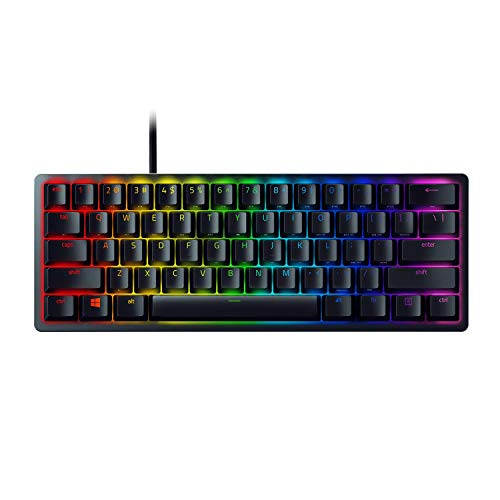
The Razer Huntsman Mini is a compact 60-percent wired keyboard designed for space-conscious setups. It features Razer optical clicky switches with a 1.5 mm actuation distance, an aluminum top frame, and textured doubleshot PBT keycaps. You also get per-key RGB backlighting and programmable macros via Razer Hypershift. It suits you if you want tactile, clicky keystrokes and rapid light-based actuation in a minimal desk footprint.
Pros
- Optical clicky switches with 1.5 mm actuation distance
- Durable doubleshot PBT keycaps resist oil and grime
- Matte aluminum top frame for structural rigidity
- Per-key customizable Razer Chroma RGB backlighting
Cons
- Wired-only connection with no wireless option
- Compact 60% layout lacks dedicated arrow keys and numpad
Good fit if
- You prefer clicky, tactile feedback with fast optical actuation.
- You need a compact 60% footprint to maximize desk space.
- You want durable doubleshot PBT keycaps and an aluminum frame.
Skip if
- You need wireless connectivity for cable-free use.
- You rely on dedicated arrow keys, navigation clusters, or a numeric keypad.
Verdict: Razer Huntsman Mini 60% Clicky Optical Keyboard delivers rapid 1.5 mm optical actuation and tactile feedback inside a sturdy aluminum-topped 60% chassis. It is a solid choice if you want clicky switches in a minimal footprint.

DGG 60% Mini Keyboard and Mouse Combo
Best for: compact desktop spaces needing an included mouse
- Form Factor
- Mini (what this guide is about)
- Switch Type
- Imitation mechanical (film)
- Backlighting
- RGB
- Keycap Material
- UV-coated laser-carved ABS
- Use
- Gaming
The DGG 60% Mini Keyboard and Mouse Combo provides a compact 61-key layout paired with a dedicated optical gaming mouse. The keyboard uses imitation mechanical film switches beneath UV-coated ABS keycaps, paired with RGB backlighting offering six effects and eight colors. The bundled wired mouse delivers three selectable DPI settings up to 2000 DPI. It suits you if you want a complete compact desktop setup without buying peripherals separately.
Pros
- Includes matching wired optical mouse with 1000, 1600, and 2000 DPI settings
- RGB backlighting features 6 effects and 8 color options
- UV-coated laser-carved ABS keycaps resist character fading
- Compact 61-key layout maximizes available desktop space
Cons
- Uses imitation mechanical film keys rather than physical mechanical switches
- Mouse sensitivity tops out at 2000 DPI
- Wired-only design with no wireless functionality
Good fit if
- You want an all-in-one 61-key keyboard and optical mouse bundle.
- You prefer plug-and-play hardware without driver requirements.
- You need a compact layout to free up desk space.
Skip if
- You require genuine mechanical key switches instead of film switches.
- You need mouse sensitivity higher than 2000 DPI.
- You prefer wireless peripherals.
Verdict: DGG 60% Mini Keyboard and Mouse Combo delivers an ultra-compact 61-key workspace solution bundled with an adjustable optical mouse. Its film-based imitation mechanical switches and standard DPI presets provide a straightforward plug-and-play peripheral pair.
Specifications side by side
| Spec | MageGee 60% Hot-Swappable Mini Keyboard | Razer Reclusa X Mini 65% Hot-Swappable Keyboard | Razer Huntsman V3 Pro Mini 60% Analog Keyboard | Snpurdiri 60% Wired Gaming Keyboard | SteelSeries Apex Pro Mini Wireless | DIERYA 68-Key Mini Mechanical Keyboard | Razer Huntsman V3 HE Mini 65% Wired Keyboard | Abucow 60% Mini Wired Keyboard | RK Royal Kludge Wireless 60% Mechanical Keyboard | Corsair K70 PRO Mini Wireless 60% | Corsair Clipper PRO MINI 60 Keyboard | Razer Huntsman V3 Pro Mini 60% Keyboard | Razer Huntsman Mini 60% Optical Red Switch Keyboard | Razer Huntsman Mini 60% Clicky Optical Keyboard | DGG 60% Mini Keyboard and Mouse Combo |
|---|---|---|---|---|---|---|---|---|---|---|---|---|---|---|---|
| Switch Type | Blue Whale Switch (Linear) | Razer Orange Tactile Gen-3 | Analog Optical Gen-2 | Membrane | OmniPoint 2.0 HyperMagnetic | Tactile Brown Switch | Hall Effect magnetic | not specified | Tactile Snowfall | Cherry MX Speed | MGX Hyperdrive Core Hall Effect linear | Analog Optical Gen-2 | Razer Linear Optical | Razer Optical Clicky | Imitation mechanical (film) |
| Form Factor | 60% | 65% | 60% | 60% | 60% | 60% | 65% | 60% (61 keys) | 60% | 60% | 60% | 60% | 60% | 60% | 60% |
| Connectivity | Wired USB | Wired USB-C | not specified | Wired | 2.4GHz, Bluetooth 5.0, USB-C | Bluetooth 5.0, 2.4GHz, USB-C wired | Wired (USB-C) | Wired (Detachable USB-C) | Bluetooth 5.0, 2.4GHz wireless, USB-C | Slipstream wireless, Bluetooth, USB | not specified | not specified | not specified | Wired | not specified |
| Hot-Swap Support | not specified | not specified | not specified | not specified | not specified | not specified | not specified | not specified | Yes (3-pin and 5-pin) | not specified | not specified | not specified | not specified | not specified | not specified |
| Backlighting | RGB | Razer Chroma RGB | not specified | RGB | not specified | Blue LED | RGB | RGB | Blue | RGB | not specified | not specified | not specified | RGB | RGB |
| Keycap Material | Double-color injection | Doubleshot ABS | Doubleshot PBT | ABS two-color injection | not specified | not specified | Doubleshot PBT | not specified | Double-shot PBT | not specified | Double-shot PBT | Doubleshot PBT | Doubleshot PBT | Doubleshot PBT | UV-coated laser-carved ABS |
| Case Material | not specified | not specified | not specified | not specified | Aluminum top plate | not specified | 5052 aluminum alloy top case | not specified | not specified | Aluminum | not specified | Brushed Aluminum Top Plate | Aluminum | Aluminum | not specified |
| Use | Gaming | Gaming | Gaming | Gaming | not specified | Gaming | Gaming | Gaming | not specified | not specified | Gaming | Gaming | Gaming | Gaming | Gaming |
| Color | Klein Blue/Blue Whale Switch | not specified | Black | Pink | Black | White/Brown Switch | not specified | Black | Sage Blue | Black | White | Black | Red | Black | Black Set |
| Operating System | Mac | not specified | not specified | Mac | not specified | Windows | not specified | not specified | not specified | not specified | not specified | not specified | not specified | not specified | not specified |
| Dimensions | not specified | 12.2 × 4.02 × 1.47 inches | 13.8 × 6.18 × 1.81 inches | 11.5 × 4 × 1.6 inches | 11.5 × 4 × 1.6 inches | 11.4 × 3.89 × 1.37 inches | 12.5 × 4.5 × 1.5 inches | 11 × 1.8 × 5 inches | 12.6 × 5.91 × 1.89 inches | not specified | 11.6 × 4.06 × 1.22 inches | not specified | 11.5 × 4.06 × 1.45 inches | 19.8 × 2.6 × 10.8 inches | not specified |
| Weight | not specified | 1.56 pounds | 1.7 pounds | 14.2 ounces | 2.43 pounds | not specified | 1.4 pounds | not specified | not specified | not specified | 14.6 ounces | not specified | not specified | 1 pounds | not specified |
| Model | MK-Box | RZ03-05980200-R3U1 | RZ03-04990200-R3U1 | V700 | 64842 | T68SE | RZ03-05930200-R3U1 | K61 | RK 61 | CH-9189014-NA | CH-979111J-NA | Huntsman V3 Pro | RZ03-03392500-R3U1-Renewed | RZ03-03390500-R3U1-cr | not specified |
| Size | not specified | not specified | Mini 60% | not specified | Pro Mini 60% | Wired | Mini 65% | not specified | Tactile Snowfall Switch | not specified | not specified | Mini 60% | not specified | Keyboard | not specified |
Is a mini keyboard worth it for your setup?
A mini form factor trims keyboard lengths down to 11 to 13 inches, reducing the total footprint on your desk. These 60% and 65% builds feature 61 to 68 keys, omitting dedicated number pads and function rows to preserve horizontal workspace. Moving down to a mini frame gives your mouse wider tracking clearance. However, this compact size requires you to use layered shortcuts for everyday navigation, media controls, and function commands. A 65% layout keeps physical arrow keys, while a standard 60% layout relies on combination keystrokes.
Worth it if
- You want more open desk surface for broad mouse movement.
- You carry your keyboard frequently and prefer hardware under 13 inches long.
- You are comfortable using key combinations instead of dedicated function rows.
Skip it if
- You rely on a separate numeric keypad for routine data entry.
- You require direct, dedicated keys for navigation and media controls.
If you pair your compact keyboard with a small desktop, you can evaluate the best beelink mini PCs by their hardware specifications.
How We Picked Mini Keyboards
To find the top 15 picks, keyboards are selected when their Amazon listing states a Mini form factor in the title or feature list. You see only one size or variant from each product family to keep comparisons clear. All details come directly from the specifications and feature lists published on the listings, without physical testing.
The rankings order products in stock first, then by Amazon sales rank (better-selling products first). Keyboards are also evaluated by how many criteria their published specs meet, including hot-swap support, switch type, and wireless connectivity. Live stock availability updates at least daily on the page.
How to Choose the Best Mini Keyboard
-
Compare 60% and 65% Layouts
Mini keyboards save space by removing standard keys, but layouts vary in everyday usability. Standard 60% models feature 61 keys and place navigation functions behind secondary layers. If you rely on physical navigation, choose a 65% or 68-key model. These options integrate dedicated arrow keys without significantly increasing your desk footprint. The Razer Reclusa X Mini 65% Hot-Swappable Keyboard offers this layout in a 12.2-inch body. Check whether your typical typing or gaming workflow requires separate arrows or if you prefer the maximum clearance of 61 keys.
-
Select Your Switch Technology
Consider whether you need standard mechanical switches, optical sensors, or adjustable magnetic switches. Traditional mechanical switches provide fixed actuation depths, such as tactile brown or clicky variants. Optical and magnetic switches register inputs through light or magnetic fields, enabling features like Rapid Trigger and adjustable actuation. For example, the Razer Huntsman V3 Pro Mini 60% Keyboard lets you tune actuation from 0.1 to 4.0 mm directly on board. If you play competitive games requiring rapid resets, prioritize adjustable optical or magnetic switches over standard mechanical contacts.
-
Evaluate Hot-Swap Sockets
Check whether the keyboard PCB includes hot-swappable sockets if you plan to alter your typing feel later. Hot-swap support allows you to pull switches out and insert new ones without desoldering the board. Look closely at pin specifications to guarantee switch compatibility. The Corsair K70 PRO Mini Wireless 60% provides modular 3-pin switch sockets, allowing you to swap in compatible mechanical hardware over time. If you prefer soldering your own parts or stick to fixed factory switches, non-hot-swappable models will suffice for your daily setup.
-
Decide on Wired or Wireless
Determine whether your workspace favors cord-free portability or uninterrupted wired connections. Wired models use detachable USB-C cables, preventing latency drops and eliminating the need to monitor battery levels during long sessions. Wireless models reduce clutter and support pairing across several platforms. The RK Royal Kludge Wireless 60% Mechanical Keyboard includes tri-mode connectivity, making it suitable if you switch between desktop setups, laptops, or mobile devices. If your keyboard remains at one desk, a wired connection provides continuous power and simplified setup without wireless configuration steps.
-
Check the Keycap Plastic
Review the keycap material listed in the specifications to gauge long-term durability. ABS plastic is smooth and lightweight, but it can develop a shiny, worn texture over months of intense typing. PBT plastic offers a denser composition with higher resistance to oils, maintaining its matte texture longer. The Snpurdiri 60% Wired Gaming Keyboard uses wear-resistant ABS keycaps, whereas premium models frequently adopt doubleshot PBT keycaps. If you want maximum longevity and resistance against finger shine, verify that the keyboard includes PBT plastic out of the box.
-
Inspect Internal Sound Dampening
Mini keyboards have small plastic or aluminum cases that can produce hollow keystroke acoustics without proper dampening. Look for models specifying integrated silencing foam or dampening layers inside the chassis. These internal materials absorb excess reverberation when switches bottom out against the mounting plate. The MageGee 60% Hot-Swappable Mini Keyboard includes built-in sound-dampening foam to reduce internal hollow sounds during typing. If you type in shared offices or quiet rooms, dampening foam helps produce a deeper, muted sound profile compared to unpadded hollow keyboard housings.
Frequently asked questions
Which mini keyboards feature hot-swappable switches?
Hot-swappable mini keyboards let you replace switch modules without any soldering. Models like the MageGee MK-Box, Razer Reclusa X Mini, and RK Royal Kludge RK61 feature hot-swappable designs. The Corsair K70 PRO Mini Wireless also includes 3-pin modular switch sockets. This specification allows you to change switch types or replace damaged switches quickly while keeping your compact chassis.
What are the advantages of magnetic switches in mini keyboards?
Magnetic switches provide adjustable actuation points and rapid reset response rather than relying on physical contact leaves. Keyboards like the Corsair Clipper PRO MINI 60, SteelSeries Apex Pro Mini Wireless, and Razer Huntsman V3 HE Mini use this technology. You can fine-tune actuation depths and reset triggers directly, helping you execute rapid keystrokes faster during intense gaming sessions.
Do all mini keyboards use mechanical switches?
Not every mini keyboard features individual mechanical switches. The Snpurdiri 60% uses a quiet membrane base, while the DGG 60% Combo utilizes film-based imitation mechanical switches. These models provide a compact 61-key form factor and quiet keystrokes, but they lack the physical stems, modular switch sockets, and tactile mechanical mechanisms found on true mechanical boards.
What keycap materials are found on mini keyboards?
Mini keyboards typically come equipped with either PBT or ABS keycaps. Models such as the Razer Huntsman Mini, Razer Huntsman V3 Pro Mini, and RK Royal Kludge RK61 include doubleshot PBT keycaps that resist surface shine and finger oil. In contrast, boards like the Snpurdiri 60% use ABS keycaps, which offer smooth surfaces and lightweight keycap profiles.
Can you use a mini keyboard with a Mac?
Yes, several mini keyboards officially support Mac operating systems directly out of the box. Both the MageGee 60% Hot-Swappable Mini Keyboard and the Snpurdiri 60% Wired Gaming Keyboard list Mac OS compatibility in their specifications. Other models like the DIERYA 68-Key list Windows support, so you should check operating system listings if you need Mac compatibility.
What is the highest polling rate on a mini keyboard?
Competitive mini gaming keyboards can reach polling rates as high as 8000Hz. The Razer Huntsman V3 HE Mini 65% Wired Keyboard specifically features an 8000Hz polling rate. This spec means the keyboard transmits data packets to your computer eight times faster than standard 1000Hz keyboards, reducing input latency during fast-paced play.
How much do mini keyboards typically weigh?
Mini keyboard weights range from under 1 pound to nearly 2.5 pounds depending on internal parts and materials. The Snpurdiri 60% weighs 14.2 ounces, and the Corsair Clipper PRO MINI 60 weighs 14.6 ounces. In contrast, boards with aluminum frames like the SteelSeries Apex Pro Mini Wireless weigh 2.43 pounds, providing you with a heavier, more stable desktop anchor.