15 Best White Gaming Mice, Compared
As an Amazon Associate we earn from qualifying purchases. Links on this page are affiliate links.
Finding the right white gaming mouse comes down to matching shell weight, sensor specs, and battery life to your desk setup. The Logitech G305 Lightspeed Wireless Mouse leads the list because its 12,000 DPI sensor and 250-hour run time on a single AA battery deliver dependable cable-free gaming.
This guide compares 15 models strictly using the specifications published on their official listings. It helps you decide between ultralight symmetrical frames, dense MMO thumb grids, and flexible multi-device wireless connections.
Quick picks
The best fit for you
- You want swappable battery power for daily wireless gaming Logitech G305 Lightspeed Wireless Mouse Its 250-hour run time on a single AA battery delivers long cordless operation without charging downtime.
- You need dedicated thumb buttons for complex MMO keybinds Redragon Wireless 12-Button MMO Mouse It provides 12 dedicated programmable side buttons paired with a 16,000 DPI optical sensor for keymapping.
- You want maximum tracking speed and high polling rates Logitech G PRO X Superlight 2 Wireless Mouse Its 44,000 DPI sensor and 8 kHz polling rate provide high tracking precision in a 60-gram frame.
- You prefer a ventilated honeycomb frame with wired reliability TMKB Falcon Honeycomb Wired Gaming Mouse Its ventilated honeycomb chassis and wired setup provide tracking up to 12,800 DPI without battery limits.
Our 15 picks

Logitech G305 Lightspeed Wireless Mouse
Best for: everyday wireless gaming with swappable batteries
- Color
- White (what this guide is about)
- Connectivity
- LIGHTSPEED Wireless
- Maximum DPI
- 12,000 DPI
- Weight
- 3.36 ounces
- Sensor
- HERO
- Battery Life
- up to 250 hours
The Logitech G305 Lightspeed Wireless Mouse is a compact white gaming mouse. It features a 12,000 DPI HERO optical sensor and delivers a 1 ms response time over a wireless connection. Powered by a single AA battery, you get up to 250 hours of continuous run time. Internal receiver storage makes travel simple. This mouse suits you if you want dependable wireless tracking without internal recharge cables.
Pros
- 12,000 DPI HERO optical sensor
- 1 ms wireless response time
- Up to 250 hours run time on a single AA battery
- Built-in storage compartment for the USB receiver
Cons
- Uses a replaceable AA battery instead of integrated USB charging
- Weighs 0.21 pounds, higher than ultra-light competitors
Good fit if
- You want a wireless mouse powered by an easily swappable AA battery.
- You need a compact white mouse with a 1 ms response time.
- You travel often and need internal storage for the USB receiver.
Skip if
- You prefer built-in rechargeable batteries over disposable AA cells.
- You want an ultra-lightweight gaming mouse weighing under 0.20 pounds.
Verdict: Logitech G305 Lightspeed Wireless Mouse delivers responsive 1 ms wireless gaming and a 12,000 DPI sensor in a compact white chassis. Its 250-hour run time on a single AA battery provides reliable operation without charging cords.

Redragon Wireless MMO Gaming Mouse
Best for: MMO players needing 12 thumb buttons
- Color
- White (what this guide is about)
- Connectivity
- 2.4GHz wireless, USB-C wired
- Maximum DPI
- 16000 DPI
- Programmable Buttons
- 16
- Sensor
- PixArt 3335
- Battery Life
- 45 to 80 hours
If you need extensive macro control for complex bindings, this white wireless MMO mouse provides 16 programmable buttons, including a 12-button side grid. It operates over 2.4GHz wireless or a wired USB-C connection, using a Pixart 3335 optical sensor that reaches up to 16,000 DPI. Its onboard battery runs up to 45 hours with RGB lighting active or 80 hours in Eco mode, making it suited for long gaming sessions.
Pros
- 12 programmable side buttons among 16 total customizable buttons
- Dual-mode 2.4GHz wireless and USB-C wired connectivity
- Pixart 3335 optical sensor with sensitivity up to 16,000 DPI
- Battery life reaches up to 80 hours in Eco mode
Cons
- Weighs approximately 0.29 pounds, which is heavier than minimal esports designs
- Battery endurance drops to 45 hours when RGB backlighting is enabled
Good fit if
- You play MMO games requiring a 12-button side thumb grid for macros.
- You want the option to switch between 2.4GHz wireless and wired USB-C use.
- You need granular sensitivity adjustment in 100 DPI steps up to 16,000 DPI.
Skip if
- You prefer an ultra-lightweight mouse under 0.29 pounds for fast-paced shooters.
- You require Bluetooth connectivity for multi-device pairing without a receiver.
Verdict: Redragon Wireless MMO Gaming Mouse delivers dedicated macro inputs and dual-mode connectivity for complex playstyles. It is a solid pick if you want a white mouse with 12 side buttons and a 16,000 DPI optical sensor.

Razer Orochi V2 Wireless Gaming Mouse
Best for: long battery life and portable setups
- Color
- White (what this guide is about)
- Connectivity
- Bluetooth, Razer HyperSpeed Wireless
- Maximum DPI
- 18K DPI
- Weight
- 60g
- Sensor
- Razer 5G Advanced
- Battery Life
- Up to 950 hours
The Razer Orochi V2 is a compact white wireless gaming mouse built for travel and desktop play. It features dual wireless connectivity via Bluetooth and Razer HyperSpeed Wireless, reaching up to 950 hours of battery life. It weighs under 60 grams without a battery and operates on a single AA or AAA cell. With an 18,000 DPI sensor, it suits users prioritizing battery longevity.
Pros
- Battery life reaches up to 950 hours on Bluetooth and 425 hours on HyperSpeed Wireless
- Hybrid battery compartment supports either a single AA or AAA battery
- Razer 5G Advanced optical sensor tracks up to 18,000 DPI
- Mechanical switches rated for up to 60 million clicks
Cons
- Requires replaceable AA or AAA batteries rather than an integrated rechargeable cell
- No wired connection mode listed
Good fit if
- You want dual wireless options using Bluetooth and 2.4GHz HyperSpeed Wireless.
- You prefer swapping standard AA or AAA batteries over recharging with a cable.
- You need a compact, lightweight mouse measuring 4.26 inches in length.
Skip if
- You prefer a mouse with built-in USB rechargeable power.
- You require a wired connection for latency or convenience.
Verdict: Razer Orochi V2 Wireless Gaming Mouse pairs long battery runtimes with a flexible AA or AAA power slot in a lightweight white design. It is a solid match if you need dependable wireless endurance without carrying a charging cable.

Logitech G PRO X Superlight 2 Wireless Mouse
Best for: competitive gamers seeking high polling and precision
- Color
- White (what this guide is about)
- Connectivity
- Wireless
- Maximum DPI
- 44,000 DPI
- Weight
- 60 g
- Sensor
- HERO 2
- Polling Rate
- 8 kHz
View on Amazon: Logitech G PRO X Superlight 2 Wireless Mouse
The Logitech G PRO X Superlight 2 Wireless Mouse is a lightweight white gaming mouse built around the HERO 2 sensor. You get tracking up to 44,000 DPI and over 888 IPS, paired with an 8 kHz polling rate and LIGHTFORCE hybrid switches. It weighs 60 grams and delivers up to 95 hours of battery life with USB-C charging. It suits you if you want high tracking speed and ultra-fast reporting.
Pros
- HERO 2 sensor supporting up to 44,000 DPI and 888+ IPS tracking
- High polling rate up to 8 kHz
- Lightweight 60 g frame with zero-additive PTFE feet
- Up to 95 hours of battery life with USB-C charging
Cons
- No Bluetooth connectivity listed
- No integrated RGB lighting
Good fit if
- You need an 8 kHz polling rate and high sensor tracking limits for competitive play.
- You want a lightweight 60 g mouse with zero-additive PTFE glide feet.
- You prioritize long battery life up to 95 hours between charges.
Skip if
- You need Bluetooth pairing for multi-device office setups.
- You want customizable RGB lighting zones.
Verdict: Logitech G PRO X Superlight 2 Wireless Mouse delivers top-tier esports specifications with its 44,000 DPI HERO 2 sensor, 8 kHz polling, and 60 g frame. It provides reliable speed and precision for competitive play without extra bulk.
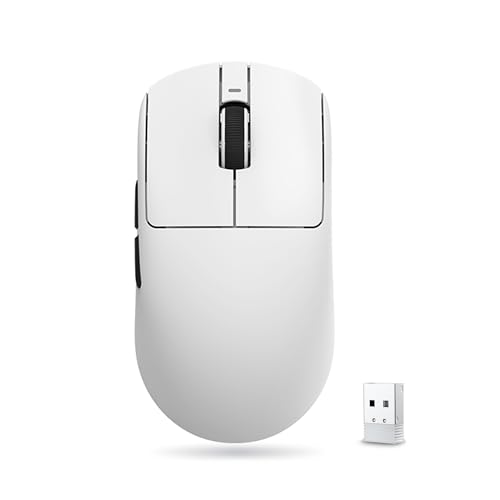
ATK Dragonfly Lightweight Wireless Mouse
Best for: ultralight 2.4GHz gaming with long battery life
- Color
- White (what this guide is about)
- Connectivity
- Wired, 2.4G Wireless
- Maximum DPI
- 26000 DPI
- Weight
- 54g
- Sensor
- PAW3395
- Polling Rate
- 125Hz to 4000Hz
The ATK Dragonfly Lightweight Wireless Mouse is a symmetrical gaming mouse built for small to medium hands. It features a 54-gram chassis, a PAW3395 optical sensor scaling up to 26,000 DPI, and Kailh White Blade microswitches. You get dual-mode connectivity through wired USB or 2.4GHz wireless, with a 500mAh battery providing up to 150 hours of runtime at a 1000Hz polling rate. It suits you if you want a light, high-precision pointer.
Pros
- Weighs 54 grams with a symmetrical body
- PAW3395 optical sensor with 10 to 26,000 DPI range
- Up to 150 hours of battery life at a 1000Hz polling rate
- Equipped with Kailh White Blade microswitches and PTFE feet
Cons
- Polling rates above 1000Hz require a separate 4K receiver
- Lacks Bluetooth connectivity, offering only 2.4GHz wireless and wired modes
- Shell dimensions are sized primarily for small and medium hands
Good fit if
- You have small or medium hands and prefer a 54g lightweight symmetrical shape.
- You want long battery life reaching up to 150 hours in 1000Hz wireless mode.
- You need fine DPI adjustments down to 10-step increments up to 26,000 DPI.
Skip if
- You need Bluetooth support for multi-device pairing without a USB receiver.
- You want 4000Hz polling rates without purchasing an additional receiver.
- You have large hands and prefer an ergonomic or higher-profile shell.
Verdict: ATK Dragonfly Lightweight Wireless Mouse delivers a 54-gram symmetrical build paired with a 26,000 DPI PAW3395 sensor and extended 150-hour battery life. It offers dependable dual-mode tracking for competitive play, provided you do not require Bluetooth.

Strikonx Tri-Mode Wireless Gaming Mouse
Best for: multi-device setups needing lightweight wireless performance
- Color
- White (what this guide is about)
- Connectivity
- 2.4GHz wireless, BT5.3, wired USB
- Maximum DPI
- 12000 DPI
- Weight
- 67g
- Programmable Buttons
- 7
- Polling Rate
- 1000Hz
The Strikonx Tri-Mode Wireless Gaming Mouse delivers multi-device flexibility in a white chassis weighing 67 grams. You can connect across four devices using 2.4GHz wireless, Bluetooth 5.3, or a USB-C wired connection. It features seven programmable buttons, including a dedicated fire button, alongside an optical sensor offering six preset sensitivity levels up to 12,000 DPI. It suits you if you want a lightweight multi-device mouse with customizable RGB backlighting.
Pros
- Tri-mode connectivity via 2.4GHz wireless, Bluetooth 5.3, and USB-C wired
- Lightweight 67g shell with dynamic RGB backlighting
- Supports pairing across up to 4 devices simultaneously
- 7 programmable buttons including a dedicated fire button
- 1000Hz polling rate with sensitivity up to 12,000 DPI
Cons
- Driver software only supports Windows in 2.4GHz and wired modes
- Macro programming and driver configuration are unavailable over Bluetooth
Good fit if
- You switch between multiple PCs, laptops, or mobile devices regularly.
- You prefer a lightweight 67g mouse with palm, claw, or fingertip grip.
- You run Windows over 2.4GHz or wired modes to customize your macros.
Skip if
- You need macro and driver customization on macOS or Linux.
- You plan to rely primarily on Bluetooth for custom key remapping.
Verdict: Strikonx Tri-Mode Wireless Gaming Mouse provides versatile multi-device pairing and a 67g shell for desktop setups. It delivers responsive 1000Hz gaming over 2.4GHz and USB-C, though driver customization is restricted on Bluetooth and non-Windows systems.

Razer Viper V3 Pro 55g Wireless Mouse
Best for: ultra-lightweight competitive gaming at 8000 Hz
- Color
- White (what this guide is about)
- Connectivity
- HyperSpeed Wireless
- Weight
- 55g
- Sensor
- Focus Pro 35K Optical Sensor Gen-2
- Polling Rate
- 8000 Hz
- Battery Life
- Up to 95 hours
The Razer Viper V3 Pro is a white wireless gaming mouse designed for competitive play. You get an ultra-lightweight 55g chassis, an 8000 Hz wireless polling rate, and the Focus Pro 35K optical sensor with 1-DPI step adjustments. It provides up to 95 hours of battery life and Gen-3 optical switches rated for 90 million clicks. It suits you if you want high-polling wireless tracking on surfaces including glass.
Pros
- Ultra-lightweight 55g design
- Up to 8000 Hz wireless polling rate
- Focus Pro 35K optical sensor tracks on glass with 1-DPI steps
- Optical switches rated for 90 million clicks with 0.2 ms actuation
- Up to 95 hours of battery life
Cons
- No Bluetooth connectivity listed
- No RGB lighting listed
Good fit if
- You want an ultra-light 55g white mouse with up to 8000 Hz polling.
- You need tracking capability on glass surfaces with granular 1-DPI tuning.
- You want optical switches rated for 90 million clicks with no debounce delay.
Skip if
- You need Bluetooth connectivity for pairing without a USB dongle.
- You prefer built-in RGB accent lighting.
Verdict: Razer Viper V3 Pro 55g Wireless Mouse pairs an ultra-light 55g build with 8000 Hz polling and a 35K sensor for fast competitive play. Its 95-hour battery life and optical switches make it a focused choice for high-speed tracking.

SOLAKAKA Wireless Honeycomb Gaming Mouse
Best for: multi-device desks needing flexible tri-mode wireless
- Color
- White (what this guide is about)
- Connectivity
- 2.4G wireless, BT5.1, Type-C wired
- Maximum DPI
- 13200 DPI
- Programmable Buttons
- 7
- Polling Rate
- 1000Hz
- Backlighting
- RGB
This white gaming mouse features a vented honeycomb shell and tri-mode connectivity across 2.4GHz wireless, Bluetooth, and USB-C. You can pair and switch between up to four devices. It offers an optical sensor with six DPI presets topping out at 13,200 DPI, seven programmable buttons, and a 1,000Hz polling rate. Powered by a 600mAh rechargeable battery, it fits multi-device setups if you want ventilated grip cooling and custom RGB.
Pros
- Tri-mode connectivity supporting 2.4GHz wireless, Bluetooth, and wired USB-C across four devices
- Up to 1,000Hz polling rate with six DPI steps from 800 to 13,200 DPI
- Built-in 600mAh rechargeable battery with play-and-charge USB-C capability
- Seven programmable buttons with macro software customization
Cons
- Weight of nearly 0.20 pounds (90 grams) is heavy for a hollow honeycomb frame
- DPI settings are limited to six fixed factory presets
Good fit if
- You want to toggle between up to four devices using Bluetooth, 2.4GHz, and USB-C.
- You prefer an open honeycomb shell designed to enhance heat dissipation during long sessions.
Skip if
- You require an ultra-lightweight white mouse weighing under 60 grams.
- You need granular, single-step DPI adjustments rather than pre-configured levels.
Verdict: SOLAKAKA Wireless Honeycomb Gaming Mouse combines flexible tri-mode multi-pairing with 14 RGB lighting effects and a 1,000Hz polling rate. It provides reliable everyday flexibility for multi-machine desks, though its 0.20-pound weight exceeds standard ultralight competition.

Redragon Wireless 12-Button MMO Mouse
Best for: MMO players needing 12 thumb buttons
- Color
- White (what this guide is about)
- Connectivity
- Wireless
- Maximum DPI
- 16000 DPI
- Programmable Buttons
- 16
- Polling Rate
- 125Hz-1000Hz
- Battery Life
- Over 70 hours
This white wireless gaming mouse features 16 programmable buttons, including a dedicated 12-button side grid for complex macros and keybinds. It runs on a rechargeable 1000mAh battery that delivers up to 70 hours of use with the RGB backlighting switched off. With an adjustable optical sensor scaling up to 16,000 DPI and polling rates reaching 1000Hz, this mouse gives you the control and input density required for MMO and strategy games.
Pros
- 12 programmable side buttons for direct macro access
- Adjustable sensitivity up to 16,000 DPI and 40G acceleration
- 1000mAh rechargeable battery rated for over 70 hours with RGB off
- Onboard storage for 5 distinct memory profiles
Cons
- Heavier build at approximately 0.64 pounds
- Full 70-hour battery life requires RGB lighting to stay off
Good fit if
- You need a dedicated 12-button thumb grid for MMO or complex keybinds.
- You want multiple onboard profiles to switch configurations quickly.
- You prefer the flexibility of playing wirelessly or while charging.
Skip if
- You prefer an ultra-lightweight gaming mouse for fast competitive shooters.
- You want a minimal layout without a thumb button cluster.
Verdict: Redragon Wireless 12-Button MMO Mouse provides extensive macro input through its dedicated 12 side buttons, configurable 16,000 DPI sensor, and multiple onboard profiles. It is a practical wireless choice if you want dense keymapping in a white finish.

GravaStar Mercury Wireless Gaming Mouse
Best for: ventilated tri-mode gaming with standard controls
- Color
- White (what this guide is about)
- Connectivity
- 2.4G, Bluetooth, wired
- Maximum DPI
- 26,000 DPI
- Programmable Buttons
- 5
- Sensor
- PAW3395
- Polling Rate
- 1K Hz
The GravaStar Mercury Wireless Gaming Mouse offers a white hollowed-out chassis paired with a 26,000 DPI PAW3395 optical sensor. You can switch between 2.4GHz wireless, Bluetooth, and wired connections, supported by up to 85 hours of battery life and a 1,000 Hz polling rate. With five programmable buttons and onboard RGB lighting, it suits you if you want a ventilated grip and versatile connection choices for your desktop setup.
Pros
- PAW3395 sensor with 26,000 DPI and 1,000 Hz polling rate
- Tri-mode connectivity via 2.4GHz wireless, Bluetooth, and wired
- Up to 85 hours of battery life on a single charge
- Hollowed-out chassis designed for increased airflow
Cons
- Limited to five programmable buttons
- Hollow shell design leaves internal components open to debris
Good fit if
- You want a ventilated, hollowed-out shell to keep your hand cool during play.
- You need three connection modes across 2.4GHz, Bluetooth, and wired USB.
- You prefer standard mouse layouts with five configurable buttons.
Skip if
- You need extra thumb keys or complex macro inputs for MMO games.
- You require a fully sealed exterior casing to block dust ingress.
Verdict: GravaStar Mercury Wireless Gaming Mouse combines a high-precision PAW3395 sensor and tri-mode wireless flexibility inside an open, ventilated frame. It delivers reliable tracking and up to 85 hours of runtime for standard five-button gaming setups.

HyperX Pulsefire Haste 2 Wireless Gaming Mouse
Best for: lightweight dual-wireless white desktop setups
- Color
- White (what this guide is about)
- Connectivity
- 2.4GHz wireless, Bluetooth, USB-C
- Maximum DPI
- 26,000 DPI
- Weight
- 61g
- Programmable Buttons
- 6
- Sensor
- HyperX 26K Sensor
View on Amazon: HyperX Pulsefire Haste 2 Wireless Gaming Mouse
The HyperX Pulsefire Haste 2 Wireless is a lightweight white gaming mouse weighing 61 grams with a solid shell design. It offers dual wireless connections via 2.4GHz and Bluetooth, alongside a wired USB-C mode. The mouse features a 26,000 DPI HyperX 26K sensor, switches rated for 100 million clicks, and up to 100 hours of battery life. It suits you if you want a lightweight white mouse with extended battery runtime.
Pros
- Weighs 61 grams with a solid upper shell
- Up to 100 hours of battery life on a full charge
- HyperX 26K sensor tracks up to 26,000 DPI and 650 IPS
- Supports 2.4GHz wireless, Bluetooth, and wired USB-C connections
- Includes virgin PTFE skates and 4 pieces of grip tape
Cons
- Limited to 6 programmable buttons
- Configuration relies on HyperX NGENUITY software
Good fit if
- You want a 61-gram white mouse with a solid shell rather than a honeycomb design.
- You need both 2.4GHz wireless and Bluetooth connectivity options.
- You require long battery life reaching up to 100 hours.
Skip if
- You need a high button count for MMO keybindings.
- You prefer an ergonomic shape with an integrated thumb rest.
Verdict: HyperX Pulsefire Haste 2 Wireless Mouse delivers a 61-gram solid-shell build with a 26,000 DPI sensor and up to 100 hours of battery life. It provides versatile wireless connectivity for clean desktop setups.

Attack Shark Ultra-Light Wireless Mouse
Best for: lightweight tri-mode gaming without local software
- Color
- White (what this guide is about)
- Connectivity
- USB-C, 2.4GHz wireless, Bluetooth
- Maximum DPI
- 22,000 DPI
- Weight
- 59g
- Sensor
- PixArt PAW3311
- Use
- Gaming
This white gaming mouse weighs 59 grams and connects through 2.4GHz wireless, Bluetooth, or a wired USB-C cable. It features a PixArt PAW3311 optical sensor capable of tracking up to 22,000 DPI at 400 IPS and 40g acceleration. Settings configure through a web browser cloud driver without desktop software downloads. It suits you if you want a lightweight tri-mode mouse for palm, claw, or fingertip grip styles without installing local configuration utilities.
Pros
- Weighs 59 grams without an external dock
- PixArt PAW3311 sensor with up to 22,000 DPI and 400 IPS tracking
- Tri-mode connectivity via 2.4GHz wireless, Bluetooth, and wired USB-C
- Web-based cloud driver configuration requires no local software install
Cons
- Does not include a dedicated charging dock
- Huano switches rated for 20 million clicks
Good fit if
- You want a 59-gram mouse with tri-mode wireless connectivity.
- You prefer adjusting mouse settings in a web browser without local software.
- You use palm, claw, or fingertip grips on a 128 mm chassis.
Skip if
- You want a mouse that includes a dedicated magnetic charging base.
- You require micro switches rated higher than 20 million clicks.
Verdict: Attack Shark Lightweight Wireless Mouse delivers a 59-gram build, tri-mode wireless connectivity, and 22,000 DPI tracking via browser-based configuration. It provides flexible grip support and solid sensor specs without requiring installed desktop utility software.

SOLAKAKA Honeycomb Wired Gaming Mouse
Best for: gamers wanting ventilated wired macro control
- Color
- White (what this guide is about)
- Connectivity
- Wired USB
- Maximum DPI
- 12800 DPI
- Polling Rate
- 1000Hz
- Backlighting
- RGB
- Use
- Gaming
This white wired mouse features a three-sided honeycomb perforated shell made of ABS material to improve ventilation during long sessions. It offers six adjustable sensitivity levels up to 12800 DPI and a polling rate reaching 1000Hz. You also get 14 selectable RGB lighting modes and support for macro remapping. It suits you if you want a ventilated, wired peripheral with high-resolution tracking and customizable button profiles.
Pros
- Up to 12800 DPI across six adjustable levels
- 1000Hz maximum polling rate
- Perforated three-sided honeycomb shell design
- 14 selectable RGB rainbow lighting effects
- Four-mode profile switching between office and gaming presets
Cons
- Wired USB connection only with no wireless modes
- Macro software required to set up gaming mode button remapping
Good fit if
- You prefer a wired USB setup without battery charging requirements.
- You want a perforated honeycomb shell for airflow during play.
- You need high sensitivity tracking reaching up to 12800 DPI.
Skip if
- You prefer a wireless connection for cable-free movement.
- You prefer a solid, non-perforated mouse exterior.
Verdict: SOLAKAKA Honeycomb Wired Gaming Mouse delivers up to 12800 DPI and a 1000Hz polling rate inside a ventilated shell. It provides straightforward wired operation alongside 14 lighting presets and macro profile switching.

TMKB Falcon Honeycomb Wired Gaming Mouse
Best for: ventilated, lightweight wired gaming setups
- Color
- White (what this guide is about)
- Connectivity
- Wired
- Maximum DPI
- 12800 DPI
- Weight
- 75g
- Programmable Buttons
- 6
- Polling Rate
- 125-1000Hz
The TMKB Falcon Wired Honeycomb Gaming Mouse gives you an open-shell chassis paired with a flexible paracord cable. Its optical sensor offers an adjustable sensitivity range from 200 to 12800 DPI alongside a polling rate up to 1000Hz. At 75 grams, this mouse suits you if you want a lightweight wired pointer with six programmable buttons, multi-layer configuration profiles, and music-reactive RGB lighting.
Pros
- 75-gram lightweight honeycomb shell
- Adjustable optical tracking from 200 to 12800 DPI
- Configurable polling rate between 125Hz and 1000Hz
- Six programmable buttons with four configuration layers
- Drag-free paracord cable with smooth mouse skates
Cons
- Wired USB connection only with no wireless option
- Maximum sensor resolution capped at 12800 DPI
Good fit if
- You want a 75-gram ventilated honeycomb shell with a flexible paracord cable.
- You need programmable buttons supported by four configuration profile layers.
- You prefer an optical sensor adjustable up to 1000Hz polling.
Skip if
- You want a cord-free wireless connection.
- You require optical tracking sensitivities beyond 12800 DPI.
Verdict: TMKB Falcon Wired Honeycomb Gaming Mouse delivers a ventilated 75-gram wired design with flexible tracking up to 12800 DPI. It provides dependable programmable control without requiring battery charging.

Redragon Honeycomb Lightweight Wireless Mouse
Best for: ultralight tri-mode wireless gaming setups
- Color
- White (what this guide is about)
- Connectivity
- 2.4GHz, Bluetooth, Type-C wired
- Maximum DPI
- 8000 DPI
- Weight
- 49g
- Programmable Buttons
- 5
- Use
- Gaming
View on Amazon: Redragon Honeycomb Lightweight Wireless Mouse
This white gaming mouse features a ventilated honeycomb shell and weighs 49 grams. It offers tri-mode connectivity via 2.4GHz wireless, Bluetooth, and a Type-C wired connection. The sensor reaches up to 8000 DPI across five adjustable levels, and five programmable buttons handle your custom key bindings. It suits you if you want an ultralight symmetrical mouse with flexible connection options for gaming and daily tasks across multiple devices.
Pros
- Weighs 49 grams with a ventilated honeycomb shell
- Tri-mode connectivity via 2.4GHz wireless, Bluetooth, and Type-C wired
- Five programmable buttons with macro customization support
- Sensor adjustable up to 8000 DPI with five default levels
Cons
- Maximum sensitivity tops out at 8000 DPI
- Offers five buttons, limiting complex macro setups
- Open honeycomb design exposes the internal housing
Good fit if
- You want an ultralight 49-gram mouse with a symmetrical shape.
- You need tri-mode switching between 2.4GHz, Bluetooth, and USB-C wired modes.
- You prefer a vented honeycomb shell to maximize airflow.
Skip if
- You require sensor tracking speeds above 8000 DPI.
- You need more than five programmable buttons for MMO or complex macros.
- You prefer a solid outer shell without cutout holes.
Verdict: Redragon Honeycomb Wireless Mouse provides an ultra-lightweight 49-gram build and versatile tri-mode connectivity for multi-device setups. Its 8000 DPI sensor and five programmable buttons cover everyday gaming requirements without added bulk.
Specifications side by side
| Spec | Logitech G305 Lightspeed Wireless Mouse | Redragon Wireless MMO Gaming Mouse | Razer Orochi V2 Wireless Gaming Mouse | Logitech G PRO X Superlight 2 Wireless Mouse | ATK Dragonfly Lightweight Wireless Mouse | Strikonx Tri-Mode Wireless Gaming Mouse | Razer Viper V3 Pro 55g Wireless Mouse | SOLAKAKA Wireless Honeycomb Gaming Mouse | Redragon Wireless 12-Button MMO Mouse | GravaStar Mercury Wireless Gaming Mouse | HyperX Pulsefire Haste 2 Wireless Gaming Mouse | Attack Shark Ultra-Light Wireless Mouse | SOLAKAKA Honeycomb Wired Gaming Mouse | TMKB Falcon Honeycomb Wired Gaming Mouse | Redragon Honeycomb Lightweight Wireless Mouse |
|---|---|---|---|---|---|---|---|---|---|---|---|---|---|---|---|
| Connectivity | LIGHTSPEED Wireless | 2.4GHz wireless, USB-C wired | Bluetooth, Razer HyperSpeed Wireless | Wireless | Wired, 2.4G Wireless | 2.4GHz wireless, BT5.3, wired USB | HyperSpeed Wireless | 2.4G wireless, BT5.1, Type-C wired | Wireless | 2.4G, Bluetooth, wired | 2.4GHz wireless, Bluetooth, USB-C | USB-C, 2.4GHz wireless, Bluetooth | Wired USB | Wired | 2.4GHz, Bluetooth, Type-C wired |
| Maximum DPI | 12,000 DPI | 16000 DPI | 18K DPI | 44,000 DPI | 26000 DPI | 12000 DPI | not specified | 13200 DPI | 16000 DPI | 26,000 DPI | 26,000 DPI | 22,000 DPI | 12800 DPI | 12800 DPI | 8000 DPI |
| Weight | 3.36 ounces | not specified | 60g | 60 g | 54g | 67g | 55g | not specified | not specified | not specified | 61g | 59g | not specified | 75g | 49g |
| Programmable Buttons | not specified | 16 | not specified | not specified | not specified | 7 | not specified | 7 | 16 | 5 | 6 | not specified | not specified | 6 | 5 |
| Sensor | HERO | PixArt 3335 | Razer 5G Advanced | HERO 2 | PAW3395 | not specified | Focus Pro 35K Optical Sensor Gen-2 | not specified | not specified | PAW3395 | HyperX 26K Sensor | PixArt PAW3311 | not specified | not specified | not specified |
| Polling Rate | not specified | not specified | not specified | 8 kHz | 125Hz to 4000Hz | 1000Hz | 8000 Hz | 1000Hz | 125Hz-1000Hz | 1K Hz | not specified | not specified | 1000Hz | 125-1000Hz | not specified |
| Battery Life | up to 250 hours | 45 to 80 hours | Up to 950 hours | 95 hours | Up to 150 hours | not specified | Up to 95 hours | not specified | Over 70 hours | Up to 85 hours | Up to 100 hours | not specified | not specified | not specified | not specified |
| Backlighting | not specified | RGB | not specified | not specified | not specified | RGB | not specified | RGB | RGB | not specified | not specified | not specified | RGB | not specified | not specified |
| Use | Gaming | Gaming | Gaming | Gaming | Gaming | Gaming | Gaming | Gaming | Gaming | Gaming | Gaming | Gaming | Gaming | Gaming | Gaming |
| Color | White | White | White | White | White | White | White | White | White | White | White | White | White | White | White |
| Game Genre | not specified | MMO | not specified | not specified | not specified | not specified | not specified | not specified | MMO | not specified | not specified | not specified | not specified | not specified | not specified |
| Shell Design | not specified | not specified | not specified | not specified | not specified | not specified | not specified | not specified | not specified | not specified | not specified | not specified | not specified | Honeycomb | Honeycomb |
| Operating System | not specified | not specified | not specified | not specified | not specified | Mac | not specified | Mac | not specified | not specified | not specified | not specified | not specified | not specified | not specified |
| Power Source | not specified | not specified | not specified | not specified | not specified | not specified | not specified | not specified | Rechargeable | not specified | not specified | not specified | not specified | not specified | not specified |
| Dimensions | 2.45 × 1.5 × 4.6 inches | not specified | 4.26 × 1.52 × 2.47 inches | 1.57 × 2.5 × 4.92 inches | not specified | not specified | 4.75 × 2.5 × 0.1 inches | 4.88 × 2.76 × 1.61 inches | not specified | 4.88 × 2.54 × 1.56 inches | 4.9 × 2.6 × 1.5 inches | not specified | not specified | 4.91 × 2.48 × 0.1 inches | 4.76 × 2.52 × 0.1 inches |
| Length | not specified | not specified | not specified | not specified | 4.72 inches | not specified | not specified | not specified | not specified | not specified | not specified | 3.54 inches | 4.88 inches | not specified | not specified |
| Width | not specified | not specified | not specified | not specified | 2.51 inches | not specified | not specified | not specified | not specified | not specified | not specified | 2.76 inches | 2.76 inches | not specified | not specified |
| Size | 4.6" x 2.4" x 1.5" | Wireless M913 | Mouse | Classic | not specified | not specified | not specified | SM600 | M901PWS | not specified | Wireless | 128*64*40mm | not specified | Wired | not specified |
| Model | 910-005289 | M913 | RZ01-03730400-R3U1 | 910-006636 | ATK R1 Series | SC620 | RZ01-05120200-R3U1 | SM600 | M901P-WS | GravaStar M2 | 6N0A9AA | X11SE | SM900 | M1SE | M725W |
If you are looking for matching peripherals, see our guide to the best white gaming chairs.
How to Choose the Best White Gaming Mouse
-
Wireless Modes and Pairing
Check which wireless connections your desk requires before choosing a mouse. Tri-mode models include 2.4GHz wireless, Bluetooth, and wired USB modes. Bluetooth lets you switch easily between a laptop and a tablet without moving USB receivers. Dedicated 2.4GHz dongles provide lower latency for competitive gaming sessions. If you only play on a single desktop computer, dual-mode options like the ATK Dragonfly Lightweight Wireless Mouse skip Bluetooth to streamline firmware. Verify that the wireless protocols match your multi-device setup so you avoid manual cable swapping during daily work.
-
Checking Maximum Polling Rate
Examine the maximum polling rate specification to balance tracking responsiveness against system workload. A standard 1,000 Hz polling rate reports cursor data once every millisecond, which satisfies most desktop gaming setups. Competitive displays with high refresh rates benefit from higher report rates, such as 8,000 Hz on the Logitech G PRO X Superlight 2 Wireless Mouse. Keep in mind that polling rates above 1,000 Hz consume more battery power and demand more processing overhead from your computer. Select a higher report frequency only if your hardware supports sustained high-speed data transmission.
-
Ventilated versus Solid Shells
Evaluate whether your grip style favors a traditional solid exterior or an open, ventilated shell. Solid bodies enclose internal components completely, preventing dust and debris from reaching the circuit board during everyday use. Ventilated structures, like the open frame on the GravaStar Mercury Wireless Gaming Mouse, increase airflow across your palm during extended sessions. Open chassis designs alter tactile finger contact and palm friction. If you frequently game in warmer rooms or experience palm perspiration, open shell cutouts offer ventilation, while solid shells offer seamless exterior surfaces that require less frequent interior cleaning.
-
Wired Operation versus Wireless Freedom
Decide if you prefer continuous tethered power or cordless movement across your desk. Wired options eliminate battery management entirely, drawing power directly through an attached USB cable for uninterrupted play. The TMKB Falcon Honeycomb Wired Gaming Mouse demonstrates this approach, providing steady tracking without the need to monitor battery levels or plug in recharging cables mid-match. Wireless designs grant greater desk mobility and cleaner aesthetics, but they require periodic recharging or battery replacements. Choose a wired mouse if you want constant reliability at a fixed desk without monitoring power reserves.
-
RGB Lighting Power Draw
Consider how illuminated accents affect your overall power consumption on wireless devices. Decorative RGB illumination adds colorful desk accents and visible profile indicators, but active LEDs consume battery reserves much faster than non-backlit peripherals. Peripherals like the Strikonx Tri-Mode Wireless Gaming Mouse include RGB backlighting that can be adjusted or toggled off to extend cordless sessions. If you want maximum runtime between charges, look for mice with neutral non-illuminated shells or disable lighting effects in your device configuration. Choose backlighting only if custom desk lighting takes priority over maximum operational hours.
-
Evaluating Sensor DPI Ceilings
Review the maximum DPI rating to ensure the optical sensor matches your screen resolution and sensitivity preferences. High DPI ceilings allow swift cursor traversal across wide multi-monitor arrangements without demanding broad hand movements across your mouse pad. The HyperX Pulsefire Haste 2 Wireless Gaming Mouse offers up to 26,000 DPI, giving you granular sensitivity adjustments. Most players set actual tracking values between 400 and 1,600 DPI for precise aiming, so massive ceiling figures serve primarily as benchmarks of sensor tracking accuracy. Choose higher-spec sensors if you run ultra-high-resolution monitors or low physical hand travel.
Frequently asked questions
What is the highest polling rate available on a white gaming mouse?
The highest polling rate on this list is 8000 Hz, found on models like the Logitech G PRO X Superlight 2 and the Razer Viper V3 Pro. An 8000 Hz polling rate transmits data to your computer eight times faster than standard 1000 Hz gaming mice. This high frequency reduces input latency during fast tracking, though it requires a capable system processor.
Which white gaming mouse works well for multi-device setups?
The Strikonx Tri-Mode Wireless Gaming Mouse and SOLAKAKA Wireless Honeycomb Gaming Mouse both provide multi-device pairing options alongside Mac operating system compatibility. These mice let you toggle between different machines using flexible wireless connections. The Strikonx shell weighs 67 grams, while the SOLAKAKA SM600 incorporates 14 RGB lighting effects and a 1,000 Hz polling rate for everyday productivity and gaming.
Can you get a white gaming mouse with a ventilated honeycomb shell?
Yes, you can choose between wired and wireless white mice with open honeycomb or ventilated frames. The TMKB Falcon Honeycomb Wired Gaming Mouse uses a ventilated shell at 75 grams with tracking up to 12,800 DPI. For wireless setups, the GravaStar Mercury Wireless Gaming Mouse features a ventilated frame, a PAW3395 sensor, and up to 85 hours of battery runtime.
Which white gaming mouse offers flexible battery options?
The Razer Orochi V2 Wireless Gaming Mouse supports swappable battery setups using either a single AA or AAA battery. This hybrid power slot lets you manage total mouse weight or extend operating life on portable setups without carrying a charging cable. Its lightweight chassis weighs 0.13 pounds, making it practical to pack and maintain while traveling.
What is the highest DPI sensor available in a white gaming mouse?
The Logitech G PRO X Superlight 2 Wireless Mouse features the highest sensitivity on this list with its 44,000 DPI HERO 2 sensor. High maximum DPI settings allow micro-adjustments across multi-monitor setups or high-resolution displays. Other competitive white models also offer elevated sensitivity levels, such as the Razer Viper V3 Pro with its 35,000 DPI optical sensor.
Are there white gaming mice that configure without desktop software?
Yes, the Attack Shark Ultra-Light Wireless Mouse configures directly through a web browser instead of requiring locally installed software utilities. This feature allows you to adjust its 22,000 DPI tracking sensor and wireless settings across different computers without administrative installation privileges. It also features a light 59-gram chassis and flexible tri-mode wireless connectivity.
How much do lightweight white gaming mice usually weigh?
Dedicated ultralight white gaming mice generally weigh between 54 and 67 grams. For example, the ATK Dragonfly Lightweight Wireless Mouse weighs just 54 grams, while the HyperX Pulsefire Haste 2 Wireless Gaming Mouse weighs 61 grams. These lighter shells minimize wrist fatigue and allow faster gliding during rapid competitive gameplay across wide desk surfaces.