Best Macally Keyboards in 2026: 3 Picks Compared
As an Amazon Associate we earn from qualifying purchases. Links on this page are affiliate links.
Macally makes slim, quiet keyboards rather than mechanical ones, and none of the 3 here is listed as mechanical. Our top pick is the full-size Bluetooth keyboard, because it connects to three devices, has 110 keys with a number pad and recharges, listing about three months per charge, for $49.99 at our last check. To spend less, the compact 2.4G keyboard was $19.99. If you also need a mouse, look at the $29.99 combo. These picks rely on listed specs and prices, and we have not tested them.
Our top pick: Macally Full-Size Wireless Bluetooth Keyboard.
Quick picks
| # | Product | Best for | Price |
|---|---|---|---|
| 1 | Macally Full-Size Wireless Bluetooth Keyboard Best overall | Mac and multi-device desks | Check price of Macally Full-Size Wireless Bluetooth Keyboard on Amazon |
| 2 | Macally Compact 78-Key Wireless Keyboard Best budget | Basic PC use | Check price of Macally Compact 78-Key Wireless Keyboard on Amazon |
| 3 | Macally Compact Wireless Keyboard and Mouse Best with mouse | A simple starter set | Check price of Macally Compact Wireless Keyboard and Mouse on Amazon |
Our 3 picks

Macally Full-Size Wireless Bluetooth Keyboard
Best for: Mac and multi-device desks
- Switch Type
- Scissor
- Form Factor
- Full-size
- Connectivity
- Bluetooth
- Color
- White
- Operating System
- Mac
- Power Source
- Rechargeable
View on Amazon: Macally Full-Size Wireless Bluetooth Keyboard Affiliate link
This full-size Bluetooth keyboard is our top pick for most people. It connects to three devices, has 110 keys with 20 shortcuts and a number pad, and stays only 15 millimeters thick. Its built-in battery lists about three months at three hours a day, and its scissor keys aim for quiet, responsive typing.
Pros
- Connects to three devices
- Number pad and 20 shortcuts
- Rechargeable battery
- Works with Mac and Windows
Cons
- Not mechanical
- No backlight listed
Good fit if
- You use a Mac
- You switch between devices
Skip if
- You want mechanical keys
- You want a compact keyboard
Verdict: The most useful Macally here.
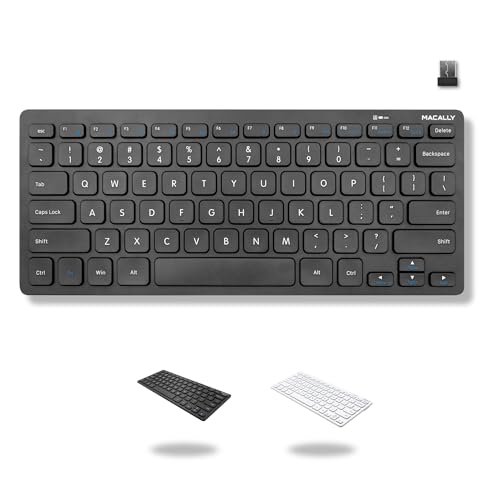
Macally Compact 78-Key Wireless Keyboard
Best for: Basic PC use
- Form Factor
- Compact 78-key
- Connectivity
- 2.4GHz USB wireless
- Color
- Black
View on Amazon: Macally Compact 78-Key Wireless Keyboard Affiliate link
This compact keyboard was the lowest-priced pick here at our last check. It has a 78-key layout with 12 shortcuts, a 2.4GHz USB-A dongle and no number pad. It runs on one included AAA battery with an on/off switch, and it needs no drivers on a PC or Chromebook.
Pros
- Lowest price here at last check
- Compact 78-key layout
- No drivers needed
- AAA battery included
Cons
- No number pad
- Needs a USB-A port
Good fit if
- You want a small, cheap keyboard
- You use a PC or Chromebook
Skip if
- You use a Mac
- You want Bluetooth
Verdict: A simple low-cost keyboard for a PC.
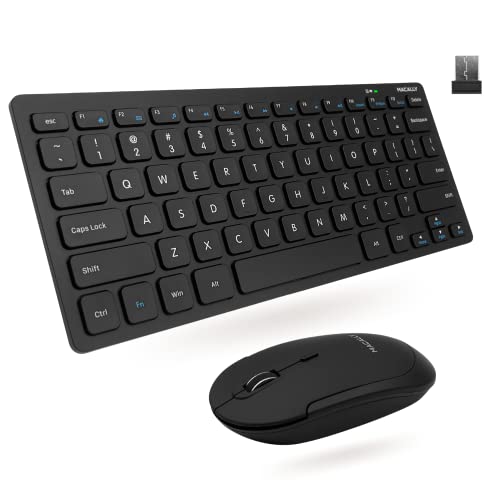
Macally Compact Wireless Keyboard and Mouse
Best for: A simple starter set
- Connectivity
- Wireless
- Form Factor
- Mini
- Color
- Black
- Noise Level
- Silent
- Dimensions
- 0.79 × 1.18 × 0.5 inches
- Weight
- 12 ounces
View on Amazon: Macally Compact Wireless Keyboard and Mouse Affiliate link
This combo pairs a 78-key compact keyboard with a quiet mouse that has three DPI modes. One USB dongle runs both over 2.4GHz, with a listed 30-foot range. The keyboard has slim scissor keys, 12 shortcuts and LED indicators, and the listing includes lifetime support and up to a 2-year warranty.
Pros
- Includes keyboard and mouse
- One shared USB dongle
- Quiet click mouse
- Lifetime support listed
Cons
- No number pad
- Designed for PC
Good fit if
- You need a keyboard and mouse together
- You want a simple desk set
Skip if
- You already own a mouse
- You use a Mac
Verdict: A handy low-cost set for a basic desk.
Specifications side by side
| Spec | Macally Full-Size Wireless Bluetooth Keyboard | Macally Compact 78-Key Wireless Keyboard | Macally Compact Wireless Keyboard and Mouse |
|---|---|---|---|
| Switch Type | Scissor | not stated | not stated |
| Form Factor | Full-size | Compact 78-key | not stated |
| Connectivity | Bluetooth | 2.4GHz USB wireless | not stated |
| Color | White | Black | Black |
| Operating System | Mac | not stated | not stated |
| Noise Level | not stated | not stated | Silent |
| Power Source | Rechargeable | not stated | not stated |
| Dimensions | 6.5 × 0.98 × 17.1 inches | not stated | 0.79 × 1.18 × 0.5 inches |
| Weight | 1.35 pounds | not stated | 12 ounces |
| Size | Full-size (Multisync|bluetooth) | not stated | Compact Combo |
| Model | ACEBTKEY | not stated | RFCOMPACTKEYCB |
How Macally's lineup breaks down
The Bluetooth keyboard is designed with Mac users in mind, and it adds a number pad, 20 shortcut keys and a rechargeable battery at a slim 15 millimeters.
The compact models use a 2.4GHz USB dongle and share a 78-key layout with 12 shortcut keys. One comes alone and takes a single AAA battery. The other adds a mouse with three DPI settings.
How Macally compares with other brands
Macally stands out for its Mac-friendly full-size keyboard, which connects to three devices for $49.99 at our last check. The compact models are simple low-cost options for a PC or Chromebook.
If you want mechanical switches, hot-swap sockets or RGB lighting, Macally is not the right brand. These are quiet office keyboards with scissor-style keys, so they suit everyday typing better than gaming.
If you prefer a portable screen setup, you can compare specs for the best tablets with keyboard.
How to choose a Macally keyboard
-
Match it to your computer
Choose the Bluetooth model if you use a Mac or several Bluetooth devices. The compact keyboard lists any PC or Chromebook with a USB-A port, and the combo is designed for PC.
-
Decide if you need a number pad
Only the Bluetooth keyboard has one. The 78-key compact boards save desk space but give up the number pad.
-
Compare power options
The Bluetooth model recharges and lists about three months at three hours a day. The compact keyboard uses one AAA battery, which is included.
-
Check the warranty on the combo
The combo lists lifetime support and up to a 2-year warranty. Check the terms on the listing, since that detail does not appear on every product here.
Frequently asked questions
What is the best Macally keyboard?
The full-size Bluetooth keyboard is our top pick because it connects to three devices, has a number pad and recharges. Choose the compact 2.4G model to spend less.
Are Macally keyboards mechanical?
None of these 3 is listed as mechanical. The Bluetooth model and combo describe scissor-style keys.
Which Macally keyboard is cheapest?
The compact 2.4G keyboard was the lowest at $19.99 at our last check. It uses a USB-A dongle and one AAA battery.
Does the Macally Bluetooth keyboard work with a Mac?
Yes. Its listing is written for Mac and also lists Windows, and it can connect to three Bluetooth devices.
Does the compact keyboard work with a tablet?
Its listing names PC and Chromebook with a USB-A port, not tablets. Choose the Bluetooth model if you want to use one.