Best EPOMAKER Mechanical Keyboards for Gaming: 12 Spec-Based Picks
As an Amazon Associate we earn from qualifying purchases. Links on this page are affiliate links.
Finding the best EPOMAKER mechanical keyboards for gaming requires looking at published specifications rather than marketing claims. We compared 12 models to help you choose based on build quality, layout, and switch type. The EPOMAKER Aula F75 75% Wireless Keyboard leads this list because its gasket mount and five-layer padding deliver refined acoustics. These picks are based strictly on the specs listed on each product page. This guide helps you decide which board fits your desk space and typing preferences.
Quick picks
The best fit for you
- You want the best overall compact gaming keyboard EPOMAKER Aula F75 75% Wireless Keyboard Its gasket mount and five-layer padding provide acoustic refinement in a 75% form factor.
- You need a split ergonomic design for comfort EPOMAKER Split70 Ergonomic Gasket Keyboard The Split70 offers a split layout with QMK/VIA support for customizable ergonomic typing.
- You require a full-size board with a numpad EPOMAKER Galaxy100 Wireless Aluminum Keyboard The Galaxy100 provides a full-size layout with a numpad and wireless convenience.
- You prioritize silent operation in a compact layout EPOMAKER TH80 V2 Pro 75% Wireless Keyboard The TH80 V2 PRO features silent switches and a large battery for quiet gaming.
Our 12 picks

EPOMAKER Aula F75 75% Wireless Keyboard
Best for: Compact gaming setups needing acoustic refinement
- Use
- Gaming (what this guide is about)
- Switch Type
- LEOBOG Reaper Switch
- Form Factor
- 75%
- Connectivity
- Bluetooth, 2.4GHz, USB-C
- Backlighting
- RGB
- Keycap Material
- Double-shot PBT
The EPOMAKER F75 is a 75% wireless mechanical keyboard designed for gaming. It features a gasket mount structure and five-layer padding for reduced noise. The board includes a 4000mAh battery and supports Bluetooth, 2.4GHz, and wired connections. It uses LEOBOG Reaper switches with double-shot PBT keycaps. A multimedia knob adds control. This compact layout fits streamlined desks while retaining essential keys.
Pros
- Gasket mount structure for flexible typing feel
- Four-layer sound dampening with Poron foam
- 4000mAh battery for extended wireless use
- Triple connectivity via Bluetooth, 2.4GHz, and USB-C
- Full-key hot-swappable sockets for switch customization
Cons
- 75% layout omits the numpad
- No mention of QMK or VIA programmability
- No dedicated software mentioned for macro configuration
Good fit if
- You want a compact board with a numpad alternative
- You prefer tactile feedback from gasket mounting
- You need wireless freedom with a large battery
Skip if
- You require a full-size numpad for data entry
- You need deep software customization for macros
- You prefer a low-profile or tenkeyless layout
Verdict: EPOMAKER F75 75% Gasket Gaming Keyboard suits gamers who value acoustic refinement and wireless flexibility in a compact form. It delivers a premium typing feel through its gasket mount and five-layer padding, making it ideal for those who prioritize sound quality and switch customization over a full numpad.

EPOMAKER 75% Wireless Gasket Keyboard with Screen
Best for: Compact gaming with screen and knob
- Use
- Gaming (what this guide is about)
- Switch Type
- Linear Reaper switch
- Form Factor
- 75%
- Connectivity
- Bluetooth, 2.4GHz wireless, wired
- Backlighting
- RGB
- Hot-Swap Support
- Hot-Swappable
View on Amazon: EPOMAKER 75% Wireless Gasket Keyboard with Screen
This 75% wireless keyboard pairs a gasket mount with a TFT screen and volume knob. It uses linear Reaper switches and supports hot-swappable 3-pin or 5-pin mechanical switches. You get Bluetooth, 2.4GHz, and wired modes with 1000Hz polling in wired and 2.4GHz connections. The layout offers 80 keys and south-facing RGB backlighting for gaming and typing.
Pros
- Gasket mount with flex-cut PC plate
- TFT smart display and volume knob
- Hot-swappable 3/5-pin switch sockets
- 1000Hz polling rate in wired mode
- Factory-lubed linear Reaper switches
Cons
- 75% layout lacks numpad
- Screen consumes battery life
- Software required for full customization
Good fit if
- You want a compact layout with screen
- You prefer gasket mount typing feel
- You need hot-swap switch support
Skip if
- You require a full-size numpad
- You dislike wireless connectivity
- You want a pre-lubed board with no software
Verdict: EPOMAKER F75 MAX 75% Gaming Keyboard fits gamers who want a compact layout with a screen and knob. It offers gasket mounting and hot-swap sockets for customization.

EPOMAKER AegisSil Silicone Keycap Set
Best for: Gaming setups prioritizing quiet, soft typing
- Use
- Gaming (what this guide is about)
- Form Factor
- Full-Size
- Color
- Blue
- Dimensions
- 5.91 × 14.8 × 1.38 inches
The EPOMAKER AegisSil is a 113-key silicone keycap set designed for mechanical keyboards. It features Cherry profile heights and a semi-transparent finish that diffuses backlighting. The material cushions finger pressure and reduces impact noise compared to hard plastic. It fits standard 60%, TKL, and full-size layouts with MX-style switches. You should choose this if you want a quieter, softer typing feel for gaming or office use.
Pros
- Silicone material reduces noise and fatigue
- Cherry profile with ergonomic height differences
- Semi-transparent legends for soft backlight diffusion
- Compatible with 60%, TKL, and full-size layouts
Cons
- Silicone surface attracts dust easily
- Sold as a keycap set, not a complete keyboard
- Only available in Blue color
Good fit if
- You want to reduce typing noise in shared spaces
- You prefer a softer, cushioned typing feel
- You have a standard mechanical keyboard needing replacement keys
Skip if
- You need a complete keyboard rather than just keycaps
- You prefer the tactile feedback of hard plastic
- You want a keyboard with built-in wireless connectivity
Verdict: EPOMAKER AegisSil Silicone Keycap Set offers a unique soft-touch alternative for gamers seeking noise reduction. It suits those who prioritize comfort and quiet operation over traditional rigid keycap materials.

EPOMAKER Galaxy100 Wireless Aluminum Keyboard
Best for: Full-size layouts with numpads and knobs
- Use
- Gaming (what this guide is about)
- Switch Type
- Linear
- Form Factor
- 1800
- Connectivity
- 2.4Ghz wireless, BT, USB-C
- Backlighting
- RGB
- Keycap Material
- PBT
View on Amazon: EPOMAKER Galaxy100 Wireless Aluminum Keyboard
The EPOMAKER Galaxy100 is a 1800 layout mechanical keyboard with an aluminum shell. It uses QMK/VIA software for deep customization and supports 2.4GHz, Bluetooth, and USB-C connections. The 8000mAh battery ensures long wireless use. You will get south-facing RGB and hot-swappable linear switches. This model suits gamers who want a full-size layout with a numpad and extensive control options.
Pros
- 1800 layout includes numpad and metal knob
- QMK/VIA support for remapping and macros
- 8000mAh battery for long wireless life
- Aluminum alloy shell with gasket mount
- Hot-swappable PCB with pre-lubed linear switches
Cons
- Large 1800 form factor takes desk space
- No mention of Hall Effect sensors
- No mention of TFT screen or display
Good fit if
- You need a numpad for data entry
- You want deep software customization via QMK/VIA
- You prefer a heavy aluminum build
Skip if
- You want a compact 60% or 65% layout
- You prefer magnetic Hall Effect switches
- You want a built-in screen for stats
Verdict: The EPOMAKER Galaxy100 QMK 1800 Wireless is a large, feature-rich board for gamers who need a numpad and deep customization. It fits those who value build quality and battery life over compact size.
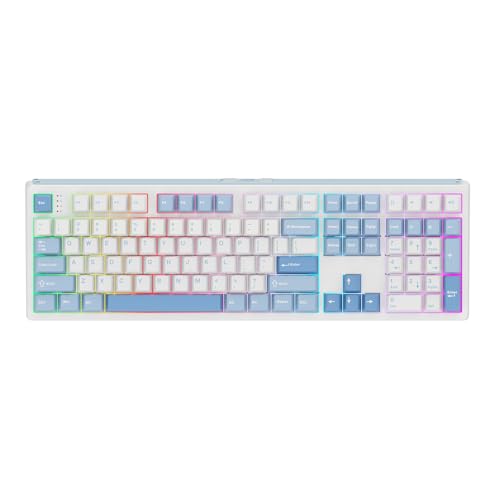
EPOMAKER Full-Size Gasket Wireless Keyboard
Best for: Full-size gaming with long battery life
- Use
- Gaming (what this guide is about)
- Switch Type
- Sea Salt Silent
- Form Factor
- Full-size
- Connectivity
- Tri-mode wireless, 2.4GHz, cable
- Backlighting
- RGB
- Keycap Material
- Double-shot PBT
The EPOMAKER TH108 is a full-size mechanical keyboard designed for gaming and office use. It features a 10000mAh battery, tri-mode wireless connectivity, and hot-swappable switches. The gasket mount design provides a creamy sound profile, while double-shot PBT keycaps ensure durability. This keyboard suits users who need a large layout with stable wireless performance and customizable lighting.
Pros
- 10000mAh battery for extended wireless use
- Tri-mode connectivity with 2.4GHz and Bluetooth
- Hot-swappable PCBA for switch customization
- Gasket mount with 5-layer padding for sound dampening
- Double-shot PBT keycaps with unfading colors
Cons
- Heavy plastic body weighing over 1.2kg
- No dedicated media keys or TFT screen
- Silent switches may lack tactile feedback for some gamers
Good fit if
- You need a full-size layout with numpad
- You want a large battery for long wireless sessions
- You prefer a stable, heavy keyboard for gaming
Skip if
- You prioritize a lightweight portable design
- You need a compact 60% or 75% layout
- You require tactile or clicky switch feedback
Verdict: EPOMAKER TH108 Full-Size Wireless Keyboard is a solid choice for gamers who need a full-size layout with a large battery and stable wireless connection. It fits users who value a heavy, stable build and customizable switches over portability.

EPOMAKER Full-Size Wireless Keyboard with Screen
Best for: full-size gaming setups with screen needs
- Use
- Gaming (what this guide is about)
- Switch Type
- Reaper Linear
- Form Factor
- 100% full-size
- Connectivity
- Bluetooth, 2.4GHz wireless
- Backlighting
- RGB
- Keycap Material
- PBT
View on Amazon: EPOMAKER Full-Size Wireless Keyboard with Screen
This full-size wireless keyboard includes a numpad, a 1.14-inch LCD screen, and a volume knob. It uses a 8000mAh battery for up to 76 hours of use. The layout supports Bluetooth, 2.4GHz, and USB connections with a 1000Hz polling rate. You get PBT keycaps and hot-swappable Reaper Linear switches. It suits gamers who need extra keys and a display for settings.
Pros
- 100% full-size layout with dedicated numpad for multitasking
- 8000mAh battery provides up to 76 hours of gameplay
- 1.14-inch customizable LCD screen and volume control knob
- Hot-swappable sockets for Reaper Linear switches
- Triple connectivity via Bluetooth, 2.4GHz, and USB cable
Cons
- Heavy 3.68-pound build limits portability
- Large 17.5-inch footprint requires ample desk space
- Screen and knob consume battery power quickly
Good fit if
- You need a numpad for data entry or gaming macros
- You want real-time controls for RGB and volume
- You prefer a wired-level 1000Hz response in wireless mode
Skip if
- You need a compact keyboard for small desks
- You prioritize lightweight gear for travel
- You dislike LCD screens on your peripherals
Verdict: EPOMAKER F108 PRO Full-Size Wireless Keyboard fits users who want full-size layout features with modern wireless convenience and screen controls.

EPOMAKER EA75 Max 75% Wireless Keyboard
Best for: Gaming setups needing screen and knob controls
- Use
- Gaming (what this guide is about)
- Switch Type
- Reaper
- Form Factor
- 75%
- Connectivity
- Wired, 2.4GHz, BT5.0
- Backlighting
- RGB
- Keycap Material
- Double-shot PBT
The EPOMAKER EA75 MAX is a 75% wireless gaming keyboard featuring a TFT screen and multi-function knob. It supports wired, 2.4GHz, and Bluetooth 5.0 connectivity with N-Key Rollover. The build includes a gasket mount, double-shot PBT keycaps, and Reaper switches. This compact layout preserves arrow keys while saving desk space for mouse movement.
Pros
- TFT screen displays GIFs, battery, and modes
- Multi-function knob controls volume and RGB
- Three wireless modes plus wired connection
- Hot-swappable 5-pin switches and keycaps
- Gasket mount for dampened typing feel
Cons
- Screen and knob add bulk to 75% frame
- Software customization limited to Windows and Mac
- Mac modifier keycaps not included
Good fit if
- You want on-screen status monitoring
- You prefer tactile knob adjustments
- You need a compact 75% layout
Skip if
- You require full-size numpad
- You use Linux exclusively
- You prefer minimal 60% designs
Verdict: EPOMAKER EA75 MAX 75% Gaming Keyboard suits players who value screen feedback and knob control in a compact form factor. It delivers reliable wireless performance for Windows and Mac users seeking enhanced customization.
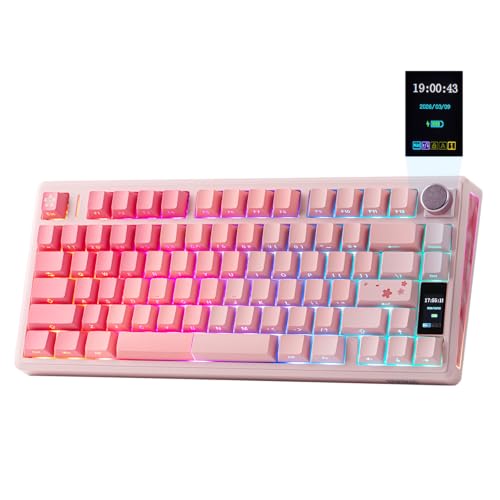
EPOMAKER TH80 V2 Pro 75% Wireless Keyboard
Best for: quiet gaming with screen and knob
- Use
- Gaming (what this guide is about)
- Switch Type
- Sea Salt Silent
- Form Factor
- 75%
- Connectivity
- 2.4 GHz, Bluetooth, USB-C
- Backlighting
- RGB
- Case Material
- Plastic
The EPOMAKER TH80 V2 PRO is a 75% wireless gaming keyboard in pink. It features a 10000mAh battery, a 1.06-inch glass screen, and a metal volume knob. The Sea Salt Silent switches reduce noise. It connects via 2.4 GHz, Bluetooth, or USB-C. The gasket mount and PBT keycaps improve typing comfort. This model suits gamers who want quiet operation and long battery life.
Pros
- 10000mAh battery provides over 200 hours of wireless use.
- 1.06-inch glass screen displays status and custom GIFs.
- Sea Salt Silent switches minimize typing noise.
- Metal volume knob offers intuitive media control.
- Hot-swappable switches allow easy customization.
Cons
- Plastic case feels less premium than aluminum alternatives.
- Silent switches may lack tactile feedback for some gamers.
- Requires software for full customization and GIF uploads.
Good fit if
- You need a quiet keyboard for shared spaces.
- You want a large battery for long gaming sessions.
- You prefer a 75% layout with a screen.
Skip if
- You require a metal chassis for durability.
- You prefer tactile or clicky switches.
- You want a full-size keyboard with numpad.
Verdict: EPOMAKER TH80 V2 PRO 75% Pink Keyboard delivers quiet gaming with a large battery and useful screen. It fits users who value silence and desk space over metal build quality.

EPOMAKER HE68 Lite 65% Magnetic Keyboard
Best for: Compact layouts requiring high polling rates
- Use
- Gaming (what this guide is about)
- Switch Type
- Magnetic linear
- Form Factor
- 65%
- Connectivity
- Detachable USB
- Backlighting
- A-RGB
- Keycap Material
- Shine-through PBT
The EPOMAKER HE68 Lite is a 65% Hall Effect keyboard built for speed. It features 8,000 Hz polling and a 128,000 scan rate for rapid input. You get adjustable fast triggers with zero dead zone and SOCD support. The magnetic linear switches are factory-lubed for smooth action. It includes A-RGB lighting and a five-layer sound-dampened design. This compact unit weighs 0.6kg and connects via detachable USB.
Pros
- 8,000 Hz polling and 128,000 scan rate
- 0.005mm adjustable fast trigger with zero dead zone
- Snap Key (SOCD) and Macro recording support
- Dynamic Keystroke and Mod Tap functionality
- Five-layer sound-dampened acoustic design
Cons
- Detachable USB only, no wireless connectivity
- 65% layout lacks dedicated arrow keys
- Requires EPOMAKER software for full configuration
Good fit if
- You prioritize high polling rates for competitive gaming
- You want a compact 65% layout for desk space
- You need adjustable trigger points for specific games
Skip if
- You require wireless or Bluetooth connectivity
- You need a full-size keyboard with numpad
- You prefer a standard 75% or 100% layout
Verdict: The EPOMAKER HE68 Lite 65% Gaming Keyboard suits players who need rapid response and a compact footprint. It fits those who value Hall Effect precision over wireless convenience.
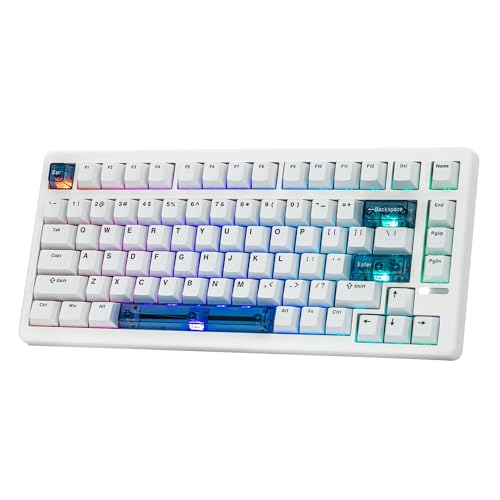
EPOMAKER 75% Hall Effect Gaming Keyboard
Best for: competitive FPS gaming with fast actuation
- Use
- Gaming (what this guide is about)
- Switch Type
- Hall Effect
- Form Factor
- 75%
- Connectivity
- Wired
- Backlighting
- RGB
- Keycap Material
- Double-shot PBT
The EPOMAKER HE80 is a 75% wired gaming keyboard featuring Hall Effect switches. It supports 8K polling and 32K scan rates for minimal latency. You get adjustable actuation down to 0.02mm and features like SOCD and DKS for competitive play. Double-shot PBT keycaps and RGB lighting add durability and style. It is ideal for gamers who want fast response times in a compact layout.
Pros
- 8K polling and 32K scan rate for low latency
- 0.02mm adjustable actuation and release travel
- Double-shot PBT keycaps resist shine and wear
- Supports SOCD and Dynamic Keystroke features
- Online driver for customization without downloads
Cons
- Wired-only connectivity limits desk flexibility
- No physical knob or TFT screen included
- Requires online driver for full customization
Good fit if
- You play fast-paced FPS or MOBA games
- You want a compact 75% layout for mouse space
- You prefer wired connections for stability
Skip if
- You need wireless freedom
- You want a full-size numpad
- You prefer physical knobs for volume
Verdict: The EPOMAKER HE80 75% Wired Hall Effect Keyboard suits competitive gamers who need rapid actuation and a compact footprint. Its wired design ensures consistent performance without battery concerns.

EPOMAKER Split70 Ergonomic Gasket Keyboard
Best for: Ergonomic split gaming and typing
- Use
- Gaming (what this guide is about)
- Connectivity
- Wireless
- Backlighting
- RGB
- Switch Type
- Linear Switch
- Hot-Swap Support
- Hot-Swappable
- Mounting Style
- Gasket Mount
The EPOMAKER Split70 is a 70% wireless mechanical keyboard designed for ergonomic typing. It features a detachable split layout and gasket mount construction with five layers of padding for a creamy acoustic profile. You get tri-mode connectivity, hot-swappable sockets, and QMK/VIA programmability. A rotary knob provides media control, while RGB lighting adds visual flair. This keyboard suits gamers seeking comfort during long sessions.
Pros
- Detachable split design for adjustable typing angles
- Tri-mode wireless with Bluetooth 5.0 and 2.4GHz
- Hot-swappable switches with factory-lubed linear options
- QMK/VIA software for deep customization
- Rotary knob for volume and media control
Cons
- Split layout requires adjustment period for split-finger typing
- 70% layout omits dedicated number pad
- Larger footprint due to split design
Good fit if
- You want to reduce wrist strain with a split layout
- You need tri-mode connectivity for multiple devices
- You prefer customizable switches and layouts
Skip if
- You require a full-size keyboard with numpad
- You prefer a fixed, non-split keyboard
- You do not want to adjust to split typing
Verdict: The EPOMAKER Split70 Ergonomic Keyboard fits users who prioritize wrist comfort and customization through its split design and QMK/VIA support.
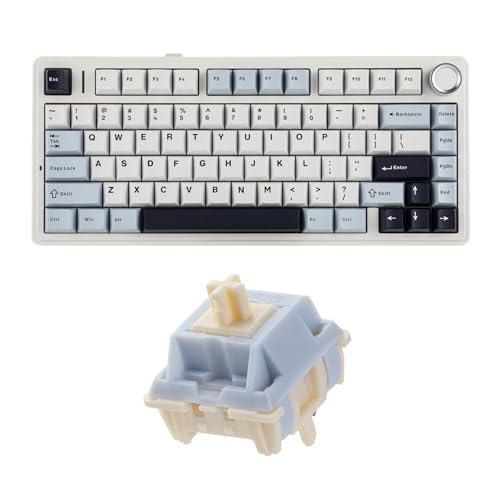
EPOMAKER x Aula F75 Gasket Keyboard
Best for: compact gaming setups requiring silent switches
- Use
- Gaming (what this guide is about)
- Switch Type
- Sorane Silent Switch
- Form Factor
- 75%
- Connectivity
- Three-way
- Mounting Style
- Gasket Mount
This EPOMAKER x Aula F75 is a 75% mechanical keyboard designed for gaming. It uses a gasket mount structure with five-layer padding for sound control. The board features Sorane silent switches and a 1.2mm PCB. It offers three-way connectivity and a 4000mAh battery. You get a compact layout that saves desk space while maintaining essential keys.
Pros
- Gasket mount structure for improved typing feel
- Sorane silent mechanical switches for reduced noise
- 4000mAh battery for extended wireless use
- Five-layer padding for acoustic mastery
- Three-way connectivity options
Cons
- 75% layout lacks dedicated arrow keys and navigation cluster
- Battery capacity is lower than some competitors
- Silent switches may feel less tactile for gaming
Good fit if
- You want a compact 75% layout for gaming
- You prefer silent switches for quiet environments
- You need a gasket mount for better acoustics
Skip if
- You need a full-size keyboard with numpad
- You prefer tactile or clicky switches
- You require a larger battery capacity
Verdict: EPOMAKER x Aula F75 Gasket 75% Keyboard is a solid choice for gamers who value compact size and quiet operation. It suits those who want a gasket mount feel without the bulk of a full-size board.
Specifications side by side
| Spec | EPOMAKER Aula F75 75% Wireless Keyboard | EPOMAKER 75% Wireless Gasket Keyboard with Screen | EPOMAKER AegisSil Silicone Keycap Set | EPOMAKER Galaxy100 Wireless Aluminum Keyboard | EPOMAKER Full-Size Gasket Wireless Keyboard | EPOMAKER Full-Size Wireless Keyboard with Screen | EPOMAKER EA75 Max 75% Wireless Keyboard | EPOMAKER TH80 V2 Pro 75% Wireless Keyboard | EPOMAKER HE68 Lite 65% Magnetic Keyboard | EPOMAKER 75% Hall Effect Gaming Keyboard | EPOMAKER Split70 Ergonomic Gasket Keyboard | EPOMAKER x Aula F75 Gasket Keyboard |
|---|---|---|---|---|---|---|---|---|---|---|---|---|
| Switch Type | LEOBOG Reaper Switch | Linear Reaper switch | not specified | Linear | Sea Salt Silent | Reaper Linear | Reaper | Sea Salt Silent | Magnetic linear | Hall Effect | not specified | Sorane Silent Switch |
| Form Factor | 75% | 75% | not specified | 1800 | Full-size | 100% full-size | 75% | 75% | 65% | 75% | not specified | 75% |
| Connectivity | Bluetooth, 2.4GHz, USB-C | Bluetooth, 2.4GHz wireless, wired | not specified | 2.4Ghz wireless, BT, USB-C | Tri-mode wireless, 2.4GHz, cable | Bluetooth, 2.4GHz wireless | Wired, 2.4GHz, BT5.0 | 2.4 GHz, Bluetooth, USB-C | Detachable USB | Wired | not specified | Three-way |
| Backlighting | RGB | RGB | not specified | RGB | RGB | RGB | RGB | RGB | A-RGB | RGB | not specified | not specified |
| Keycap Material | Double-shot PBT | not specified | not specified | PBT | Double-shot PBT | PBT | Double-shot PBT | not specified | Shine-through PBT | Double-shot PBT | not specified | not specified |
| Case Material | not specified | not specified | not specified | Aluminum alloy | Plastic | not specified | not specified | Plastic | not specified | not specified | not specified | not specified |
| Hot-Swap Support | Hot-Swappable | Hot-Swappable | not specified | Hot-Swappable | Hot-Swappable | not specified | not specified | not specified | not specified | not specified | Hot-Swappable | not specified |
| Mounting Style | Gasket Mount | Gasket Mount | not specified | not specified | Gasket Mount | not specified | not specified | not specified | not specified | not specified | Gasket Mount | Gasket Mount |
| Media Controls | Volume Knob | Volume Knob | not specified | not specified | not specified | not specified | Volume Knob | Volume Knob | not specified | not specified | Volume Knob | not specified |
| Use | Gaming | Gaming | Gaming | Gaming | Gaming | Gaming | Gaming | Gaming | Gaming | Gaming | Gaming | Gaming |
| Design | not specified | not specified | not specified | not specified | not specified | not specified | not specified | not specified | not specified | not specified | Ergonomic | not specified |
| Color | Green | Black Gradient | Blue | Black | Blue&White | Blue&White&Black | Black | Pink | White | White | White | not specified |
| Operating System | not specified | Mac | not specified | not specified | not specified | not specified | not specified | not specified | not specified | not specified | Mac | not specified |
| Noise Level | not specified | not specified | not specified | not specified | Silent | not specified | not specified | Silent | not specified | not specified | not specified | not specified |
| Dimensions | 12.6 × 5.51 × 1.69 inches | 5.62 × 1.69 × 12.9 inches | 5.91 × 14.8 × 1.38 inches | 5.43 × 15.9 × 1.26 inches | 17.5 × 5.5 × 1.65 inches | 17.5 × 5.57 × 1.69 inches | 5.79 × 13.1 × 1.69 inches | 12.7 × 5.54 × 1.82 inches | 12.7 × 4.7 × 1.6 inches | 13.1 × 5.75 × 1.65 inches | 14.7 × 4.65 × 1.56 inches | not specified |
| Weight | 2.2 pounds | not specified | not specified | not specified | not specified | 3.68 pounds | not specified | not specified | not specified | not specified | not specified | not specified |
| Size | LEOBOG Reaper Switch | not specified | 37.5cm*15cm*3.5cm | Marble White Switch | Sea Salt Silent | Reaper Switch | Reaper Switch | Sea Salt Silent | not specified | not specified | not specified | not specified |
| Model | F75 | F75 MAX | AegisSil Keycap Set | Galaxy100 | TH108 | F108 PRO | EA75 MAX | TH80 V2 PRO | HE68 Lite | HE80 | Split70 | not specified |
How to choose the right one
-
Pick the right form factor
Your desk space and numpad needs dictate the layout. Compact 75% boards like the Aula F75 save room while keeping function keys. Full-size options such as the Galaxy100 include a number pad for data entry. The 65% HE68 Lite offers the smallest footprint for rapid movement. Choose a size that matches your workflow without crowding your mouse area.
-
Check mounting style for sound
Mounting style changes how the board feels and sounds. Gasket mount designs, found on the Aula F75 and Split70, isolate the plate for a softer, more refined typing experience. This construction reduces harsh noises and provides a flexible feel. If you prefer a solid, rigid thock, look for tray mount options. The mounting style is a key spec for acoustic refinement and tactile feedback.
-
Decide on connectivity type
Wireless freedom suits most gamers, but wired connections offer stability. Most EPOMAKER boards, including the EA75 MAX and TH108, support wireless use. The HE80 is wired, ensuring consistent performance without battery concerns. Wireless boards often include large batteries, as seen in the TH80 V2 PRO. Choose wireless for a clean desk, or wired if you prioritize zero-latency reliability for competitive play.
-
Select switch type carefully
Switch type defines the actuation feel and noise level. Linear switches, like the Marble White in the Galaxy100, offer smooth keystrokes without tactile bumps. Silent switches, such as the Sea Salt in the TH80 V2 PRO, reduce noise significantly. Hall Effect sensors in the HE68 Lite provide rapid actuation for gaming. Match the switch to your preference for speed, silence, or tactile feedback.
-
Look for hot-swap sockets
Hot-swap support allows you to change switches without soldering. This feature is available on the Aula F75, Galaxy100, and Split70. It lets you customize the typing experience by installing different switches later. If you plan to experiment with different feels, prioritize boards with this spec. It adds long-term value by keeping the keyboard adaptable to your changing preferences.
Frequently asked questions
Which EPOMAKER keyboard is best for quiet gaming?
The EPOMAKER TH80 V2 Pro is designed for silent operation. It uses Sea Salt Silent switches to reduce noise during gameplay. This model also includes a volume knob and a screen for convenient controls. Its pink color option adds a distinct aesthetic to your setup.
Does EPOMAKER make a wireless keyboard with a screen?
Yes, several models feature an integrated display. The F75 MAX and F108 PRO both include screens for status feedback. These keyboards also offer wireless connectivity and volume knobs. The F75 MAX is a 75% layout, while the F108 PRO provides a full-size layout with a numpad.
What is the difference between the Aula F75 and the EPOMAKER x Aula F75?
The standard Aula F75 uses LEOBOG Reaper Switches and features a gasket mount for acoustic refinement. The EPOMAKER x Aula F75 variant focuses on silent operation with a gasket mount design. Both are compact 75% keyboards, but the latter prioritizes quiet typing for gaming environments.
Are EPOMAKER keyboards hot-swappable?
Many models support hot-swappable switches for easy customization. The Aula F75, F75 MAX, Galaxy100, and Split70 all include hot-swap sockets. This feature allows you to change switches without soldering. It lets you adjust the typing feel and actuation points to suit your gaming preferences.
Which EPOMAKER keyboard is best for competitive FPS gaming?
The HE80 75% Wired Hall Effect Keyboard is built for rapid response. It uses magnetic switches for fast actuation in competitive titles. The wired connection ensures consistent performance without battery delays. Its compact 75% layout saves desk space while providing essential function keys for gaming.
Does EPOMAKER offer ergonomic split keyboards for gaming?
The Split70 is an ergonomic split keyboard designed for comfort. It separates the left and right sections to reduce wrist strain. The board supports QMK/VIA for deep customization and includes a gasket mount. It is wireless, RGB backlit, and features PBT keycaps for durability.
What form factors are available in the EPOMAKER gaming lineup?
EPOMAKER offers compact and full-size layouts. The 65% HE68 Lite and 75% Aula F75 save desk space. The full-size Galaxy100 and F108 PRO include numpads for data entry. The Split70 provides a unique ergonomic layout. Choose based on your need for number keys versus portability.