10 Best Keychron Bluetooth Mechanical Keyboards, Compared
As an Amazon Associate we earn from qualifying purchases. Links on this page are affiliate links.
Finding the right keychron bluetooth mechanical keyboard depends on how you balance your desk space, typing preferences, and operating system needs. We compared 10 models based strictly on the specifications published on the listings. The Keychron V6 Max Full-Size Wireless Keyboard takes the top spot because it combines hot-swappable Gateron Jupiter Brown switches with multi-device Bluetooth connectivity.
This guide helps you decide which layout, switch type, and wireless features best match your daily typing routine and workspace.
Quick picks
The best fit for you
- You want a full-size hot-swappable board for desktop multitasking Keychron V6 Max Full-Size Wireless Keyboard Its 108-key layout, brown switches, and hot-swappable sockets support comprehensive desktop customization over Bluetooth.
- You need silent typing with exceptionally long battery life Keychron B1 Pro Ultra-Slim Keyboard It features silent scissor switches and provides up to 1200 hours of battery life.
- You want magnetic switches combined with a number pad Keychron 96% Wireless Hall Effect Keyboard Its 96% layout includes a number pad alongside Hall Effect magnetic switches with adjustable actuation.
- You need a silent tenkeyless layout for shared workspaces Keychron K8 Wireless TKL Silent Keyboard Its tenkeyless form factor combines with silent red switches to reduce typing noise.
Our 10 picks

Keychron V6 Max Full-Size Wireless Keyboard
Best for: full-size multi-device desktop multitasking
- Connectivity
- Bluetooth (what this guide is about)
- Switch Type
- Tactile Brown (Gateron Jupiter)
- Form Factor
- Full-size 100% (108 Keys)
- Hot-Swap Support
- Yes (3-pin and 5-pin MX)
- Backlighting
- South-facing RGB
- Keycap Material
- Double-shot PBT
The Keychron V6 Max is a full-size mechanical keyboard equipped with a 108-key layout, Bluetooth 5.1, and 2.4 GHz wireless connectivity. You can pair it with up to three devices over Bluetooth or use the 1,000 Hz 2.4 GHz connection. It includes hot-swappable switch sockets for 3-pin and 5-pin switches, sound-absorbing foam, and QMK programmability via the Keychron web app. It suits you if you need a complete layout for multitasking across multiple systems.
Pros
- Supports Bluetooth 5.1 pairing with up to three devices
- Hot-swappable PCB compatible with 3-pin and 5-pin MX switches
- Includes 2.4 GHz wireless connection with a 1000 Hz polling rate
- Configurable using the Keychron Launcher web tool or QMK firmware
Cons
- Double-shot PBT keycaps lack shine-through legends
- Measures 17.63 inches long and occupies significant desk space
Good fit if
- You need a dedicated 108-key setup with a number pad.
- You switch regularly between up to three paired Bluetooth devices.
- You want to swap switches without soldering.
Skip if
- You require keycap legends that illuminate in the dark.
- You have limited desk area and need a smaller footprint.
Verdict: Keychron V6 Max Full-Size Wireless Keyboard provides complete 108-key coverage, versatile tri-mode connectivity, and straightforward hardware customization. It serves you well if you want open remapping tools and reliable multi-device Bluetooth switching.

Keychron K10 Full-Size Mechanical Keyboard
Best for: full-size desktop typing and multi-device productivity
- Connectivity
- Bluetooth (what this guide is about)
- Switch Type
- Keychron Apex Brown Switch
- Form Factor
- Full-size
- Backlighting
- White LED
- Use
- Gaming
- Operating System
- Mac, Windows
The Keychron K10 Full-Size Bluetooth Mechanical Keyboard gives you a complete 104-key layout featuring a dedicated number pad and Keychron Apex Brown switches. It pairs with up to three devices over Bluetooth 5.1 alongside a wired USB-C mode, supported by a 4,000 mAh battery rated for up to 240 hours without lighting. This makes it an ideal fit if you handle data entry across Mac and Windows setups.
Pros
- 4,000 mAh battery lasting up to 240 hours with backlight off
- Connects with up to three devices via Bluetooth 5.1 plus wired USB-C
- Full-size 104-key layout with dedicated number pad
- Includes dedicated keys and extra keycaps for Mac and Windows
Cons
- White backlighting only with no RGB color options
- Lacks 2.4 GHz wireless connectivity
- Num Lock key operates solely on Windows systems
Good fit if
- You need a full-size layout with a dedicated numeric keypad.
- You switch frequently between up to three Bluetooth devices.
- You want long battery life reaching up to 240 hours.
Skip if
- You require high-speed 2.4 GHz wireless connectivity.
- You prefer customizable RGB lighting over static white LEDs.
Verdict: Keychron K10 Full-Size Bluetooth Mechanical Keyboard provides a complete 104-key desktop solution with versatile multi-device Bluetooth pairing and extended battery longevity. It gives you dependable tactile typing and dedicated Mac and Windows keys without unnecessary complexity.
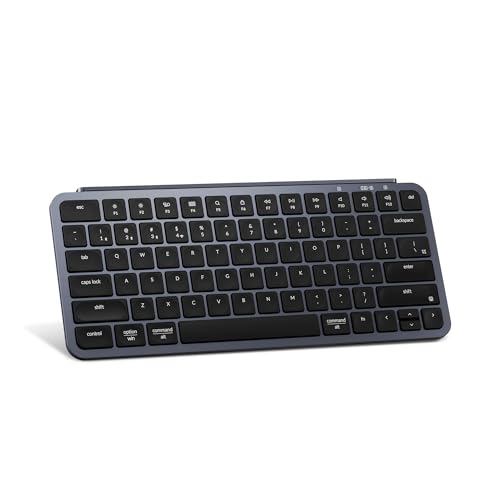
Keychron B1 Pro Ultra-Slim Keyboard
Best for: quiet office typing and long battery life
- Connectivity
- Bluetooth (what this guide is about)
- Switch Type
- Silent Scissor
- Use
- Office
- Operating System
- Mac, Windows
The Keychron B1 Pro Ultra-Slim Keyboard is a low-profile wireless keyboard designed for quiet office desk setups. You connect through Bluetooth 5.2, 2.4 GHz wireless, or a wired cable. Its scissor switches replace standard mechanical switches to minimize typing sound. You get up to 1200 hours of battery life and browser-based key remapping through ZMK and the Keychron Launcher. It suits you if you need a compact, travel-friendly typing tool.
Pros
- Up to 1200 hours of battery life
- Tri-mode connectivity via Bluetooth 5.2, 2.4 GHz, and wired mode
- Ultra-slim 0.2-inch front profile and 0.57-inch rear profile
- Key and macro remapping via Keychron Launcher web app and ZMK
Cons
- Uses scissor switches instead of traditional mechanical switches
- No key backlighting listed in specifications
Good fit if
- You want quiet scissor switches for silent typing in shared workspaces.
- You need long battery life that lasts up to 1200 hours.
- You switch between devices using Bluetooth 5.2 and 2.4 GHz wireless.
Skip if
- You prefer mechanical switches over scissor switches.
- You require backlighting for typing in dark rooms.
Verdict: Keychron B1 Pro Ultra-Slim Keyboard provides silent scissor-switch typing and up to 1200 hours of battery life in a compact build. It offers flexible wireless connections alongside browser-based key remapping.
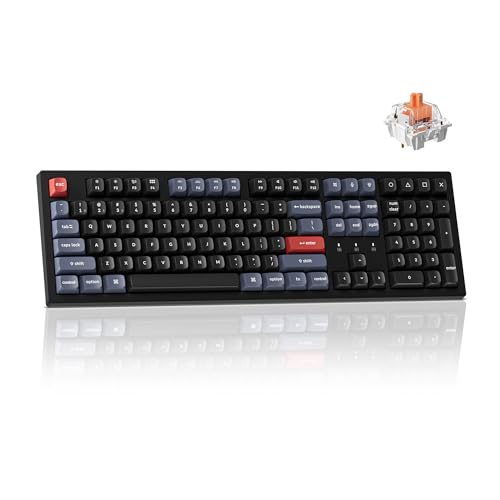
Keychron K10 Pro Full-Size Mechanical Keyboard
Best for: quiet office work and multi-device productivity
- Connectivity
- Bluetooth (what this guide is about)
- Switch Type
- Keychron K Pro Silent Red
- Form Factor
- 100% full-size
- Backlighting
- White
- Keycap Material
- Double-shot PBT
- Hot-Swap Support
- Hot-Swappable
View on Amazon: Keychron K10 Pro Full-Size Mechanical Keyboard
The Keychron K10 Pro is a 100% full-size wireless mechanical keyboard equipped with Bluetooth 5.1 and wired connectivity. It features hot-swappable Keychron K Pro silent red switches, south-facing white backlighting, and a 4000 mAh battery rated for up to 260 hours with lights off. You can remap keys across Mac and Windows using web-based QMK firmware. It suits you if you need a quiet, programmable number-pad board.
Pros
- Pairs with up to 3 devices using Bluetooth 5.1 alongside wired connectivity
- Hot-swappable switch sockets compatible with MX-style switches
- 4000 mAh battery provides up to 260 hours of typing with the backlight off
- Full key and macro remapping via QMK firmware in the Keychron Launcher web app
Cons
- Offers only white backlighting without RGB color options
- Lacks a 2.4 GHz wireless connection mode
Good fit if
- You need a full-size layout with a number pad and silent switches for quiet environments.
- You switch between up to 3 Bluetooth devices across Mac and Windows setups.
- You want browser-based key remapping and macro creation stored on onboard memory.
Skip if
- You require RGB illumination instead of a single white backlight.
- You prefer a 2.4 GHz wireless USB receiver over Bluetooth connectivity.
Verdict: Keychron K10 Pro Full-Size Keyboard delivers a quiet full-size typing experience with extensive QMK customization and long Bluetooth battery life. Its hot-swappable sockets and silent switches make it practical for shared office spaces.

Keychron K8 Wireless TKL Silent Keyboard
Best for: quiet typing in shared office spaces
- Connectivity
- Bluetooth (what this guide is about)
- Switch Type
- Keychron Silent K Pro Red
- Form Factor
- TKL
- Backlighting
- White LED
- Use
- Gaming
- Operating System
- Mac, Windows
The Keychron K8 TKL Silent Red Keyboard provides an 87-key tenkeyless layout with factory pre-lubed Silent K Pro Red switches. You get Bluetooth 5.1 wireless connectivity for up to three devices alongside a wired option offering a 1000 Hz polling rate. White LED backlighting illuminates shine-through keycaps for clear viewing in dark rooms. It suits you if you share an office or game late at night and need quiet typing without a number pad.
Pros
- Factory pre-lubed Keychron Silent K Pro Red switches for quiet keystrokes
- Pairs with up to 3 devices via Bluetooth 5.1
- Wired mode operates at a 1000 Hz polling rate
- White LED backlighting with shine-through keycaps
Cons
- Lacks RGB color backlighting options
- Does not include a dedicated number pad
- No 2.4 GHz wireless connection listed
Good fit if
- You work in a shared office space and require quiet switches
- You switch between up to three Bluetooth devices during the day
- You prefer a tenkeyless layout to free up desk space
Skip if
- You need a dedicated number pad for numerical data entry
- You want customizable RGB backlighting instead of plain white LEDs
- You require a 2.4 GHz wireless USB dongle
Verdict: Keychron K8 TKL Silent Red Keyboard delivers a quiet tenkeyless typing experience with flexible three-device Bluetooth 5.1 connectivity. It offers dependable dual-mode operation for quiet shared workspaces.

Keychron K2 75% Silent Red Keyboard
Best for: quiet typing in compact workspaces
- Connectivity
- Bluetooth (what this guide is about)
- Switch Type
- Keychron Silent K Pro Red
- Form Factor
- 75%
- Backlighting
- White LED
- Use
- Gaming
- Operating System
- Mac, Windows
The Keychron K2 is a compact 75% layout mechanical keyboard built for typing and gaming. It features Bluetooth 5.1 pairing for up to three devices alongside a 1000 Hz wired mode. Pre-lubed Silent K Pro Red switches keep keystrokes quiet in shared spaces. Shine-through keycaps and white LED backlighting help with visibility in dark rooms. It suits you if you need a space-saving wireless board for Mac and Windows.
Pros
- Bluetooth 5.1 connects with up to 3 devices
- Pre-lubed Silent K Pro Red switches for quiet typing
- 1000 Hz polling rate in wired mode
- White LED backlighting with shine-through keycaps
Cons
- Only offers white LED backlighting without RGB options
- Lacks 2.4 GHz wireless connectivity
- No integrated number pad
Good fit if
- You want a compact 75% layout with dedicated Mac and Windows support.
- You type in shared or quiet spaces and need pre-lubed silent switches.
- You switch between up to three Bluetooth devices during your workday.
Skip if
- You require a dedicated numeric keypad for data entry.
- You prefer multi-color RGB lighting instead of plain white backlighting.
- You need 2.4 GHz wireless support for cord-free gaming.
Verdict: Keychron K2 75% Silent Red Keyboard delivers quiet switches and reliable multi-device Bluetooth pairing in a compact layout. It provides a balanced set of core features for quiet desk setups across Mac and Windows.
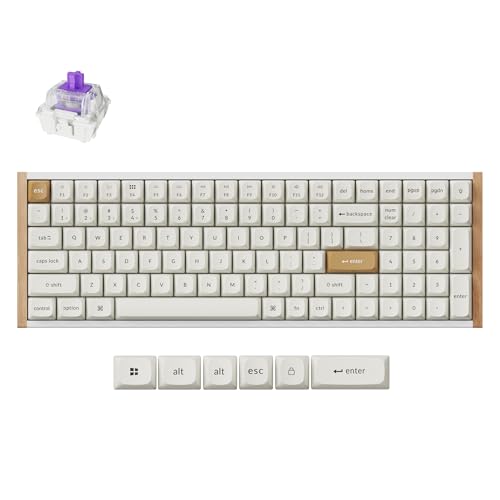
Keychron 96% Wireless Hall Effect Keyboard
Best for: magnetic switch customization with a number pad
- Connectivity
- Bluetooth (what this guide is about)
- Switch Type
- Gateron Double-Rail Magnetic
- Form Factor
- 96%
- Hot-Swap Support
- Yes (Gateron double-rail only)
- Backlighting
- RGB
- Keycap Material
- OSA PBT
This 96% compact wireless keyboard pairs a full number pad with Gateron double-rail Hall Effect magnetic switches. You can adjust switch actuation depth from 0.2mm to 3.8mm and use Rapid Trigger functionality. It connects via Bluetooth 5.2 for pairing across three devices at 125Hz, or via 2.4GHz wireless and USB-C at 1000Hz. This setup suits you if you need dedicated number keys alongside rapid, customizable switch response on your desk.
Pros
- Adjustable actuation points from 0.2mm to 3.8mm with Rapid Trigger
- Bluetooth 5.2 pairs with up to three devices
- 1000Hz polling rate via 2.4GHz wireless and USB-C wired modes
- Web-based Keychron Launcher enables remapping without installing local software
- 96% layout retains a number pad while reducing footprint by 20%
Cons
- Bluetooth polling rate is limited to 125Hz
- Hot-swap capability works only with Gateron double-rail magnetic switches
- Stock PBT keycaps are non-shine-through
Good fit if
- You want adjustable switch sensitivity and Rapid Trigger inputs.
- You need a number pad while saving desk space.
- You switch between up to three Bluetooth devices for daily typing.
Skip if
- You want backlit legends that shine through the keycaps.
- You plan to swap in standard mechanical MX switches.
- You need a 1000Hz polling rate over Bluetooth.
Verdict: Keychron 96% Magnetic Switch Keyboard delivers Hall Effect precision, adjustable actuation, and multi-device Bluetooth in a space-saving layout. It provides full number pad utility and rapid input control without requiring desktop software.
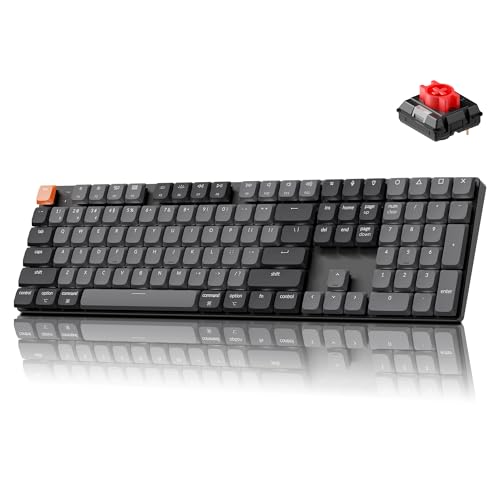
Keychron K5 V2 Low-Profile Keyboard
Best for: full-size typing with an ultra-slim profile
- Connectivity
- Bluetooth (what this guide is about)
- Switch Type
- Low-profile red linear
- Form Factor
- 100%
- Backlighting
- White
- Dimensions
- 16.7 × 4.69 × 0.99 inches
- Weight
- 1.61 pounds
The Keychron K5 Version 2 is a full-size, low-profile mechanical keyboard with Bluetooth 5.2 and USB-C connectivity. It measures 0.99 inches tall and features low-profile red linear switches along with internal acoustic foam layers. You can pair it with up to three devices wirelessly or use USB-C for a 1000 Hz polling rate. It suits you if you want a complete number pad, open-source QMK remapping, and a slim desktop profile.
Pros
- Full 100% layout measuring 0.99 inches tall
- Bluetooth 5.2 pairs with up to three devices
- Open-source QMK firmware and Keychron Launcher web app support
- Layered IXPE, EPDM, and latex acoustic dampening foams
Cons
- White backlighting only with no RGB option listed
- Lacks a 2.4 GHz wireless connection option
Good fit if
- You want a full-size layout with a number pad in a slim 0.99-inch frame.
- You need to pair and switch between up to three Bluetooth devices across Mac and Windows.
- You plan to remap keys and configure layers using QMK firmware.
Skip if
- You require multi-color RGB backlighting instead of single white lighting.
- You need a low-latency 2.4 GHz USB wireless receiver.
Verdict: Keychron K5 Version 2 Low-Profile Keyboard delivers a full-size 100% layout and QMK customization inside an ultra-slim chassis. It gives you flexible Bluetooth 5.2 connectivity and acoustic dampening without taking up vertical desk space.

Keychron J9 Ultra Low-Profile Wireless Keyboard
Best for: fast low-profile typing with PBT keycaps
- Connectivity
- Bluetooth (what this guide is about)
- Switch Type
- Low-Profile Silent Banana
- Form Factor
- Compact
- Backlighting
- RGB
- Keycap Material
- PBT
- Hot-Swap Support
- Hot-Swappable
View on Amazon: Keychron J9 Ultra Low-Profile Wireless Keyboard
The Keychron J9 Ultra is an ultra-slim mechanical keyboard equipped with durable PBT keycaps and low-profile switches. You get Bluetooth 5.2 pairing for three devices alongside 8000 Hz polling over 2.4 GHz wireless or USB. It includes hot-swappable switch sockets, dual IXPE and EPDM acoustic foam, and up to 480 hours of battery life with backlighting off. It suits you if you need low-profile typing with responsive multi-device wireless.
Pros
- PBT keycaps included by default
- 8000 Hz polling rate over 2.4 GHz wireless and wired connections
- Up to 480 hours of battery life with backlight off
- Bluetooth 5.2 connects across up to three devices
- Hot-swappable low-profile mechanical switch sockets
Cons
- Web launcher configuration requires a wired connection and Chromium browsers
- 8000 Hz polling requires an Intel i7 9th Gen or AMD Ryzen 7 2nd Gen processor
Good fit if
- You want hard-wearing PBT keycaps on a low-profile build.
- You need Bluetooth switching across three different devices.
- You prioritize high 8000 Hz polling rates for low wireless latency.
Skip if
- You use a PC below Intel i7 9th Gen or Ryzen 7 2nd Gen specs.
- You prefer configuring custom keymaps entirely wirelessly without Chrome-based browsers.
Verdict: Keychron J9 Ultra Low-Profile Mechanical Keyboard brings durable PBT keycaps, hot-swappable low-profile switches, and fast 8000 Hz polling into an ultra-slim chassis. It gives you flexible multi-device Bluetooth switching backed by long battery endurance.
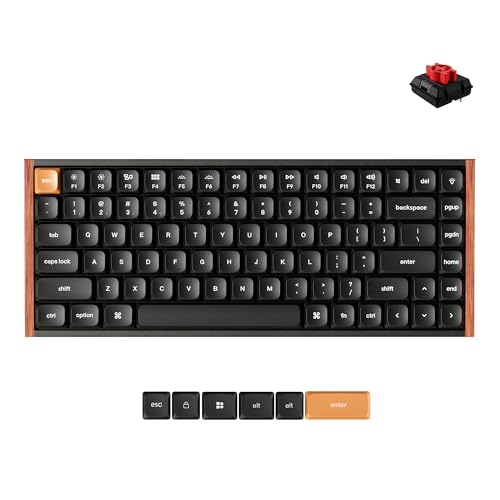
Keychron K3 Max SE Low-Profile Wireless Keyboard
Best for: low-profile multi-device typing on a compact layout
- Connectivity
- Bluetooth (what this guide is about)
- Switch Type
- Keychron Milk POM Red
- Form Factor
- 75%
- Keycap Material
- Double-shot PBT
- Dimensions
- 12.5 × 4.96 × 0.78 inches
View on Amazon: Keychron K3 Max SE Low-Profile Wireless Keyboard
The Keychron K3 Max SE is a low-profile 75% mechanical keyboard measuring 0.78 inches thick. You get triple connectivity via Bluetooth 5.2 across three devices, 2.4 GHz wireless, and wired mode. It features hot-swappable low-profile switches, double-shot PBT keycaps, and QMK firmware customization. This keyboard suits you if you want a compact, low-profile typing deck that switches easily between your computer, phone, and tablet.
Pros
- Connects to up to three devices over Bluetooth 5.2, plus 2.4 GHz and wired options
- Low 0.78-inch profile with hot-swappable switches
- Open-source QMK firmware support via the browser launcher
- Durable double-shot PBT keycaps with oil resistance
Cons
- Key remapping through the web launcher requires a wired connection
- 75% layout lacks a dedicated numeric keypad
- Keycap legends are non-shine-through
Good fit if
- You want a 0.78-inch low-profile board that pairs with up to three Bluetooth devices.
- You need hot-swappable switch capability and QMK remapping in a compact footprint.
Skip if
- You need a dedicated numeric keypad for data entry.
- You prefer to remap keys wirelessly without connecting a cable.
Verdict: Keychron K3 Max SE 75% Low-Profile Keyboard delivers versatile multi-device Bluetooth connectivity and slim ergonomics in a compact frame. It provides open-source QMK customization and hot-swappable switches without taking up desk space.
Specifications side by side
| Spec | Keychron V6 Max Full-Size Wireless Keyboard | Keychron K10 Full-Size Mechanical Keyboard | Keychron B1 Pro Ultra-Slim Keyboard | Keychron K10 Pro Full-Size Mechanical Keyboard | Keychron K8 Wireless TKL Silent Keyboard | Keychron K2 75% Silent Red Keyboard | Keychron 96% Wireless Hall Effect Keyboard | Keychron K5 V2 Low-Profile Keyboard | Keychron J9 Ultra Low-Profile Wireless Keyboard | Keychron K3 Max SE Low-Profile Wireless Keyboard |
|---|---|---|---|---|---|---|---|---|---|---|
| Switch Type | Tactile Brown (Gateron Jupiter) | Keychron Apex Brown Switch | Silent Scissor | Keychron K Pro Silent Red | Keychron Silent K Pro Red | Keychron Silent K Pro Red | Gateron Double-Rail Magnetic | Low-profile red linear | Low-Profile Silent Banana | Keychron Milk POM Red |
| Form Factor | Full-size 100% (108 Keys) | Full-size | not specified | 100% full-size | TKL | 75% | 96% | 100% | Compact | 75% |
| Connectivity | 2.4 GHz, Bluetooth 5.1, wired | Bluetooth 5.1, USB Type-C wired | Bluetooth 5.2, 2.4GHz, wired | Bluetooth 5.1, wired | Bluetooth 5.1, USB-C wired | Bluetooth 5.1, USB-C wired | 2.4GHz, Bluetooth 5.2, USB-C wired | Bluetooth 5.2, USB-C wired | 2.4 GHz, Bluetooth 5.2, wired | 2.4 GHz, Bluetooth 5.2, wired |
| Hot-Swap Support | Yes (3-pin and 5-pin MX) | not specified | not specified | not specified | not specified | not specified | Yes (Gateron double-rail only) | not specified | not specified | not specified |
| Backlighting | South-facing RGB | White LED | not specified | White | White LED | White LED | RGB | White | RGB | not specified |
| Keycap Material | Double-shot PBT | not specified | not specified | Double-shot PBT | not specified | not specified | OSA PBT | not specified | PBT | Double-shot PBT |
| Case Material | not specified | not specified | not specified | not specified | not specified | not specified | Aluminum with real wood side accents | not specified | not specified | not specified |
| Use | not specified | Gaming | Office | not specified | Gaming | Gaming | not specified | not specified | not specified | not specified |
| Operating System | not specified | Mac, Windows | Mac, Windows | Mac, Windows | Mac, Windows | Mac, Windows | Mac, Windows | not specified | Mac, Windows | not specified |
| Noise Level | not specified | not specified | Silent | Silent | Silent | Silent | not specified | not specified | Silent | not specified |
| Dimensions | 17.6 × 5.87 × 1.28 inches | 1.85 × 0.71 × 0.09 inches | not specified | not specified | 14.1 × 4.84 × 1.65 inches | not specified | 2.83 × 8.03 × 15.9 inches | 16.7 × 4.69 × 0.99 inches | 12.4 × 5.23 × 1.01 inches | 12.5 × 4.96 × 0.78 inches |
| Weight | not specified | 1.1 pounds | not specified | not specified | 2.2 pounds | not specified | 2.3 pounds | 1.61 pounds | not specified | not specified |
| Size | Compact | not specified | not specified | not specified | White Backlight | not specified | Compact | not specified | not specified | not specified |
| Color | Hot-swap Gateron Jupiter Brown Switch | Keychron Apex Brown Switch | Gray | Hot-swap Keychron K Pro Silent Red Switch | Silent Red Switch | Keychron Silent K Pro Red Switch | Special Edition White | White Backlight Red Switch | Hot-swappable Silent Banana Switch | Red Switch |
| Model | V6 Max | K10-A3 | not specified | not specified | not specified | Keychron K2A6 | K4 HE | not specified | not specified | K3M-F1 |
If you configure wireless hardware across your home, you can compare the best deadbolts with bluetooth.
How to Choose a Keychron Bluetooth Keyboard
-
Select Your Form Factor
Decide whether your daily tasks require a dedicated number pad or prioritize open desk area. Full-size layouts provide complete 104-key or 108-key coverage, which assists with continuous numerical data entry. If you need more space for mouse movement, compact layouts such as tenkeyless or 75% boards remove the numeric keypad while keeping primary typing keys intact. The Keychron K8 Wireless TKL Silent Keyboard drops the numeric pad entirely to save desk space while maintaining dedicated arrow and navigation clusters.
-
Compare Switch Actuation Types
Review the switch technology to match how you input commands and text. Standard mechanical switches operate with fixed actuation points, giving you uniform travel on every keystroke. Magnetic Hall Effect switches use magnetic sensors rather than standard contacts, allowing you to adjust actuation depth for rapid input control. The Keychron 96% Wireless Hall Effect Keyboard provides magnetic switches with adjustable actuation, making it suitable if you want precise control over key sensitivity without traditional switch limitations.
-
Evaluate Keyboard Chassis Height
Examine the physical height dimensions of the keyboard frame before making a decision. Standard mechanical boards feature taller cases that raise your hands above the desktop surface, which often requires an external wrist rest. Low-profile models reduce frame thickness to keep your hands at a flatter angle. The Keychron K5 V2 Low-Profile Keyboard features a height specification of 0.99 inches, providing an ultra-slim full-size layout that sits close to the desk surface without sacrificing numpad availability.
-
Check Sound Level Ratings
Check the noise level specifications if you intend to type in communal work areas. Standard mechanical switches produce distinct audible sound with every keystroke, which can carry across quiet offices. Keyboards configured with silent switches dampen bottom-out impact to maintain low acoustic output. The Keychron K2 75% Silent Red Keyboard includes silent switches that keep typing volume minimal, allowing you to use a compact mechanical board in shared spaces without creating noise distractions for people around you.
-
Verify Operating System Compatibility
Confirm operating system compatibility to ensure all functions operate seamlessly across your devices. Many Keychron keyboards feature dual layout support for both Mac and Windows platforms. This ensures your modifier keys, such as Command or Windows keys, map correctly whether you work on macOS or a PC. The Keychron K10 Full-Size Mechanical Keyboard lists dedicated support and includes specific key configurations for Mac and Windows, making it straightforward to alternate between operating systems without losing core desktop functions.
Frequently asked questions
Which Keychron Bluetooth keyboards offer silent switches out of the box?
Several models come equipped with factory silent switches for noise-conscious desks. The Keychron K10 Pro, Keychron K8, and Keychron K2 use silent red switches to dampen keystroke sound. If you prefer low-profile typing, the Keychron J9 comes with silent banana switches, while the Keychron B1 Pro utilizes silent scissor switches designed specifically for quiet office environments.
Do Keychron Bluetooth keyboards support both Mac and Windows?
Yes, Keychron builds dual-operating-system support directly into its Bluetooth keyboard lineup. Models such as the Keychron K10, Keychron K10 Pro, Keychron K8, and Keychron K2 list direct compatibility for Mac and Windows. The Keychron B1 Pro, Keychron K4 HE, and Keychron J9 also support both operating systems, allowing you to toggle between different platforms without losing core wireless typing functionality.
What switch types are available on Keychron Bluetooth keyboards?
You can choose between mechanical, low-profile, scissor, and magnetic switches across the lineup. The Keychron V6 Max uses brown mechanical switches, whereas the Keychron K10 Pro features silent red switches. The Keychron B1 Pro relies on silent scissor mechanisms, while the Keychron K4 HE uses Hall Effect magnetic switches with adjustable actuation for rapid, customized input control without standard physical contacts.
Which Keychron Bluetooth keyboard has the longest battery life?
The Keychron B1 Pro Ultra-Slim Keyboard provides the longest rated battery endurance on this list, offering up to 1200 hours of battery life. It uses silent scissor switches in an ultra-slim layout rather than standard mechanical switches, making it an efficient option for general productivity when you want minimal recharging stops during continuous wireless Bluetooth operation.
Which Keychron models feature low-profile designs?
Keychron offers several slim options including the Keychron B1 Pro, Keychron K5 V2, Keychron J9, and Keychron K3 Max SE. The K5 V2 provides a full-size low-profile layout with Bluetooth 5.2 connectivity. The Keychron J9 delivers an ultra low-profile frame with durable PBT keycaps, while the Keychron K3 Max SE features a compact 75 percent low-profile build.
What is the difference between Keychron full-size and compact layouts?
Full-size Keychron models like the V6 Max and K10 feature integrated number pads with 104 or 108 keys for uninterrupted data entry. Compact models, such as the Keychron K8 tenkeyless and Keychron K2 75 percent layouts, eliminate the dedicated numpad. Selecting a compact layout frees up physical desk space for your mouse while preserving your essential navigation and typing keys.
How does a Keychron Hall Effect keyboard work over Bluetooth?
Hall Effect models like the Keychron K4 HE use magnetic sensors instead of traditional physical metal contacts to detect keystrokes. This design enables adjustable switch actuation and precise registration. The keyboard pairs this magnetic technology with multi-device Bluetooth wireless connectivity, delivering custom input control inside a space-saving 96 percent layout that retains full number pad utility.